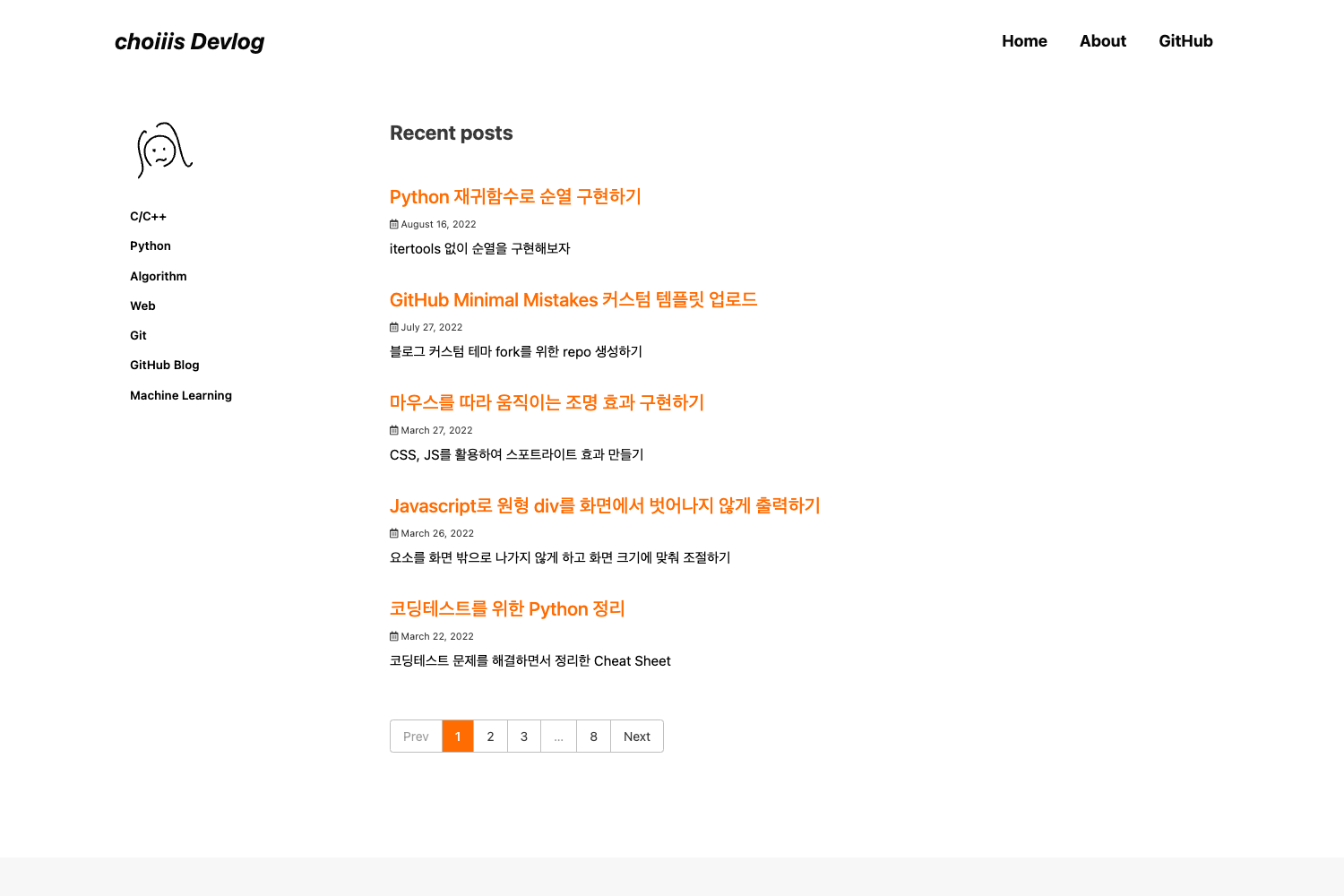
Template details
HPSTR Jekyll Theme
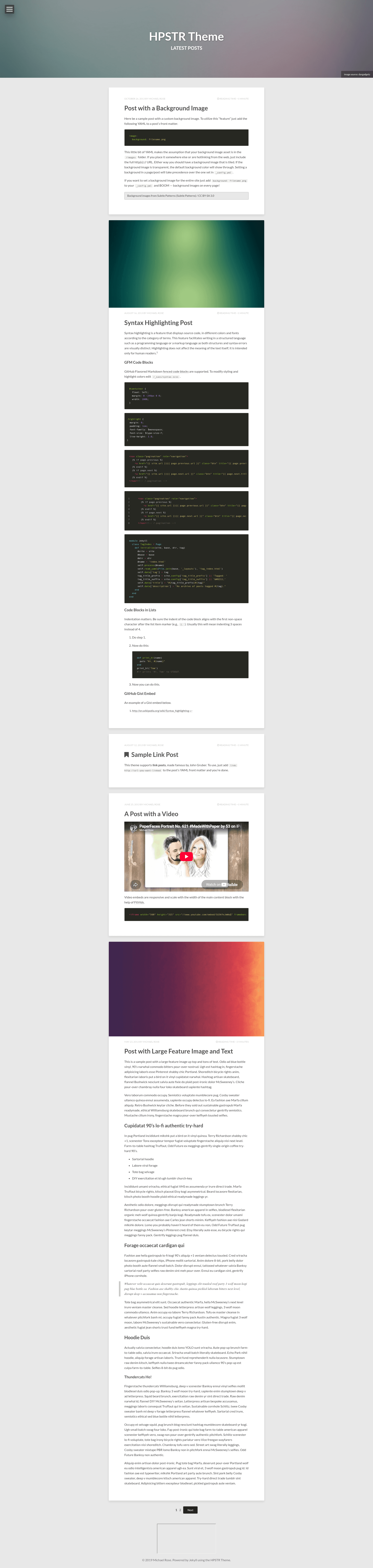
A minimal, responsive Jekyll theme for blogs with Disqus comments, social sharing, syntax highlighting, and a Spanish translation.
About this template
HPSTR Jekyll Theme is a free, minimal static-site theme for Jekyll 3.x that produces responsive blog pages, post indexes, and 404 pages with SCSS and data-file customization.
What is HPSTR Jekyll Theme?
HPSTR Jekyll Theme is a free, open-source Jekyll theme created by Michael Rose (mmistakes) with a "tumble-log" (short-form blog) tendency. It takes Jekyll 3.x projects as input—content written in Markdown and templates built with Liquid—and outputs a static website with responsive post, page, and post-index layouts. The theme is available on GitHub and is 100% GitHub Pages compatible.
Key Features
- Responsive layouts — Includes post, page, and post index templates that adapt to mobile, tablet, and desktop screens, with graceful degradation in Internet Explorer 8 and all modern browsers.
- Animated menu — A JavaScript-driven navigation menu with drop-down support for organizing link-heavy sites.
- Disqus comments and social sharing — Optional integration with Disqus for comments plus share links for social networks.
- Social metadata — Built-in Open Graph and Twitter Cards support improves link previews when posts are shared.
- Custom 404 page — A ready-made error page with the theme's styling, so missing URLs don't show a default browser page.
- Syntax highlighting — A bundled stylesheet highlights code blocks in posts, useful for programming tutorials.
- SCSS and data-file customizing — The theme uses SCSS variables and Jekyll data files so colors and site settings can be edited without touching templates.
- Spanish translation — A dedicated Spanish-language branch is maintained by contributor cruznick.
Who is it for?
- Bloggers and writers who want a minimal, no-frills site layout with a focus on reading.
- Developers and designers who need a Jekyll starter that uses SCSS and data files for quick visual changes.
- Technical writers who publish code-heavy content and want built-in syntax highlighting and responsive code blocks.
Use cases
- Personal bloggers: set up a clean personal blog with Disqus comments and social sharing out of the box.
- Tech tutorial authors: post code samples with the included syntax highlighting stylesheet and share them via Open Graph previews.
- Portfolio or project sites: use the custom 404 page and drop-down menu to organize a simple multi-page Jekyll site.
How does it work?
HPSTR requires Jekyll 3.x. After cloning the repository, you edit the _config.yml file to set site title, navigation, and social links, and use SCSS partials to override the theme's variables. The Setup Guide on the project site walks through installation, local preview, and deployment to GitHub Pages.
Pros and cons
- Pros: Free and open source; works on GitHub Pages without extra build tools; includes Disqus, Open Graph, Twitter Cards, syntax highlighting, and a custom 404 page.
- Cons: Requires Jekyll 3.x; older Jekyll versions will not work properly.
Pricing
The theme is free and open source, released on GitHub with no paid tiers.
Alternatives
- Minimal Mistakes — another Jekyll theme by the same author, with more layout options.
- So Simple — another Jekyll theme by the same author, with a simple design.
FAQ
Is HPSTR Jekyll Theme free?
Yes, it is free and open source. There is no paid version or subscription; you can clone it from GitHub and deploy to GitHub Pages at no cost.
Does HPSTR work on GitHub Pages?
Yes, it is 100% GitHub Pages compatible. The Setup Guide explains how to configure your repository's gh-pages branch or use a custom domain.
What Jekyll version does HPSTR require?
HPSTR requires Jekyll 3.x. Older versions of Jekyll are not supported, so upgrade your project to Jekyll 3 before using the theme.
What browsers does HPSTR support?
The theme is responsive and renders on mobile, tablet, and desktop. It degrades gracefully for older browsers and is compatible with Internet Explorer 8 and all modern browsers.
Can I use HPSTR with a language other than English?
The theme is primarily English, but a Spanish-language branch is maintained on GitHub by contributor cruznick. You can use that branch or translate the templates yourself.