Template details
Hugo Flex
A lightweight Hugo theme using CSS Flexbox for responsive, no-JavaScript static sites.
About this template
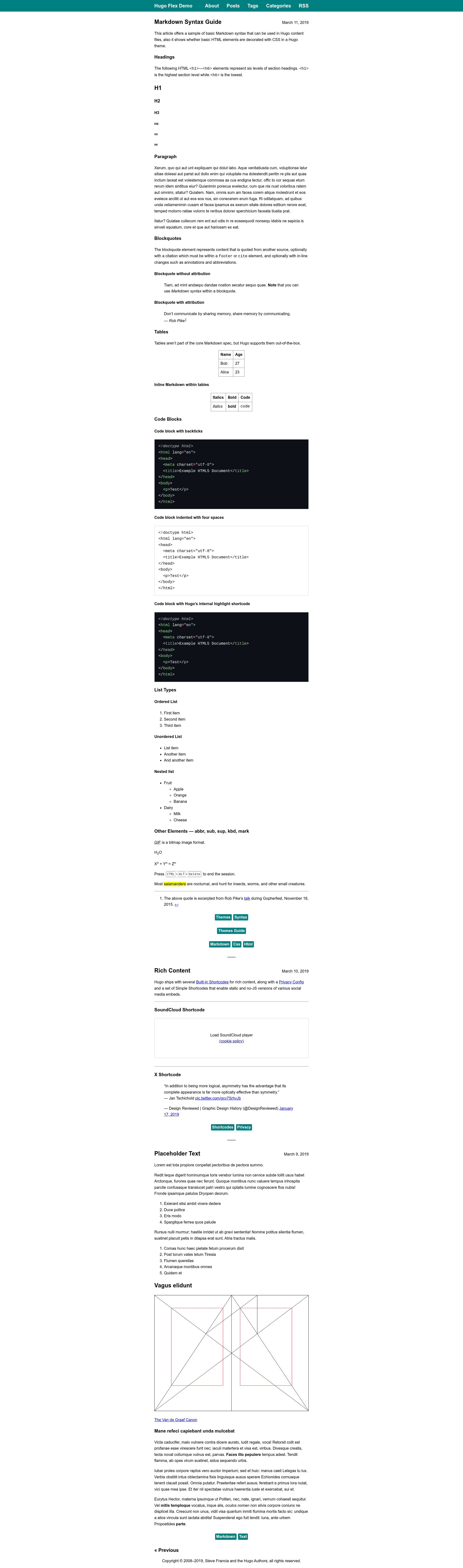
Hugo Flex is a lightweight Hugo theme that builds responsive, no-JavaScript static sites using CSS Flexbox, achieving a 100% PageSpeed performance score. This guide covers what the theme provides, who it targets, and how to configure its optional features.
What is Hugo Flex?
Hugo Flex is an open-source theme for the Hugo static site generator, maintained on GitHub by ldeso. It takes Markdown content, Hugo configuration files, and optional asset files as input and outputs a static HTML website. The theme is verified to work with Hugo versions v0.158.0 through v0.161.1 and is licensed under the Apache License 2.0.
Key Features
- Flexbox layout — The entire responsive page structure uses CSS Flexbox with no CSS framework, keeping the theme lightweight.
- No JavaScript — The core theme ships without JavaScript; optional widgets like Utterances comments and SoundCloud embeds load only after user interaction.
- Perfect PageSpeed scores — The project reports 100% performance and accessibility scores on PageSpeed Insights.
- Multilingual support — Uses Hugo's multilingual content management, with a locale parameter such as en-US in the site config.
- Dark theme — Includes a dark mode that follows the user's system color scheme.
- Full-content RSS — RSS feeds include full posts rather than excerpts, and the feed URL can be renamed from rss.xml to feed.xml.
- Server-side math rendering — LaTeX math can be converted to HTML without client-side JavaScript using KaTeX 0.16.22, either site-wide or through a math shortcode.
- Metadata and SEO — Optional Schema.org, Open Graph, and Twitter Cards metadata can be enabled in the site config.
- Built-in shortcodes — A Netlify contact form with optional honeypot and recaptcha, plus a privacy-friendly SoundCloud player that requires user interaction to load.
Who is it for?
- Bloggers who want a minimal, fast theme with clean typography and no JavaScript overhead.
- Technical writers running documentation sites who need syntax highlighting and LaTeX math rendering.
- Portfolio owners looking for a personal site with multilingual support, dark mode, and simple navigation.
- Hugo developers who want to customize a theme through documented configuration, custom CSS/JS assets, and shortcode hooks.
How does Hugo Flex work?
To install, create a Hugo site, then add the theme as a git submodule from the hugo-flex repository and set theme: hugo-flex in the site configuration file (hugo.yaml). Updating is done by running git submodule update --remote --rebase at the site root. After that, content pages are written normally and the site is built with the Hugo CLI.
Customization and Configuration
Most default behavior is controlled by parameters in the site configuration file. Available parameters include color (any CSS color, default teal), width (any CSS length, default 42rem), divider, footer HTML, RSS intro text, favicon toggle, KaTeX version, heading offset, link icons, homepage summaries, and metadata toggles. Custom CSS and JS files can be loaded site-wide by listing their names under the css and js parameters, or dynamically per page through shortcode templates that register resources on the page's scratch pad. The syntax highlighting style can be changed by generating assets/css/syntax.css with the hugo gen chromastyles command; styles are only included on pages that actually use code blocks.
FAQ
Is Hugo Flex free?
Yes. Hugo Flex is open source and released under the Apache License 2.0, so it can be used and modified for personal and commercial projects without cost.
Does Hugo Flex require JavaScript?
No. The core theme contains no JavaScript. Optional components such as Utterances comments and the SoundCloud player are progressive enhancements that load only after user interaction.
How do I enable math rendering?
Math can be rendered either globally by enabling Hugo's passthrough extension in the markup config, or locally by wrapping formulas in the built-in math shortcode. The theme uses KaTeX 0.16.22 and produces HTML without client-side JavaScript.
How do I add a contact form?
Use the built-in Netlify contact shortcode, which works with Netlify Forms. You can configure it with a honeypot field and a recaptcha challenge, and optionally pass a custom success page URL.
How do I update Hugo Flex?
Since the theme is installed as a git submodule, run git submodule update --remote --rebase from your site's root directory to pull the latest version from the hugo-flex repository.