Template details
merox-erudite
A customized Astro blogging theme based on astro-erudite with newsletter integration, Disqus comments, analytics, and enhanced SEO.
About this template
merox-erudite is an Astro-powered blogging template that extends the astro-erudite theme with newsletter subscriptions, Disqus comments, AdSense, and analytics — built for content creators who want a production-ready blog without wiring integrations themselves.
What is merox-erudite?
merox-erudite is a customized fork of the open-source astro-erudite theme, created by merox and built on the Astro framework with Tailwind CSS and shadcn/ui styling. It takes your MDX blog posts, author profiles, and site configuration as input, and produces a static blog with RSS feed, sitemap, and SEO metadata. The theme runs on any platform that supports Astro static output, such as Vercel or Netlify.
Key Features
- Newsletter integration — Subscribers join a Brevo (Sendinblue) list with GDPR-compliant consent; configure via the BREVO_API_KEY, BREVO_LIST_ID, and BREVO_TEMPLATE_ID environment variables.
- Disqus comments — Optional comment thread per post with lazy loading and Astro view transition support; enable by setting PUBLIC_DISQUS_SHORTNAME.
- Google AdSense — Built-in ad component that respects view transitions; requires replacing the ca-pub-XXXXX publisher ID and data-ad-slot in src/components/AdSense.astro.
- Analytics support — Both Google Analytics (PUBLIC_GOOGLE_ANALYTICS_ID) and Umami (PUBLIC_UMAMI_WEBSITE_ID) are wired in.
- SEO enhancements — FAQ Schema and HowTo Schema components improve search visibility, along with granular per-post metadata.
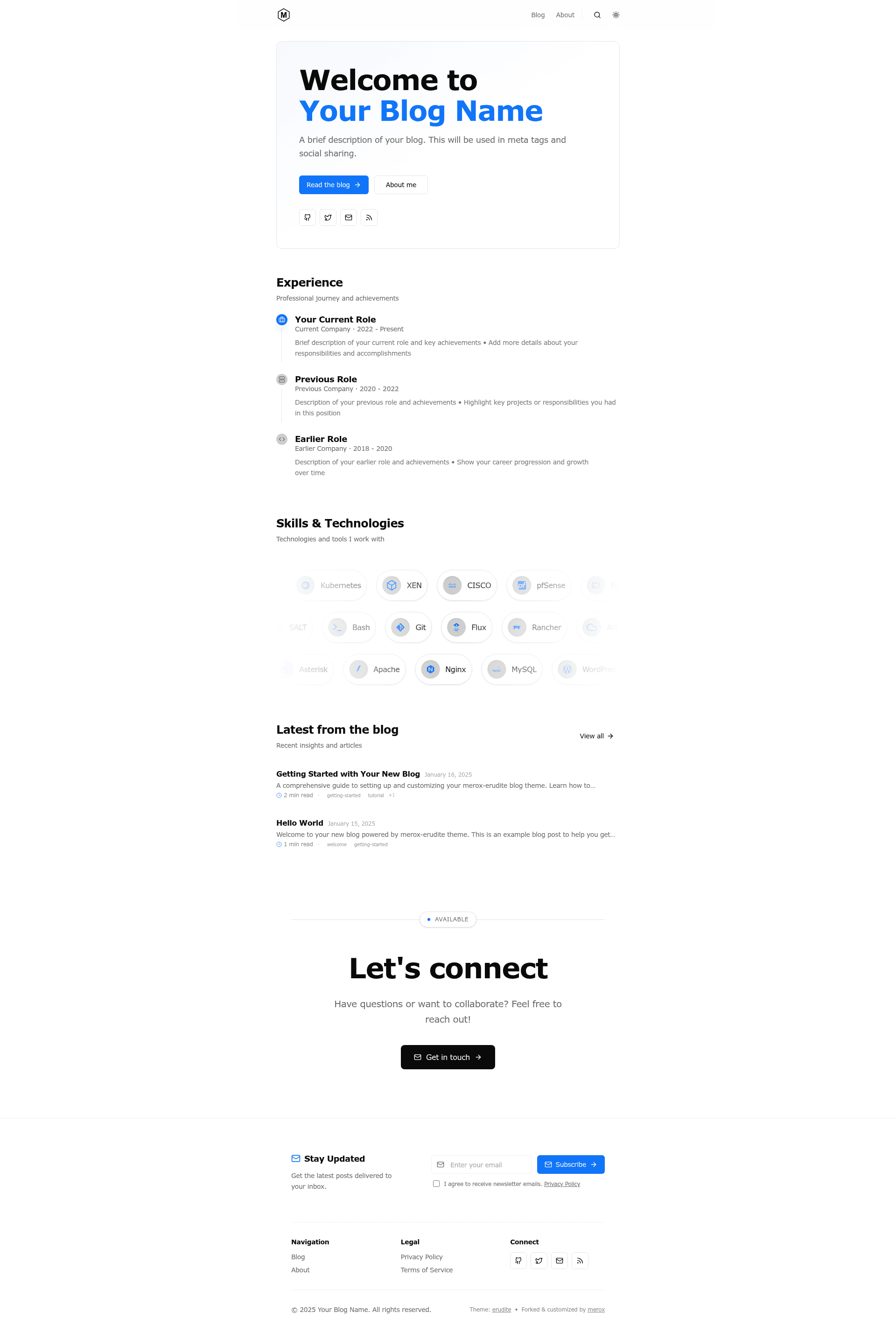
- Enhanced homepage — Custom hero section with background image support, an experience timeline, and an animated skills showcase.
- Typography & accessibility — Geist font family integration, improved contrast ratios, dark mode support, and better screen reader labels.
- Content features — MDX authoring with LaTeX math rendering, Expressive Code syntax highlighting, subposts for series, author profiles, multi-author support, and project tags.
Who is it for?
- Indie bloggers and content creators — publish a static blog with comments, newsletter, and ads without building them from scratch.
- Developers — get a customizable Astro starter with Tailwind, shadcn/ui, and TypeScript for rapid theme tweaking.
- Tech writers — use LaTeX math rendering, Expressive Code blocks, and subposts to organize series.
- Non-professional developers — the author explicitly designed it to be approachable for people who are not full-time programmers.
Use cases
- Publish a multi-author blog — add author files under src/content/authors/ and link posts via authors frontmatter.
- Monetize a blog with ads and subscriptions — enable AdSense and Brevo newsletter without extra plumbing.
- Build a personal knowledge hub — use subposts and project tags to organize series and categorized writing.
How does merox-erudite work?
Click the Use this template button on GitHub, clone the repo, run npm install, optionally add a .env file with service keys, then start the dev server with npm run dev and visit localhost:1234. Content is added as MDX files under src/content/blog/ with frontmatter for title, description, date, tags, image, authors, and draft status.
Pricing
The theme is open-source under the MIT License and free to use. Its external service integrations — Brevo, Disqus, Google AdSense, Google Analytics, and Umami — each have their own accounts and plans; Brevo is noted as having a free tier.
Alternatives
- astro-erudite — the original theme this project forks, with full documentation and a live demo.
- Astro Micro — a minimalist Astro blog theme that originally inspired astro-erudite.
FAQ
Is merox-erudite free to use?
Yes, the theme is released under the MIT License and is free to fork, modify, and deploy. The optional integrations each require their own external account, and Brevo offers a free tier as noted in the setup guide.
What does merox-erudite add over astro-erudite?
It adds a newsletter subscription form, Disqus comments, Google AdSense support, Google Analytics and Umami analytics, FAQ and HowTo schema, a redesigned homepage with an experience timeline and skills showcase, the Geist font family, plus accessibility and performance improvements.
How do I set up the newsletter?
Sign up for Brevo, get an API key from Settings → API Keys, create a list and copy its ID, then set BREVO_API_KEY, BREVO_LIST_ID, and optionally BREVO_TEMPLATE_ID in your .env file. The form includes GDPR-compliant consent.
Can I use my own fonts?
Yes. Replace the font files in public/fonts/, update the @font-face declarations and the --font-sans and --font-mono variables in src/styles/global.css.
Was this theme developed by a professional programmer?
No — the author states they are a System Administrator, not a programmer, and built the theme exclusively using Cursor, an AI-powered code editor. They document this for transparency.