Template details
Hugo Theme Prav
A minimal two-column Hugo blog theme using purecss, with syntax highlighting, disqus comments, and customizable social links.
About this template
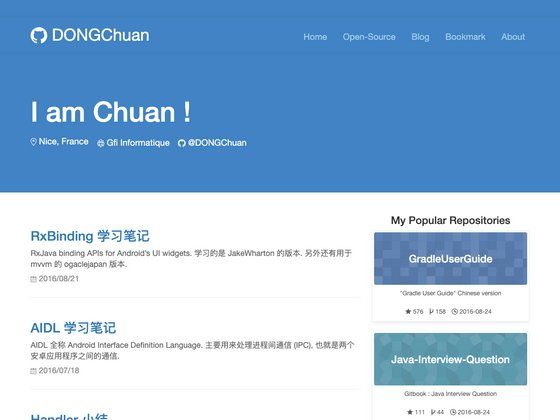
Hugo Theme Prav is a two-column blog theme for the Hugo static site generator that uses the purecss framework and provides a sidebar with about, recent posts, and tags.
What is Hugo Theme Prav?
Hugo Theme Prav is a theme that converts a Hugo site's Markdown content and config.toml settings into a static blog with a top navbar, a main articles area, and a right-hand sidebar. It was created by Pravin Paratey, first built for his blog "Thoughts on Engineering and Management" in 2013 using nanoc, and migrated to Hugo in 2018 to take advantage of hot-reloading during development. The theme's design philosophy is to use as little computing resources as possible, which is why it depends on the tiny purecss CSS library.
What makes Hugo Theme Prav stand out?
The theme differentiates itself by combining a lightweight styling foundation with practical features like syntax highlighting, comments, and easy customization via config.toml, all without requiring a heavy frontend framework. Its notable features include:
- PureCSS base — Built on purecss, a lightweight CSS framework that keeps the theme small and functional, with colors chosen for readability and accessibility.
- Two-column layout — A navbar at the top, main content in the center, and a sidebar to the right containing an about section, links to the last 10 posts, and a list of all site tags.
- Pygments syntax highlighting — Code blocks are highlighted with pygments by setting
pygmentsCodeFences = "true"and a theme such aspygmentsStyle = "perldoc"inconfig.toml. - Disqus comments — Enabling comments is done by adding
disqusShortnameto the configuration; comments appear on all single article pages via the template inlayouts/_default/single.html. - Social network icons — The header can show links to email, Facebook, Twitter, Medium, GitHub, LinkedIn, and Mastodon by defining URLs in the
[social]section ofconfig.toml. - Custom header and footer — Users can inject their own HTML by creating
custom_header.htmlorcustom_footer.htmlinlayouts/partials/, and the theme includes them on every page. - Feature images and author image — Article frontmatter can specify an
imagepath (placed instatic/img/feature/) to show a feature image in archives; the sidebar author image defaults tostatic/img/author.pngand is configurable viaauthorImgPath.
Who is it for?
This theme suits individuals and teams who want a resource-efficient blog with a familiar sidebar layout and code-friendly features. It is especially useful for bloggers, technical writers, and Hugo developers who want a minimal base to customize:
- Bloggers — Publish a clean two-column blog with an about sidebar, recent posts, and tags.
- Technical writers and engineers — Write posts with code snippets; the theme's pygments highlighting and low-resource design fit technical content.
- Hugo developers — Use the theme as a starting point; its simple structure and open repository invite modification and community contribution.
Use cases
Hugo Theme Prav supports several blog-focused scenarios where a static site with minimal dependencies is desirable:
- Personal blog — Publish Markdown posts as a static site with a professional sidebar layout, social links, and optional Disqus comments.
- Engineering and management writing — Create articles about engineering or management topics; the syntax highlighting and minimalist layout suit this content.
- Low-bandwidth static sites — Because the theme uses purecss instead of a heavy framework, it helps keep generated pages small and fast to load.
How is it configured?
Configuration is done through config.toml. The [params] section stores the site title, tagline, author name, author image path, and author blurb, which feed the sidebar and header. In [social], you can set or comment out links to control which social icons appear. The [markup] section must set unsafe = true under [markup.goldmark.renderer] so that markdownify works with goldmark. Example config values are provided in the theme's README.
FAQ
Here are answers to common setup questions for Hugo Theme Prav.
How do I change the sidebar author image?
Add a file named author.png to the static/img/ folder of your Hugo project, or update the authorImgPath parameter in config.toml to point to another image. The default path is /img/author.png.
How do I enable comments?
Set disqusShortname in config.toml. When set, comments appear on all single article pages using the theme's template at layouts/_default/single.html.
How do I add custom code to the header or footer?
Create custom_header.html or custom_footer.html inside the layouts/partials directory of your Hugo project. The contents of these files are automatically included in the respective parts of the page.
Can I use syntax highlighting?
Yes. Set pygmentsCodeFences = "true" in config and choose a pygments style such as pygmentsStyle = "perldoc". The theme then highlights fenced code blocks automatically.