Template details
Hugo Theme Zozo
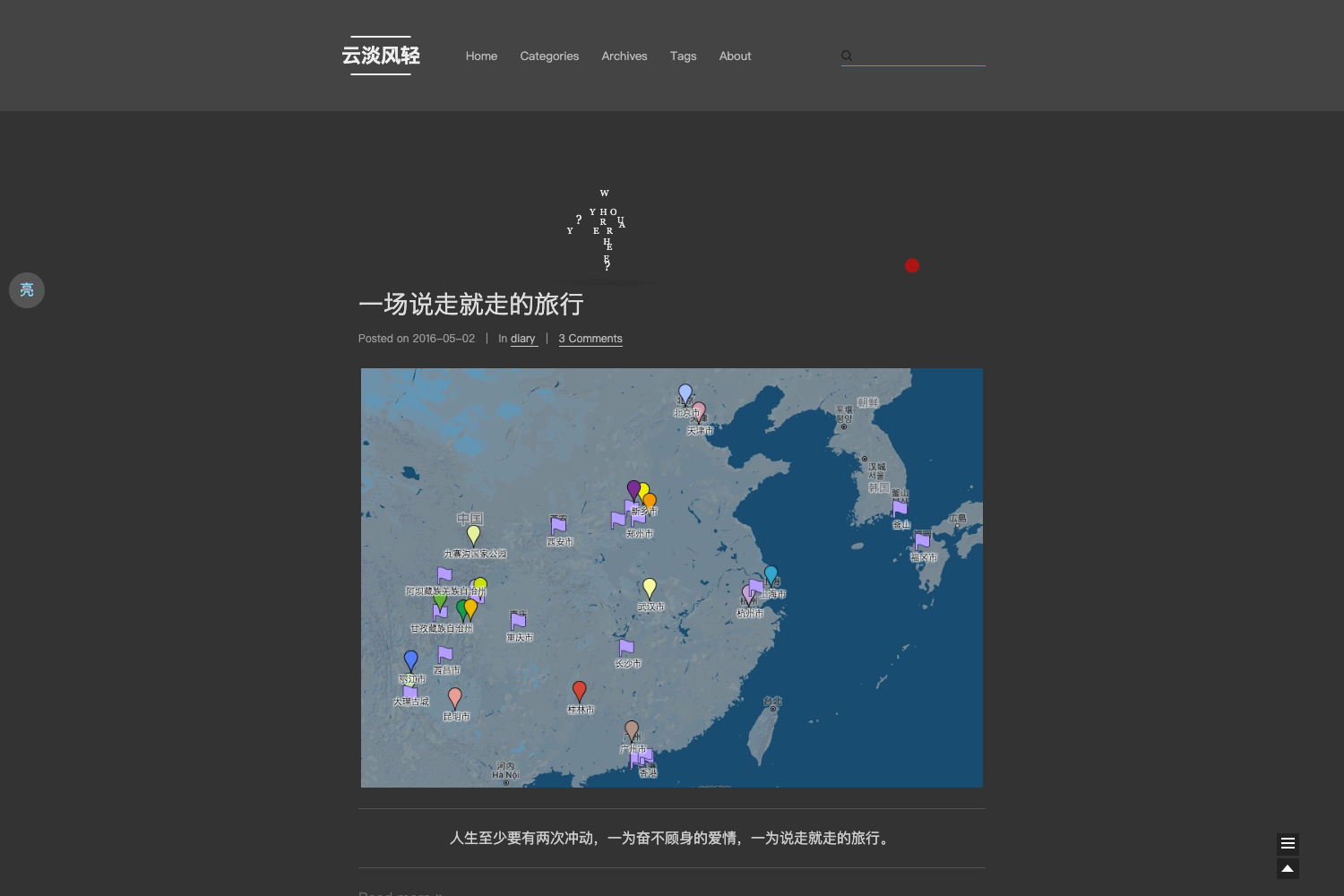
A simple and beautiful responsive blog theme for Hugo with syntax highlighting, MathJax, and multiple comment systems.
About this template
Hugo Theme Zozo is a simple, MIT-licensed blog theme for the Hugo static site generator, designed to produce a fast, responsive personal blog with minimal configuration. It is a port of the Aragaki theme, with design cues from the Chinese blog 菩提树下 and functionality borrowed from the Even theme, and it is maintained on GitHub by varkai.
What is Hugo Theme Zozo?
Hugo Theme Zozo takes Hugo markdown content and a config.toml file as input and generates a static blog website with responsive layout. It includes built-in tags and archive pages, an about page template, and supports comments via Disqus or Valine. The theme is distributed under the MIT License, so it can be freely used and modified for any project.
Key Features
- Responsive design — The layout automatically adapts to desktop, tablet, and mobile screens.
- Syntax highlighting with highlightjs — Code blocks are highlighted using the highlight.js library, with no additional setup required.
- MathJax support — Enable mathematical equation rendering by setting
mathjax = trueunder[params]in config.toml. - Tag and archive pages — Automatically generated index pages let visitors browse posts by tag or in chronological archive order.
- Disqus and Valine comment systems — Both are integrated; Disqus is ready to use, while Valine can be activated by setting
enable = trueunder[params.valine]and adding your ownappIdandappKey. - Fancybox lightbox — Images in posts can be displayed in a lightbox with a zoom interaction.
- Google Analytics — Add your tracking ID in the config to start collecting site analytics.
- Social link panel — A header social block renders icons from Remix Icon, with links configured in the
socialsetting.
Who is it for?
- Personal bloggers — Set up a clean, mobile-friendly blog with tags and archives in minutes without writing HTML or CSS.
- Technical writers and academics — Use the built-in syntax highlighting and MathJax to present code and mathematical formulas clearly.
- Hugo beginners — The included exampleSite provides a full working config.toml and sample markdown files, making it easy to learn Hugo's file structure and configuration patterns.
What can you do with Hugo Theme Zozo?
- Publish posts and pages — Compose in markdown; the theme automatically generates an archive and tag listing.
- Add an about page — Create or edit
content/about/index.mdto introduce yourself to visitors. - Insert images with a shortcode — Use the provided
imgshortcode to embed images with a consistent format in your posts. - Offer reader comments — Turn on Disqus or Valine so visitors can comment on your articles.
How does Hugo Theme Zozo work?
After cloning the theme into your Hugo site's themes directory with git clone https://github.com/varkai/hugo-theme-zozo themes/zozo, copy the config.toml from the exampleSite folder to your site root. Then run hugo server and view the site at localhost:1313.
FAQ
Is Hugo Theme Zozo free?
Yes, the theme is released under the MIT License, so it is completely free to use, modify, and distribute in personal or commercial projects.
How do I enable MathJax?
MathJax is disabled by default. Open your config.toml and set mathjax = true under the [params] section. Once enabled, math written in LaTeX notation will be rendered in your posts.
Does the theme support both Disqus and Valine?
Yes, both are integrated. Disqus works immediately after you configure your site's shortname. For Valine, set enable = true under [params.valine] and provide your own appId and appKey.
Where can I see a live demo?
A live demo is available at https://zozo.varkai.com, and the Chinese README can be found in the repository's README-zh.md.
Can I customize the social links?
Yes, add URLs and icons in the social block within config.toml. The theme uses Remix Icon, so any icon name from that set can be used.