Template details
Hugolify Template
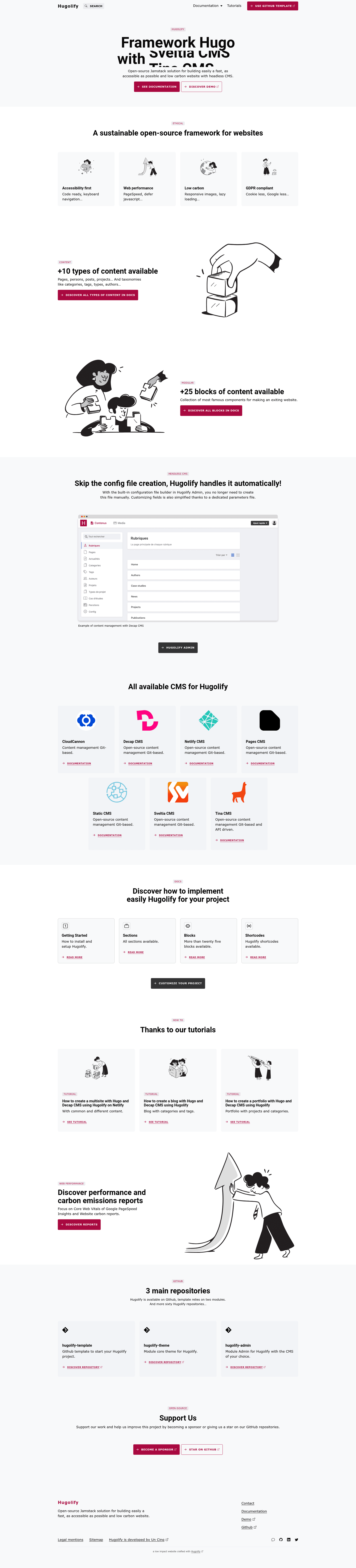
Hugo + Bootstrap + headless CMS (Decap, Pages, Static, Sveltia) GitHub template for fast, accessible, low-carbon websites.
About this template
Hugolify is a GitHub template that pairs the Hugo static site generator with Bootstrap and several headless CMS options to produce fast, accessible, low-carbon websites that deploy to Netlify or Cloudflare Pages.
What is Hugolify Template?
Hugolify Template is a GitHub repository template for building static websites with Hugo, Bootstrap, and a git-based headless CMS. You can use it as a starting point: create a new repository from the template, add your content through a CMS, and publish the generated static site to a host like Netlify or Cloudflare Pages. The project is open source under the MIT license, so it is free for personal or commercial use, and it is maintained by the Hugolify community.
Key Features
- Hugo static site generator — Compiles Markdown content into static HTML, which requires no server-side runtime and keeps pages lightweight.
- Bootstrap CSS with PostCSS — Styling is based on Bootstrap, with PostCSS available for processing and customizing stylesheets.
- Headless CMS integrations — Supports Decap CMS, Pages CMS, Static CMS, and Sveltia CMS, so editors can manage content through a browser-based git workflow.
- Five prebuilt themes — The template ships with at least five themes (Theme 1 through Theme 5), each with its own live demo on Netlify.
- Netlify and Cloudflare Pages deployment — Live demos and deploy status badges are provided for both platforms, showing the template is ready to deploy to either.
- Accessibility and performance focus — The project lists accessibility (a11y) and low carbon emissions as design goals, which translates to reduced page weight and better usability.
- Products demo — A separate demo shows how the template can be used for a simple product or e-commerce style catalog.
Who is it for?
- Web developers — who want a preconfigured Hugo and Bootstrap starter with CMS backend wired up, instead of assembling the pieces themselves.
- Agencies and freelancers — building lightweight client sites that need to be fast, accessible, and low-cost to host on static platforms like Netlify or Cloudflare Pages.
- Content editors and marketers — who need to update website content through a CMS (Decap, Pages, Static, or Sveltia) without writing code.
- Environmentally conscious organizations — seeking a low-carbon website approach; static site generation reduces server load and energy consumption compared to dynamic sites.
What can you do with Hugolify Template?
- Launch a marketing or company website — deploy the base template to Netlify or Cloudflare Pages and start publishing content immediately.
- Create a product catalog — use the products demo as a reference for listing items with images and descriptions.
- Switch themes easily — choose between five available themes to change the visual design without rebuilding the project structure.
- Manage content in a browser — editors can log into a CMS like Decap to edit pages and blog posts, and changes are committed to a git repository.
How does Hugolify Template work?
The template is distributed as a GitHub template repository. To use it, click the "Use this template" button on GitHub to create a new repository, then configure deployment to Netlify or Cloudflare Pages using the provided demo configurations. Content is stored in the repository and edited through a git-based CMS, which commits changes back to the repo and triggers a static build.
Pricing
Hugolify Template is free to use for both personal and commercial projects, distributed under the MIT license.
FAQ
Is Hugolify Template free?
Yes, Hugolify is licensed under the MIT license, which means you can use it for free in personal or commercial projects, modify it, and redistribute it.
Which CMSs does Hugolify Template support?
The template supports Decap CMS (formerly Netlify CMS), Pages CMS, Static CMS, and Sveltia CMS. These are all git-based headless CMS options that let editors manage content through a browser interface.
Does Hugolify Template work with Netlify?
Yes, a live demo is hosted on Netlify at demo.hugolify.io, and the repository includes a Netlify deploy status badge. It also provides a demo on Cloudflare Pages at hugolify.pages.dev.
How many themes does Hugolify Template include?
The template includes five prebuilt themes (labeled Theme 1 through Theme 5), and each has its own live demo link on Netlify. There is also a separate products demo.
Can I use Hugolify Template for commercial projects?
Yes, the MIT license explicitly permits commercial use, so you can build and sell websites based on Hugolify without paying license fees.