Template details
Geeky Nextjs
Free Next.js personal blog template with MDX support, Disqus comments, and a 100/100 Google PageSpeed desktop score.
About this template
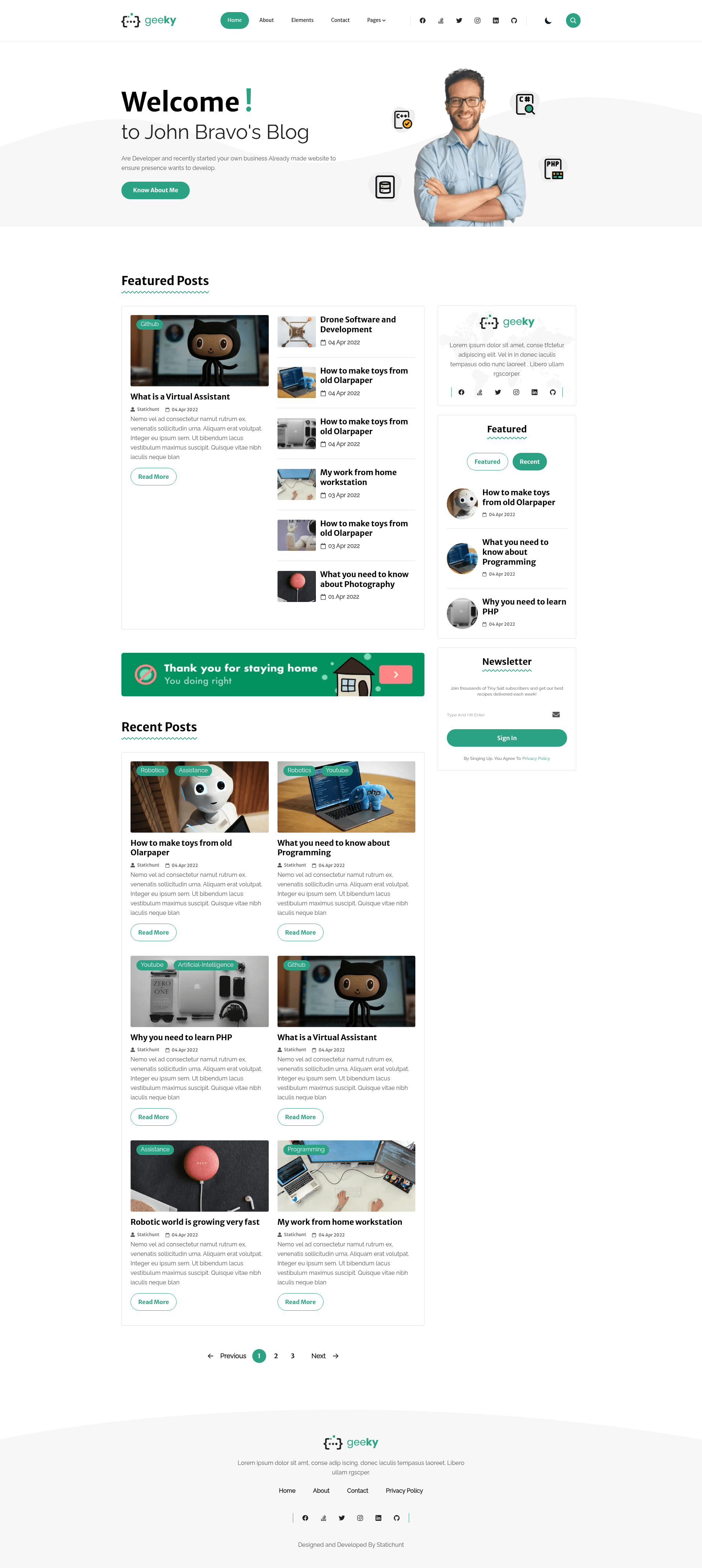
Geeky Nextjs is a free, open-source personal blog template built on Next.js 13 and Tailwind CSS that produces static pages with MDX support, Disqus comments, and a 100/100 Google PageSpeed desktop score.
What is Geeky Nextjs?
Geeky Nextjs is a free personal blog template created by statichunt, built with the Next.js 13 framework and styled with Tailwind CSS. It takes Markdown or MDX files as the content source and outputs a fully static blog website with semantic HTML, optimized images, and taxonomy pages for categories and tags. The template is released under the MIT license, so it can be freely used, modified, and redistributed for personal or commercial projects.
Key Features
- Google PageSpeed score 100 — The template reports a 100/100 performance score on desktop in Google PageSpeed Insights.
- MDX support — Write blog posts in MDX and use many built-in custom components without extra configuration.
- Disqus comments — Add comment sections to blog posts through the Disqus integration.
- Contact form — A built-in contact form is included for reader communication.
- Related posts suggestions — Automatically suggests related posts to keep readers engaged.
- Taxonomy pages — Generates category and tag pages for organizing content.
- Next/image optimization — Images are automatically optimized and served responsively using the Next.js image component.
- Custom logo support — Replace the default logo with your own branding.
- Semantic HTML structure — The markup follows semantic HTML5 standards to improve accessibility and SEO.
- CMS integration — Pre-configured for Sitepins, a Git-based headless CMS, so content can be edited visually.
Who is it for?
- Personal bloggers who want a fast Next.js blog can clone this template and start writing Markdown posts immediately.
- Developers who need a starting point for a Next.js static site can use it as a boilerplate because it includes MDX, image optimization, taxonomy, and SCSS structure.
- Content editors who prefer a visual editing workflow can connect the template to Sitepins and update text, images, and configuration without writing code.
What can you do with Geeky Nextjs?
- Launch a blog quickly: Install dependencies with npm install, run npm run dev, and the blog preview opens in your browser with live reload.
- Write posts in MDX: Use built-in custom components to enrich articles with interactive elements.
- Customize styling via SCSS: Access all SCSS files to adjust the design system and override variables.
- Build a production site: Run npm run build to generate a static production build ready for deployment.
How does Geeky Nextjs work?
The template follows a standard Next.js static generation workflow. After cloning the repository, install Node.js (LTS recommended), run npm install to fetch dependencies, then npm run dev to start a local development server that watches for file changes and hot-reloads. When you are ready to publish, npm run build creates an optimized static export. The source content is stored as MDX files, and the template renders them into HTML pages at build time.
Pricing
Geeky Nextjs is completely free to use under the MIT license. The template itself has no paid tiers, and the demo is publicly accessible. The images included for demonstration purposes have their own licenses and are not covered by the MIT license.
FAQ
Is Geeky Nextjs free?
Yes, Geeky Nextjs is free and open source under the MIT license. You can use it for personal or commercial projects and modify the code as you like. The included demo images are for demonstration only and have their own licenses.
What Next.js version does Geeky Nextjs use?
The template is built with Next.js 13.0, as shown by the badge linking to the Next.js v13.0.6 release tag. It also uses Tailwind CSS for utility-based styling and includes SCSS files for deeper customization.
Does Geeky Nextjs support comments?
Yes, Geeky Nextjs integrates Disqus for blog post comments. It also includes a contact form for readers to reach out, and related posts suggestions to encourage reading more content on the site.
Can I edit content without code?
Yes, the template is pre-configured for Sitepins, a Git-based headless CMS. By clicking the "Edit with Sitepins" button in the repository, you can clone the project and start editing text, images, and configuration visually through the Sitepins interface.
How do I get a production build?
After finishing customization, run npm run build in the project directory. This creates an optimized production build that you can deploy to any Next.js-compatible hosting service, such as Vercel, which also hosts the live demo.