Template details
Scribble
A minimal Jekyll theme for blogs with clean layout, GitHub Pages support, and simple config-based customization.
About this template
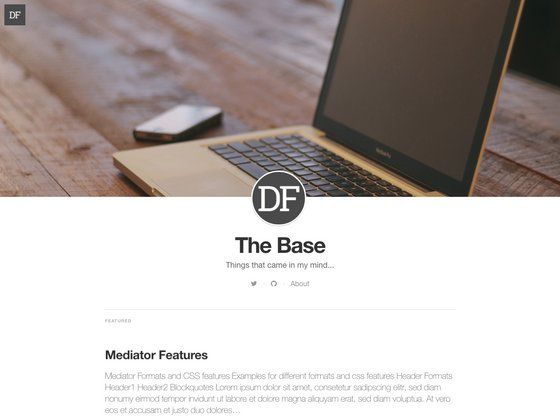
Scribble is a minimal Jekyll theme for blogs, designed to produce a clean, typography-focused static site that can be hosted on GitHub Pages.
What is Scribble?
Scribble is a Jekyll theme created by muan (reachable on Twitter as @muanchiou) that turns a standard Jekyll blog into a clean, minimal reading experience. It takes Markdown posts and site configuration from _config.yml as input and outputs a static HTML site with no database or backend. The theme is open source on GitHub and a live demo is available at scribble.muan.co.
Key Features
- Jekyll-based static generation — Uses Jekyll, the Ruby-based static site generator, to compile Markdown posts into plain HTML pages that require no server-side processing.
- Quick local setup — Start by forking the repository, cloning it, running
bundle install, and serving withbundle exec jekyll serve -w; the site appears at localhost:4000. - Centralized configuration — All site-wide settings live in
_config.yml, which you edit and then rerunjekyll serve -wto apply changes. - About page for blog intro — The
about.mdfile controls the blog introduction shown to visitors. - GitHub Pages ready — Works with GitHub Pages, and you can attach a custom domain by following the official GitHub guide linked in the theme's README.
- Live demo — A working example of the theme is hosted at scribble.muan.co/posts/scribble-the-jekyll-theme.
- Open source repository — The theme's code is publicly available on GitHub, with issues tracked through GitHub Issues.
Who should use Scribble?
- Writers and personal bloggers — Publish Markdown-based posts on a clean, distraction-free layout without maintaining a server.
- Developers — Use Scribble as a lightweight starting point for a technical blog or portfolio, taking advantage of Jekyll's static-site workflow and version control through Git.
- Designers — Customize the minimal theme to create a branded publication with minimal effort.
Use cases
- Personal blogging: Write posts in Markdown, drop them in the
_postsfolder, and have them render as a readable blog on GitHub Pages. - Custom domain deployment: Connect the generated site to your own domain using the steps in GitHub's custom domain guide, making the blog available under your own URL.
- Rapid prototyping: Fork the theme to experiment with Jekyll theming, Liquid templates, and static site architecture.
How does Scribble work?
After forking and cloning the repository, run bundle install to set up dependencies. Then start the local development server with bundle exec jekyll serve -w, which will serve the site at localhost:4000 and watch for changes. Content is written in Markdown and stored in the _posts directory, and global settings are edited in _config.yml.
FAQ
Is Scribble free to use?
Yes, Scribble is an open source Jekyll theme hosted on GitHub. You can fork the repository and use it for personal or commercial projects without paying a fee.
How do I set up a custom domain with Scribble?
The theme's README links to GitHub's official guide at https://help.github.com/articles/setting-up-a-custom-domain-with-pages. Follow that guide to configure a custom domain for your GitHub Pages site.
What do I need to run Scribble locally?
You need Ruby and Jekyll installed on your machine. The repository includes a Gemfile, so you can run bundle install to install dependencies and then bundle exec jekyll serve -w to start a local server.
Who created Scribble?
Scribble was made by muan, who can be contacted on Twitter at @muanchiou. If you encounter problems, the README suggests opening a GitHub Issue on the repository.