Template details
Jekyll Postfiles
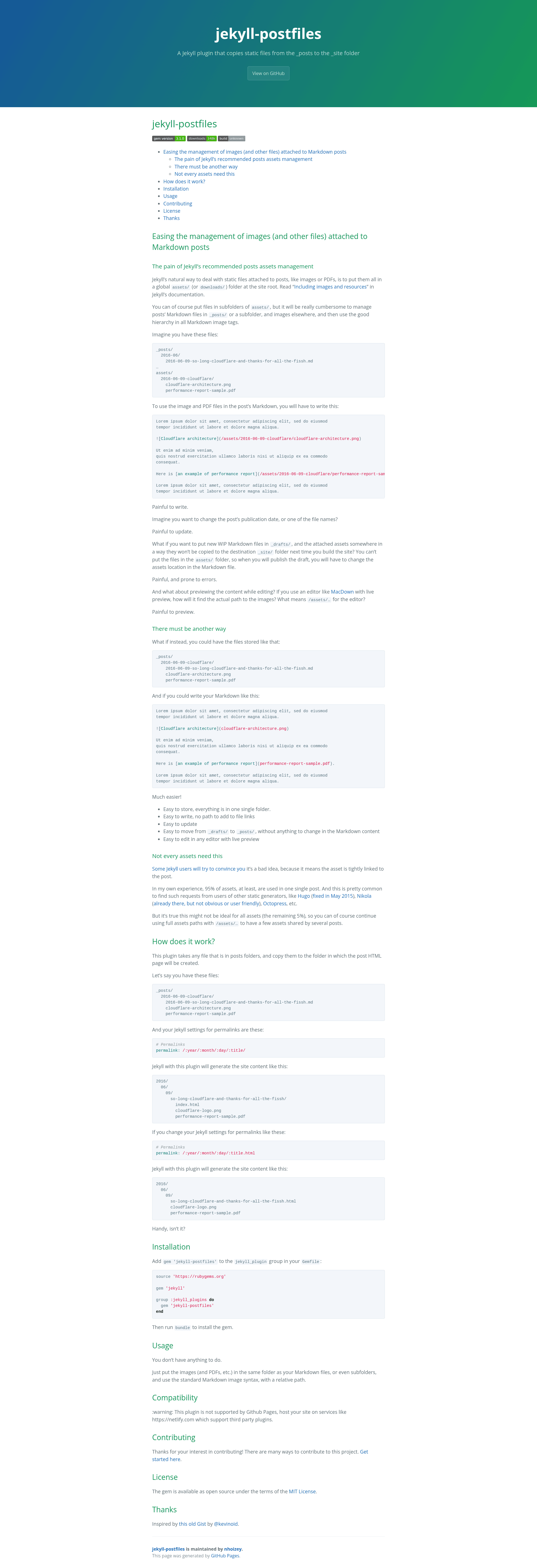
A Jekyll plugin that copies static files from the _posts to the _site folder
About this template
Jekyll Postfiles is a Jekyll plugin that copies static files (images, PDFs, and other assets) placed in the same folder as your Markdown posts into the generated site, so you can reference them with simple relative paths like .
What is Jekyll Postfiles?
Jekyll Postfiles is an open-source Ruby gem that extends Jekyll's static site generator. Its core function is to take any file that lives in a post's folder (e.g. _posts/2016-06-09-cloudflare/) and copy it to the folder where the post's HTML output is generated. It takes static files (images, PDFs, etc.) as input and produces a site structure where those files sit next to the corresponding rendered post page.
Key Features
- Relative-path Markdown — Write
instead of/assets/..., making posts easier to read and maintain. - Easy asset storage — Keep images, PDFs, and other files in the same folder as your Markdown file, with subfolder support.
- Automatic copying — The plugin copies any file in posts folders to the destination folder of the generated post.
- Permalink-aware output — Files follow your permalink setting: with a trailing-slash permalink they land in the post's directory (e.g.
2016/06/09/title/index.htmlplus files); with a.htmlpermalink they sit alongside the.htmlfile. - Draft-to-post portability — Move files from
_drafts/to_posts/without changing any asset paths. - Live-preview friendly — Relative paths render correctly in editors like MacDown that offer live preview.
- MIT licensed — Free to use, modify, and distribute.
Who is Jekyll Postfiles for?
This plugin is for Jekyll users who are tired of maintaining a separate global assets folder. Bloggers and content creators who attach images, PDFs, or other files to individual posts will benefit from co-locating assets with their Markdown. It's also useful for users who frequently draft and publish posts, since the plugin removes the need to rewrite asset paths when moving a draft into the _posts/ folder.
What can you do with Jekyll Postfiles?
- Bloggers — Embed images directly in post folders and use relative paths, simplifying content creation and maintenance.
- Technical writers — Keep PDF product manuals or diagrams next to their corresponding docs and reference them with short relative links.
- Drafters — Create WIP posts in
_drafts/with attached assets; the plugin copies files only on build, so the draft assets won't leak into the built site until you publish.
How does Jekyll Postfiles work?
The plugin hooks into Jekyll's build process. For each post, it scans the post's directory for any static files (not Markdown) and copies them into the output directory for that post, determined by your permalink configuration. For example, with permalink: /:year/:month/:day/:title/, the files end up in the same folder as index.html; with permalink: /:year/:month/:day/:title.html, they are placed next to title.html.
Compatibility
Jekyll Postfiles is not supported by GitHub Pages because GitHub Pages only runs a fixed set of plugins. To use it, host your site on a service that supports third-party Jekyll plugins, such as Netlify.
FAQ
Is Jekyll Postfiles free?
Yes, it is open-source software released under the MIT License, so you can use it without cost.
How do I install Jekyll Postfiles?
Add gem 'jekyll-postfiles' to the jekyll_plugins group in your Gemfile and run bundle. Then start Jekyll as usual.
Does Jekyll Postfiles work with GitHub Pages?
No. GitHub Pages does not support third-party plugins, so you need to build your site elsewhere (e.g. Netlify) or use a pre-built output.
Can I still use global assets with Jekyll Postfiles?
Yes. The plugin only affects files stored in posts folders; you can continue using full paths like /assets/ for assets shared across multiple posts.
What happens when I change my post's publication date or file name?
Since your Markdown uses relative paths, the plugin recalculates the destination based on the post's URL, so you don't need to update references manually.