Template details
Jekyll Tabor
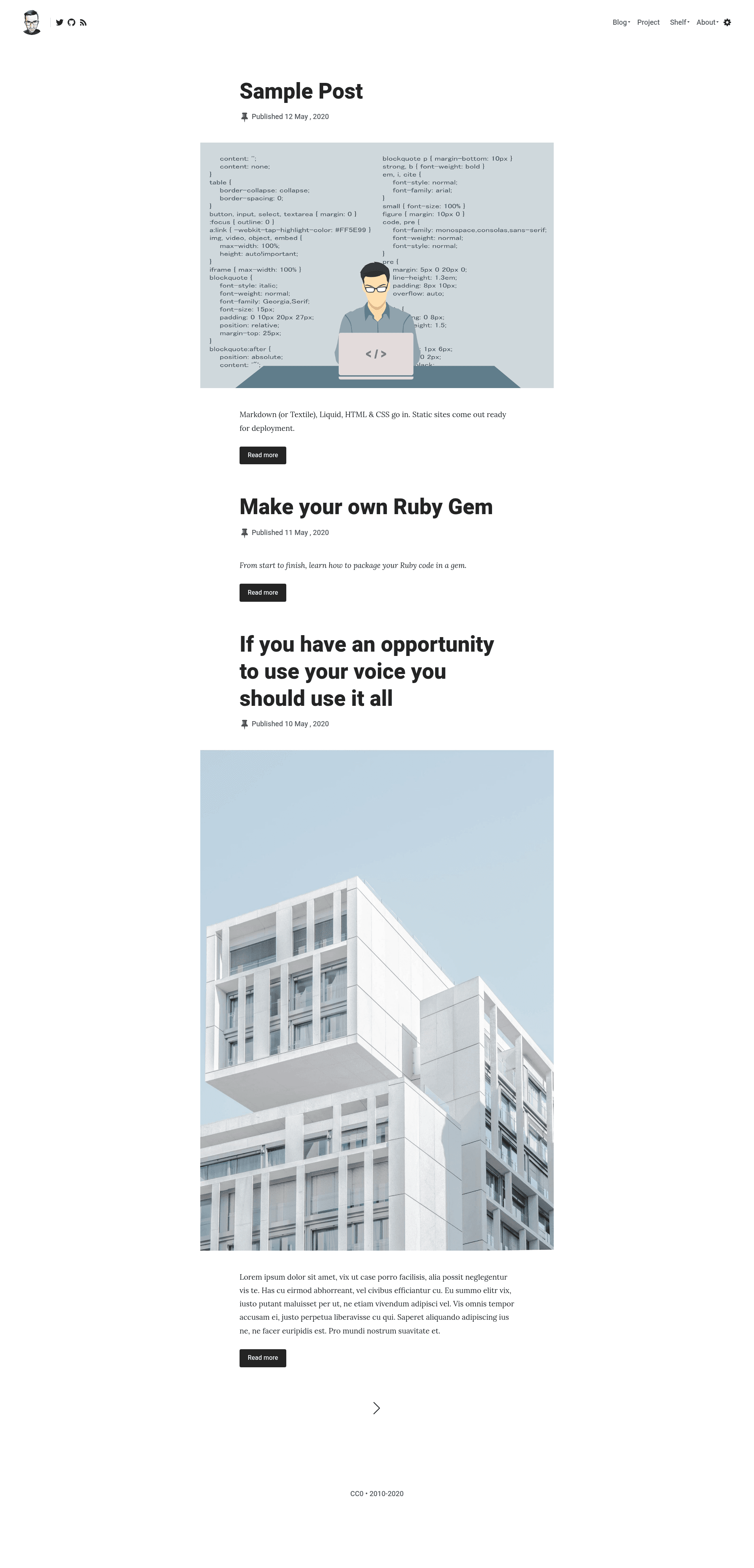
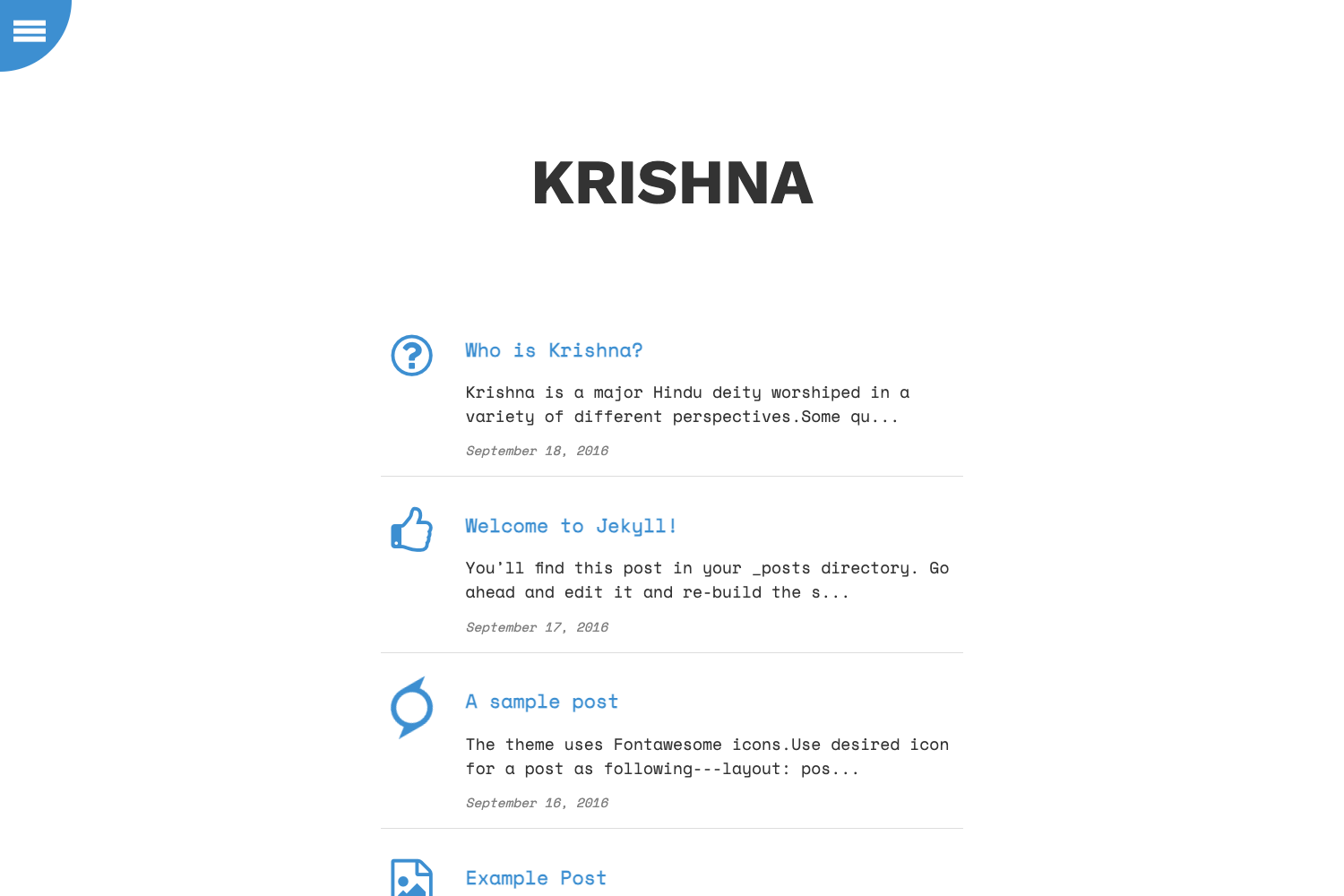
Jekyll theme that ports the Tabor WordPress theme to a static blog, producing a Tabor-styled personal blog without WordPress.
About this template
hadret-chabik-com, also referenced by the hint name Jekyll Tabor, is a Jekyll blog theme that ports the Tabor WordPress theme into a static-site workflow, letting you run a Tabor-styled personal blog without installing WordPress. The repository is hosted on GitHub, is tagged with the topics jekyll, jekyll-blog, jekyll-theme, and jekyll-themes, and shows 0 stars in its metadata.
What is hadret-chabik-com?
hadret-chabik-com is a Jekyll theme whose defining purpose is to be a port of the Tabor WordPress theme to Jekyll, the Ruby-based static site generator. It takes Markdown content with YAML front matter as input and, through Jekyll's Liquid template build process, outputs a set of static HTML files that require no database, PHP runtime, or admin panel to serve. The GitHub repository carries blog-oriented tags, which positions this port as a blogging theme rather than a business, documentation, or portfolio theme.
Key Features
- Tabor design port — Recreates the Tabor WordPress theme's look inside a Jekyll theme, giving WordPress users a route to a static site without changing their site's visual identity.
- Standard Jekyll theme structure — Uses Jekyll's
_layouts,_includes, and_sassfolders, so installation follows Jekyll's normal options: a Gemfile entry or a remote-theme setting in_config.yml. - Markdown plus YAML front matter — Posts are authored as Markdown files with YAML front matter for fields such as title, date, and layout, following Jekyll's default content model.
- Static HTML output — The build produces plain HTML, CSS, and JavaScript, which keeps hosting simple on static hosts that support Jekyll builds, such as GitHub Pages.
- Blog-focused positioning — The jekyll-blog topic in the repository metadata confirms the intended use case is publishing a blog.
Who is it for?
- WordPress bloggers moving to static sites: switch from the Tabor WordPress theme to a Jekyll build while preserving the same visual style and simplifying hosting.
- Jekyll users who want a minimal personal blog: use the port as the base for a personal blog and customize layouts and styles through Jekyll's include and sass files.
- Theme developers: fork the repository to study how a WordPress theme translates into Jekyll's Liquid templates and folder conventions.
What can you do with hadret-chabik-com?
- Personal bloggers: publish a Tabor-styled blog on Jekyll by writing Markdown posts and building the site with
jekyll buildorjekyll serve. - Static-site migrators: reproduce a Tabor-themed blog on a static host, removing the WordPress database and server-side software from the stack.
- Theme tinkerers: override any layout or include file locally to adjust the port without modifying the original theme files.
Alternatives
- Minimal Mistakes, a widely used Jekyll theme known for deep configuration options.
- Chirpy, a Jekyll theme commonly used for technical blogging on GitHub Pages.
Pros and cons
Pros:
- The static output eliminates the PHP runtime and database that the WordPress original depends on.
- The theme follows Jekyll's standard authoring flow of Markdown files plus YAML front matter.
Cons:
- The repository shows 0 stars at the time of listing, a signal of limited community adoption so far.