Template details
Kiri
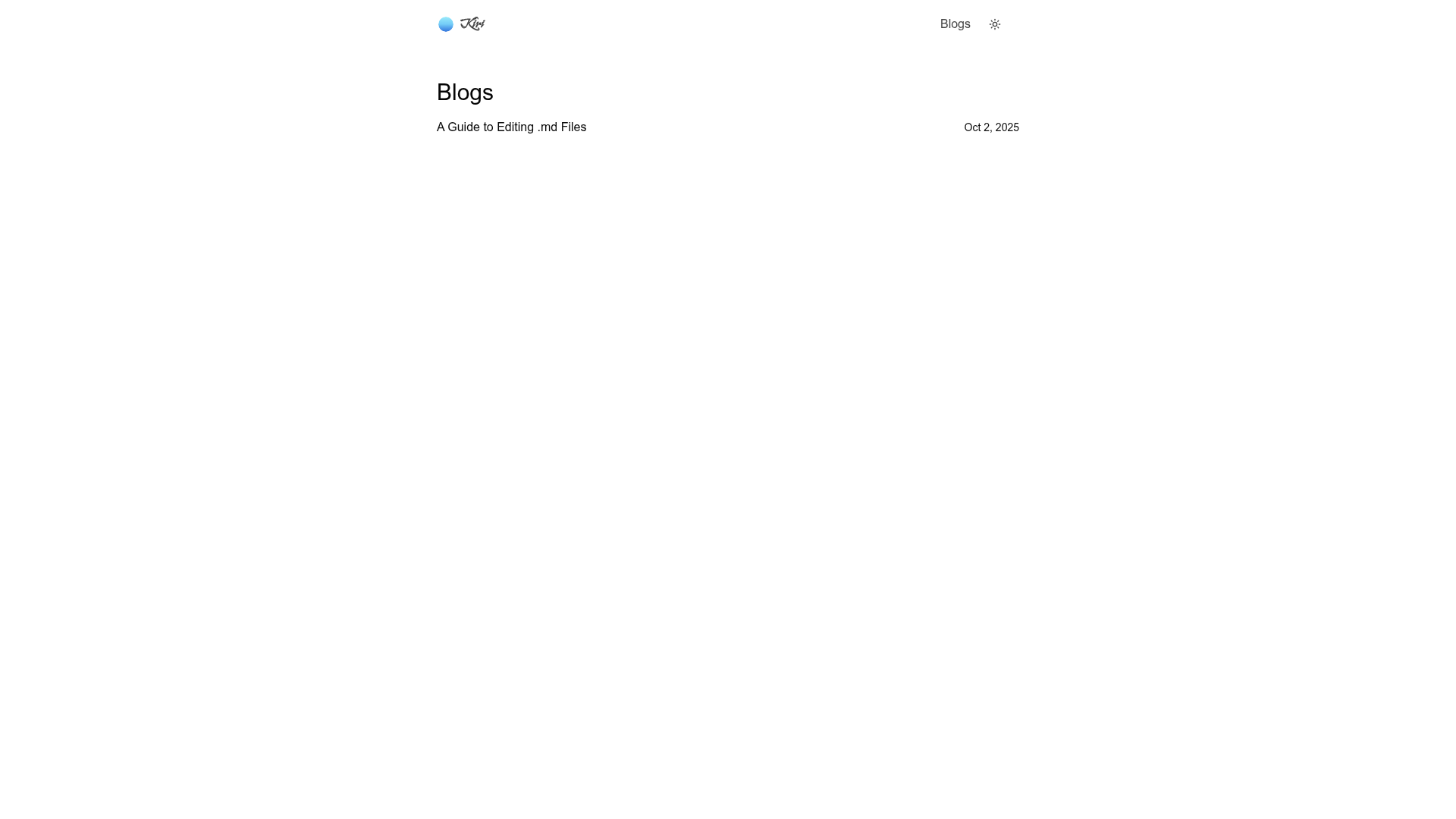
Minimalistic personal blogging space built with Astro and Tailwind CSS, with light/dark mode, RSS, and accessibility features.
About this template
Kiri is a minimalistic personal blogging template built with Astro and Tailwind CSS that turns Markdown/MDX files into a fast, accessible static blog with RSS, sitemap, and built-in theming.
What is Kiri?
Kiri is an open-source, minimalistic personal blogging template built with Astro, Tailwind CSS, and MDX. It takes Markdown/MDX blog posts as input and generates a static HTML site with RSS feed, sitemap, syntax highlighting, table of contents, and a light/dark mode switcher. The template is distributed as a GitHub template repository and is licensed under the MIT License, with a live demo deployed on Vercel at kiri-ten.vercel.app.
The template focuses on speed and accessibility, with near-perfect Lighthouse scores, skip links, ARIA labels, and semantic markup. It uses Bun as the package manager, and the README includes commands for installing dependencies, running a dev server at localhost:4321, and producing a production build.
Key Features
- Fast static output — Astro pre-renders pages to static HTML, achieving near-perfect Lighthouse performance scores out of the box.
- RSS feed — auto-generated feed so readers can subscribe to new posts.
- Sitemap generation — built-in sitemap for SEO.
- Syntax highlighting — code blocks in technical posts are highlighted for readability.
- Light & dark mode — a built-in theme switcher lets visitors toggle between light and dark themes.
- Table of contents — long-form articles get a table of contents for easier navigation.
- Reading progress indicator — a visual bar shows readers how far they are through a post.
- Accessibility-first markup — skip links, ARIA labels, and semantic HTML are included by default.
- Content structure — blog posts are written as .mdx files in src/content/blogs/ with frontmatter for title, author, avatar, tags, publishedDate, coverImage, and excerpt; cover images are recommended at 1024x576 pixels.
Who is it for?
- Writers and bloggers — publish journal entries, essays, or long-form articles in Markdown/MDX with a clean, distraction-free reading experience and automatic RSS and sitemap for distribution.
- Technical writers and developers — write tutorials and code-heavy posts that benefit from syntax highlighting, a table of contents, and a reading progress indicator.
- Minimalists and performance enthusiasts — deploy a lightweight static blog that scores near-perfect Lighthouse scores without the bloat of a full CMS.
- Open-source hobbyists — use the MIT license to fork, customize, and contribute to the template; the GitHub template workflow makes it easy to spin up a new repo with one click.
What can you do with Kiri?
- Start a blog quickly: click "Use this template" on GitHub to create a new repository, clone it, run bun install and bun run dev, and get a local site at localhost:4321 ready for writing.
- Publish technical tutorials: write posts as .mdx files with code blocks and syntax highlighting, and give readers a table of contents and reading progress indicator for longer pieces.
- Customize the design: because Kiri is built with Tailwind CSS and the MIT license, developers can restyle the theme and extend the Astro components to fit their personal brand.
- Deploy to a static host: run bun run build to generate the static output, then deploy it to Vercel (as the demo does) or any other static hosting service.
How does Kiri work?
Click "Use this template" on GitHub to create a new repository, then clone it locally. Install dependencies with bun install, and run bun run dev to launch the development server at localhost:4321. Add new .mdx files to src/content/blogs/ with the required frontmatter fields to publish posts, then run bun run build to generate the production build in the .astro directory.
Pricing
Kiri is free and open-source under the MIT License. The template page lists no paid tiers or premium features; you can use it for personal or commercial projects, and the MIT terms allow modification and redistribution with attribution.
FAQ
Is Kiri free?
Yes, Kiri is open-source under the MIT License. You can use the template for free, including for personal or commercial projects, and modify it as needed. There are no paid tiers mentioned on the template page.
What tech stack does Kiri use?
Kiri is built with Astro as the static site generator and Tailwind CSS for styling. Content is authored in .mdx files, and the project uses Bun as the package manager and build tool. The production output is static HTML, which can be hosted anywhere.
How do I write a blog post with Kiri?
Create a new .mdx file in the src/content/blogs/ directory. Include frontmatter with title, author, avatar, tags, publishedDate, coverImage, and excerpt. Write the post content in Markdown, optionally mixed with JSX components. The filename determines the URL slug.
Does Kiri support dark mode?
Yes, Kiri includes a light and dark theme switcher built into the template. Visitors can toggle between the two themes. The template also ships with RSS feed, sitemap generation, syntax highlighting, table of contents, and a reading progress indicator.
Where is the production build output?
According to the README, running bun run build places the production output in the .astro directory. This static output can be deployed to any static hosting service, and the live demo is hosted on Vercel.