Template details
jekyll-theme-classless-simple
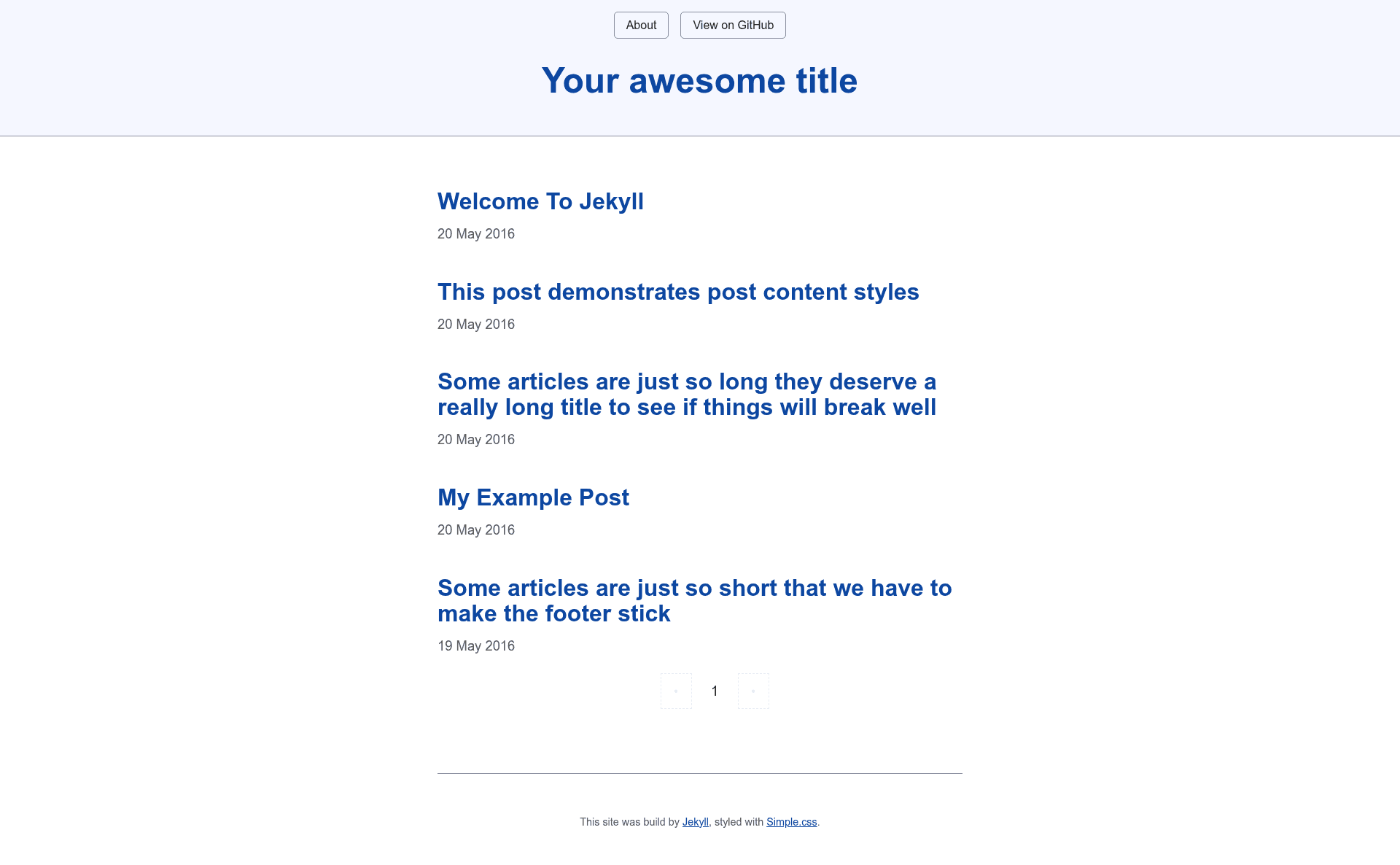
Jekyll theme styled with Simple.css, a classless CSS framework, for clean semantic HTML sites.
About this template
jekyll-theme-classless-simple is a Jekyll theme styled with Simple.css, a classless CSS framework, that produces a minimal, semantic-HTML blog or personal site with zero CSS classes to learn.
What is jekyll-theme-classless-simple?
It's a Jekyll theme maintained by toshimaru that uses Simple.css, a classless CSS framework, to style your written content automatically. As input, it takes a standard Jekyll site — markdown posts, pages, and a _config.yml — and as output it builds a static website with a clean, readable design, built-in SEO tags, an RSS feed via jekyll-feed, and optional comments via Giscus. It runs on the Jekyll static site generator (Ruby) and can be installed either as a remote theme or as a Ruby gem.
Key Features
- Simple.css styling — All styling comes from the classless Simple.css framework, so any semantic HTML element (headings, paragraphs, lists, blockquotes) is automatically styled without author-written CSS classes.
- Two installation paths — Add
remote_theme: toshimaru/jekyll-theme-classless-simplefor GitHub Pages or include thejekyll-theme-classless-simplegem in your Gemfile and setthemein_config.yml. - Four built-in layouts —
base.htmlacts as the foundation, withhome.htmlfor landing pages,post.htmlfor blog posts, andpage.htmlfor other documents with Front Matter. - Giscus comments — Enable discussion threads on posts by configuring
repo,repo-id, andcategory-idin_config.yml, with options for language, reactions, and theme. - Google Analytics — Set a
google_analytics: UA-XXXoption to add your analytics snippet to the head. - Syntax highlighting — Choose a highlighter theme like
monokaivia theclassless-simple.syntaxconfig key. - Header navigation — Control the header links by listing files under
header_pages. - Dependent plugins — Ships with
jekyll-seo-tagfor metadata andjekyll-feedfor RSS, both enabled automatically.
Who is it for?
- Bloggers who want a no-frills, text-first site and prefer writing semantic HTML without juggling CSS classes.
- Jekyll newcomers who need a simple starting theme that works out of the box with minimal configuration.
- GitHub Pages users who want a theme that can be referenced directly via
remote_themewith no local build setup. - Developers interested in classless CSS who want a real-world Jekyll implementation to study or extend.
What can you do with it?
- Set up a personal blog — Write posts in Markdown, drop them in
_posts, and thepost.htmllayout handles the rest. - Add a comments section — Plug in a Giscus repo and category, and visitors can comment on posts using GitHub Discussions.
- Customize the head — Use the
custom-head.htmlinclude to inject extra metadata such as Open Graph tags or custom scripts. - Localize the theme — Change
langin_config.ymlfrom the defaultento your preferred language.
How does it work?
- Add the theme to your site, either via
remote_themein_config.ymlor by installing the gem and runningbundle install. - Configure optional settings such as
header_pages,giscus,google_analytics, andclassless-simple. - Run
bundle exec jekyll serveto serve the site locally (athttp://localhost:4000) and watch it regenerate on changes.
Pros and cons
- Pros — Free under the MIT license; all layouts and includes are readable and easy to override; single dependency on Simple.css means your HTML stays clean.
- Cons — Since Simple.css is classless, you won't get utility classes like those in Bootstrap or Tailwind, so advanced layout tweaks require writing your own custom CSS or overriding the theme's stylesheet.
Pricing
The theme is open source and released under the MIT License, so it is free to use, modify, and distribute.
FAQ
Is jekyll-theme-classless-simple free?
Yes, it is released under the MIT License, which permits free use, modification, and distribution, including for commercial projects, as long as the copyright notice is preserved.
How do I install it on GitHub Pages?
Using the remote_theme method, add remote_theme: toshimaru/jekyll-theme-classless-simple to your _config.yml and push the repository. GitHub Pages will automatically pick up the theme, no local build required.
Does it support comments?
Yes, it integrates with Giscus (a comments system powered by GitHub Discussions). You configure the repository ID, category ID, and other options in _config.yml under the giscus key.
How do I change the syntax highlighting theme?
Set the classless-simple.syntax option in _config.yml. For example, classless-simple: syntax: monokai uses the Monokai color scheme.
Can I add custom metadata to the head?
Yes, there is a custom-head.html include file inside the _includes directory. Override it in your site to add extra tags like social previews or analytics scripts.