Template details
jekyll-theme-console
A minimal console-inspired Jekyll theme with four color styles, strict CSP, and GitHub Pages remote theme support.
About this template
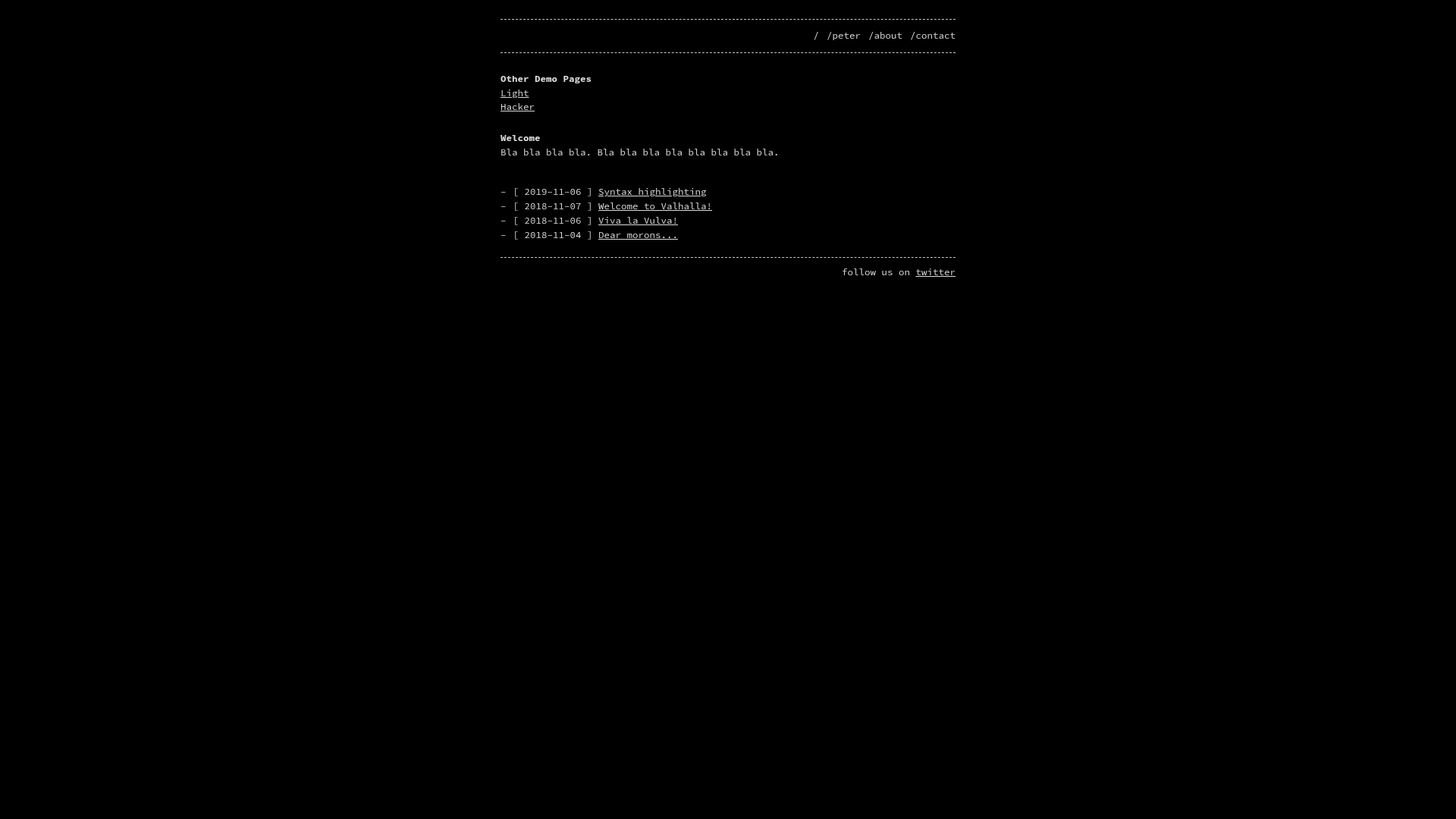
jekyll-theme-console is a minimal, console-inspired Jekyll theme that turns static websites into terminal-style pages, offering four color styles and a built-in Content Security Policy.
What is jekyll-theme-console?
jekyll-theme-console is a theme for Jekyll, the Ruby-based static site generator. It takes existing Markdown or HTML content plus Jekyll configuration and outputs a static HTML site with a monospace, command-line aesthetic. The theme is authored by b2a3e8 on GitHub and is distributed as both a RubyGem and a GitHub Pages remote theme. It is open source under the MIT License.
Key Features
- Four built-in styles — dark (default), light, hacker, and nord are switched by setting
stylein _config.yml. - Auto light/dark mode — set
listen_for_clients_preferred_style: trueto have the theme follow the OSprefers-color-schemesetting. - Strict Content Security Policy — the theme ships with a CSP that allows self-hosted content plus images from
https:anddata:URIs, extendable viacsp_extrain _config.yml. - Optional Google Fonts — set
disable_google_fonts: trueto remove all external font requests and fully self-host. - Generic analytics include — supports Matomo, Plausible, or any script by configuring
tracking.script_src,async,defer, and an optional inlineinitsnippet. - Header navigation — define
header_pagesas a list of page paths to render a simple top menu. - Dual installation paths — works as a RubyGem with
theme: jekyll-theme-consoleor as a GitHub Pages remote theme withremote_theme: b2a3e8/jekyll-theme-console. - Customizable Sass — global variables live in
_sass/base.scss, while each style has its own variables in_dark.scss,_light.scss,_hacker.scss, and_nord.scss.
Who is it for?
- Developers and hackers — build a personal site or blog that looks like a Linux console, using styles like hacker or nord.
- Technical writers — present documentation with a monospace, terminal-inspired layout that stands out from typical web docs.
- Jekyll newcomers — get started quickly by using the remote_theme path, which works directly on GitHub Pages without local Jekyll installation.
What can you do with it?
- Personal portfolios: create a terminal-style homepage with header navigation to an about page or project list.
- Technology blogs: run a Jekyll blog with a dark or light console look, and add Plausible or Matomo analytics via the tracking configuration.
- Self-hosted sites: disable Google Fonts and extend the CSP to keep all assets and scripts on your own server.
- Experimental pages: use the nord style for a developer-focused site with a distinct color palette.
How does it work?
To install via GitHub Pages, add remote_theme: b2a3e8/jekyll-theme-console to _config.yml and optionally include jekyll-seo-tag in your plugins. For a gem-based install, add gem "jekyll-theme-console" to your Gemfile, run bundle, and set theme: jekyll-theme-console in _config.yml. Then configure style, header_pages, footer, tracking, and CSP extras as needed. For local development, the repository includes a Docker setup via docker compose up --build or a standard bundle exec jekyll serve.
Pricing
Free and open source under the MIT License.
FAQ
How do I install jekyll-theme-console on GitHub Pages?
Add remote_theme: b2a3e8/jekyll-theme-console to your _config.yml. Optionally add plugins: - jekyll-seo-tag. If you want full local builds with the remote theme, install the jekyll-remote-theme plugin. Then push your site to GitHub Pages.
How do I change the theme style?
Set the style variable in _config.yml to one of dark (default), light, hacker, or nord. Optionally set listen_for_clients_preferred_style: true to automatically switch between dark and light based on the visitor's OS preference.
Can I use my own analytics with this theme?
Yes. The theme includes a generic tracking include. In _config.yml, add a tracking block with script_src, async, defer, and optionally an inline init snippet. The docs show examples for Matomo and Plausible, and any script that loads from a URL works.
How do I disable Google Fonts?
Set disable_google_fonts: true in _config.yml. This removes the external font request and leaves you with system monospace fonts, which is useful for full self-hosting or privacy.
Is jekyll-theme-console free?
Yes. The theme is open source and released under the MIT License, so you can use, modify, and distribute it freely.