Template details
Colordrop
Customizable, monochromatic and minimalist Hugo theme for personal blogs.
About this template
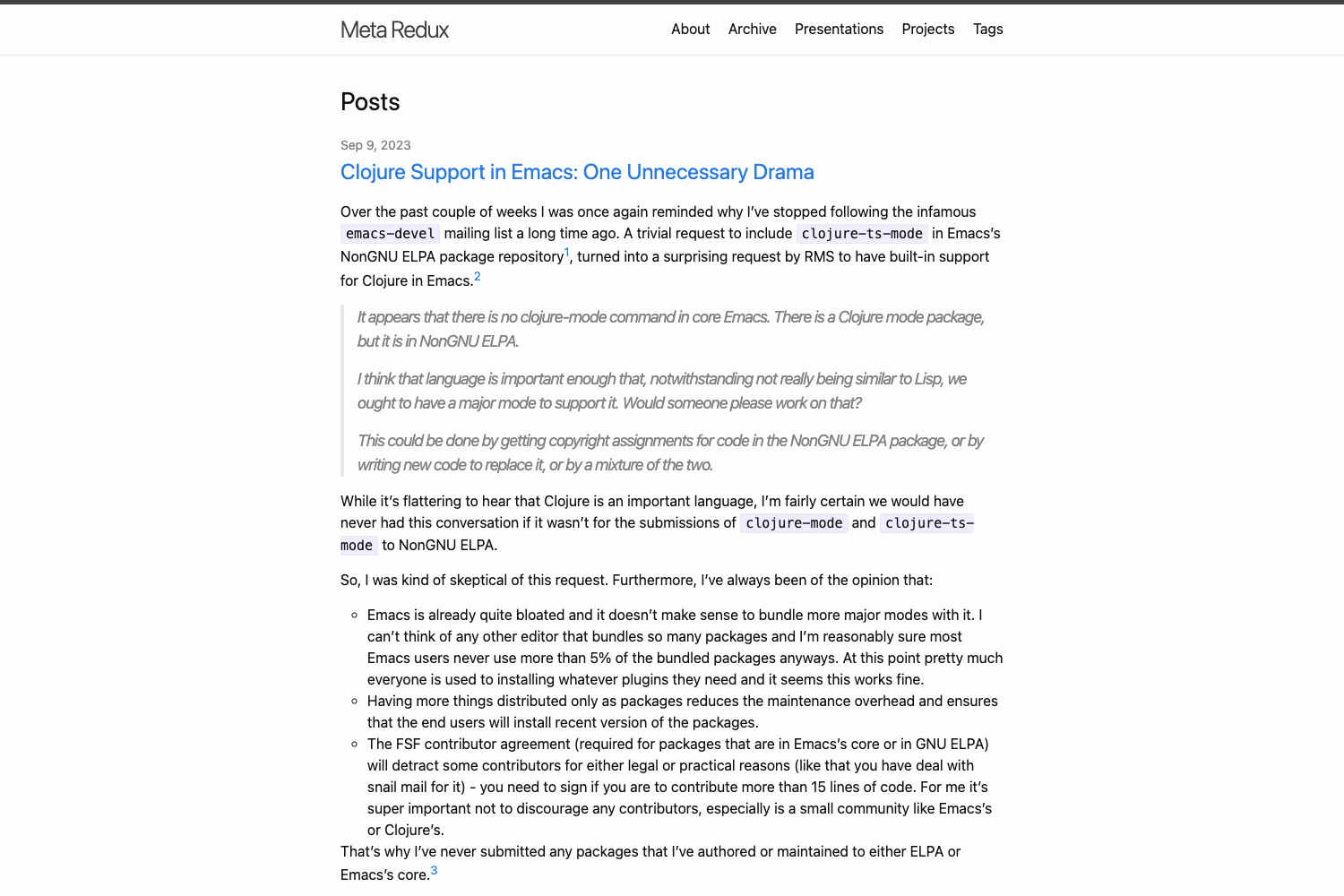
Colordrop is a customizable, monochromatic, minimal Hugo theme for personal blogs that produces static sites with one accent color and optional Pagefind search.
What is Colordrop?
Colordrop is a Hugo theme designed for personal blogging. It takes Markdown content and a Hugo site configuration as inputs and outputs a static website with a clean, two-color palette, an optional logo, and an optional search index. The theme is developed by the GitHub user humrochagf and is distributed through the public repository at github.com/humrochagf/colordrop.
Key Features
- Monochromatic palette — Two configuration variables, themeColor and themeInverseColor, define the entire color scheme; the default is black text on white (themeColor "#000000", themeInverseColor "#ffffff").
- Customizable logo — The siteLogo parameter points to an image file, replacing the default logo across the site.
- Home page introduction — The description parameter inserts a welcome message on the home page, allowing each blog to state its purpose.
- Pagefind search — Search is powered by Pagefind; after
hugobuilds the site, runningnpx -y pagefind --site publicgenerates the search index used by the theme's search UI. - Custom CSS support — Add stylesheets under the static folder (for example static/css/custom.css) and list them in the custom_css parameter to extend styling without editing theme files.
- Git submodule installation — The theme can be added as a git submodule, and version pinning is supported by checking out tags such as v1.5.0.
- Sass-based styling — Styles are written in Sass, so the site must be built with Hugo extended to compile them.
Who is it for?
Colordrop suits personal bloggers and developers who want a minimal, no-frills Hugo site. Personal bloggers can write posts in Markdown and publish a clean, monochrome blog. Hugo developers can install the theme as a submodule, customize the two color variables to match a brand, and wire up search without building a backend. Design-conscious writers can use the single-accent-color approach to keep the focus on content rather than layout.
What can you do with Colordrop?
- Launch a personal blog — Set a custom logo and description, then start writing Markdown posts; the theme renders them as a minimal reading experience.
- Add search to a documentation site — Use the Pagefind integration to generate a static search index and let visitors search content without a server.
- Rapidly theme a Hugo site — Adjust themeColor and themeInverseColor to any hex pair and drop in custom CSS to restyle the site without forking the theme.
How does Colordrop work?
First, install the theme by adding it as a git submodule or extracting a release into the themes folder and setting the theme name to "colordrop" in the Hugo config. Then, customize parameters like colors, logo, and description in the config file. After writing content, build with Hugo extended and optionally run the Pagefind index generation command to enable search.
Pricing
Colordrop is free to use. The theme is distributed under a public GitHub repository, with releases available from the tags page.
FAQ
Is Colordrop free?
Yes, Colordrop is an open-source Hugo theme. You can download the code from the GitHub repository or the releases page at no cost.
Does Colordrop include search?
Yes, via Pagefind. After a normal Hugo build, run npx -y pagefind --site public to generate the search index. The theme includes a search UI that uses this index.
How do I install Colordrop?
Add the repository as a git submodule from github.com/humrochagf/colordrop into themes/colordrop, or download a release and extract it to the same path. Then set the theme name in your config file to "colordrop" using YAML or TOML.
Can I change the colors of Colordrop?
Yes. Set the themeColor and themeInverseColor parameters in your Hugo config. For instance, themeColor "#000000" and themeInverseColor "#ffffff" create a black-on-white scheme; any hex values are accepted.
Does Colordrop require Hugo extended?
Yes. Because the theme uses Sass to compile styles, you need the extended edition of Hugo. Building with the standard edition will result in a Sass compilation error.