Template details
LaunchDarkly Integration example
Learn how to set up the LaunchDarkly integration to read flags from Edge Config
About this template
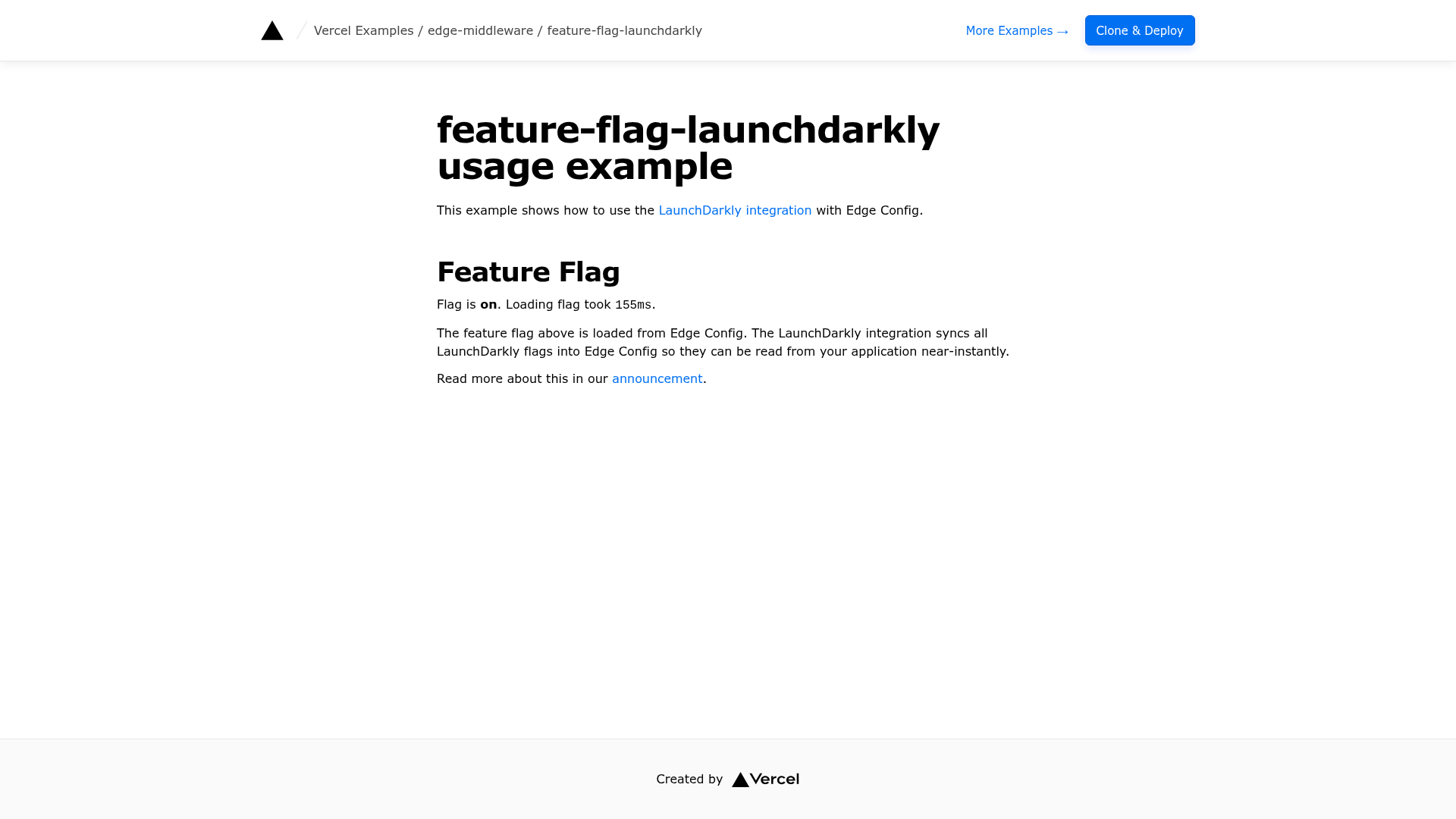
LaunchDarkly Integration example — a Next.js boilerplate from Vercel's examples repository that shows how to read LaunchDarkly feature flags from Edge Config using the native Vercel Marketplace integration.
What is the LaunchDarkly Integration example?
The LaunchDarkly Integration example is a Next.js template that demonstrates how to connect a Next.js application to LaunchDarkly through the Vercel Marketplace integration. It takes a LaunchDarkly client-side ID and an Edge Config connection string as environment variables, evaluates a boolean feature flag, and renders the result on the page. The template runs on Vercel's edge middleware and is authored by Vercel as part of the vercel/examples repository.
Key Features
- Native LaunchDarkly integration — Installs directly from the Vercel Marketplace and provisions the
NEXT_PUBLIC_LAUNCHDARKLY_CLIENT_SIDE_IDenvironment variable. - Edge Config syncing — LaunchDarkly syncs feature flags into a Vercel Edge Config; enabling the "Enable Edge Config Syncing" toggle during installation exposes the connection string as
EXPERIMENTATION_CONFIG. - Boolean flag evaluation — Reads the
my-flagflag, with variationstrueandfalse, against anorgcontext keyed asmy-org-key. - Next.js framework — Built with Next.js, using Tailwind CSS for styling, and designed for Edge Middleware use cases.
- One-click deployment — Deploy directly to Vercel from the provided repository URL, or bootstrap locally with
pnpm create next-app. - Demo instance — A live demo is available at
https://feature-flag-launchdarkly.vercel.app.
Who is the LaunchDarkly Integration example for?
The template is aimed at Next.js developers who want to integrate LaunchDarkly feature flags with minimal setup. It's also useful for teams using Vercel and LaunchDarkly who want to understand Edge Config syncing, and for developers exploring edge middleware patterns.
What can you do with it?
- Next.js developers: Set up LaunchDarkly in a new or existing project and see feature flags read from Edge Config.
- Platform engineers: Test how Edge Config syncing works with LaunchDarkly's experimentation platform.
- Feature flag evaluators: Configure targeting rules for the
orgcontext kind and verify changes appear on the page.
How does the template work?
- Install the LaunchDarkly integration from the Vercel Marketplace and enable Edge Config syncing during the "Configuration and Plan" step.
- Create a boolean flag in the LaunchDarkly Console with key
my-flagand turn it ON. - Run the app; it evaluates the flag against an
orgcontext and displays the result, so toggling targeting changes the page.
FAQ
What is Edge Config syncing?
Edge Config syncing is a LaunchDarkly feature that mirrors feature flag values into a Vercel Edge Config. When you enable it during the Vercel Marketplace installation, a new Edge Config is provisioned and its connection string is exposed as the EXPERIMENTATION_CONFIG environment variable.
Does this template require a LaunchDarkly account?
The template requires a LaunchDarkly account and a project with an environment that has a client-side ID. You also need to create the my-flag boolean flag in the LaunchDarkly Console before the example works.
Can I use other frameworks?
The example is written for Next.js specifically. It uses Next.js App Router and edge middleware, so porting to another framework would require adapting the environment variable handling and flag evaluation logic.
How do I change the feature flag key?
You can edit the flag key in the LaunchDarkly Console and update the key in the Next.js code, typically found in app/page.tsx, to match.