Template details
Light Blog
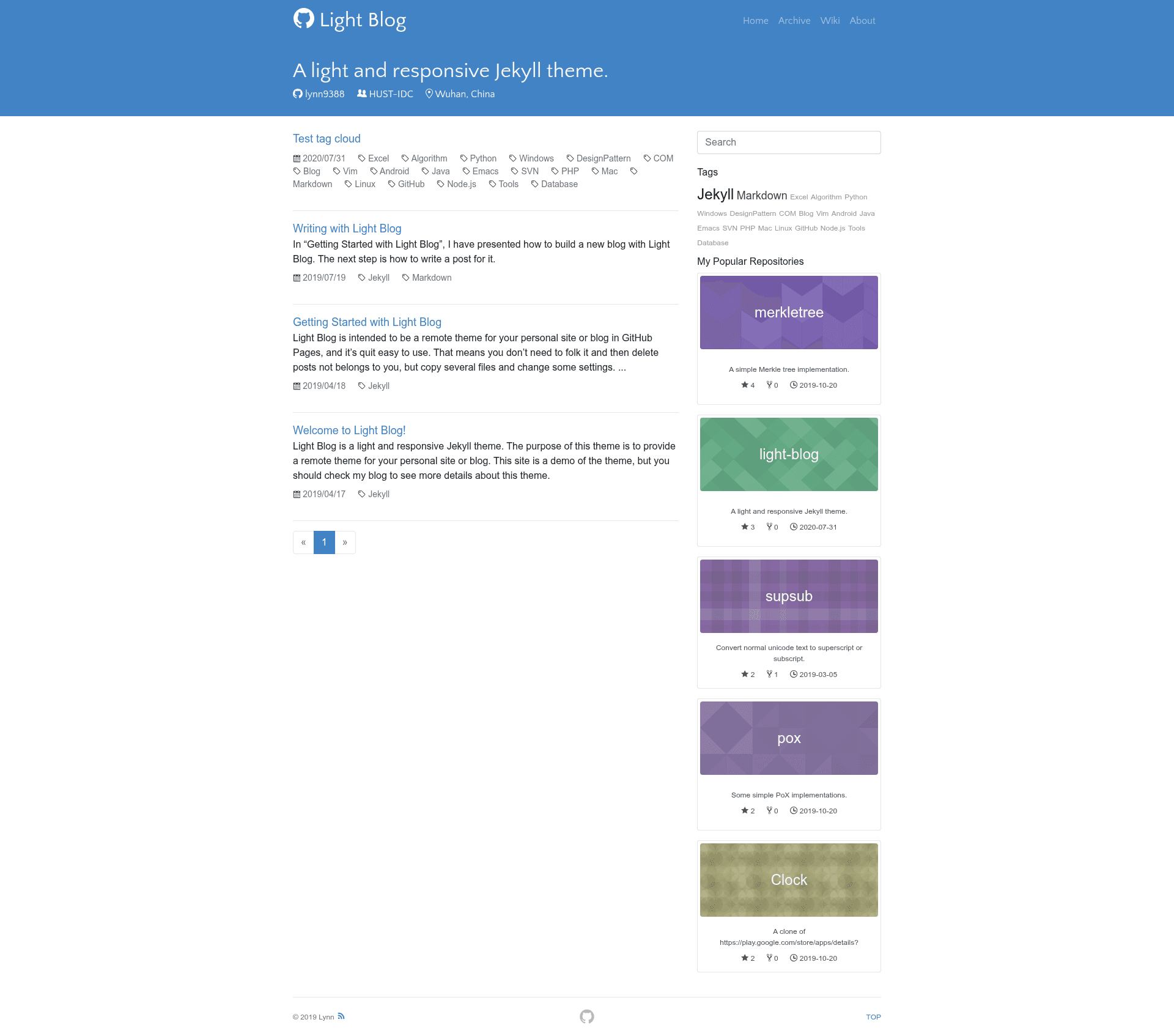
A light and responsive Jekyll theme for GitHub Pages, designed to be used as a remote theme.
About this template
Light Blog is a light and responsive Jekyll theme designed for GitHub Pages, letting you run a blog by focusing only on content while the theme is installed as a remote theme.
What is Light Blog?
Light Blog is a Jekyll theme that runs on GitHub Pages' remote theme mechanism, meaning the theme files live separately from your site's content. As a user, you write Markdown posts and Jekyll builds a static site; the theme's assets, layouts, includes, and Sass files are stored in the theme itself rather than in your repository. This separation makes deployment and updates simpler. The theme is based on the design of Zhuang Ma's blog, which is itself a modification of DONGChuan's Yummy-Jekyll.
Key Features
- Remote theme support — Use it directly from GitHub Pages without copying any theme files into your repository, per GitHub's remote theme feature introduced in 2017.
- Responsive layout — The theme is light and responsive, adapting to different screen sizes.
- Markdown-driven content — Write posts in Markdown; Jekyll converts them into static HTML pages.
- Gem-based theme structure — Standard Jekyll directories like assets, _layouts, _includes, and _sass are handled automatically during the Jekyll build process.
- MIT License — The theme is open source under the MIT License, allowing free use, modification, and redistribution.
- Derived design — Built on the open-source work of Zhuang Ma's blog and Yummy-Jekyll, with credit acknowledged in the repository.
Who should use Light Blog?
- Bloggers hosting on GitHub Pages — Get a clean, minimal theme without maintaining theme files, letting you focus on publishing posts.
- Jekyll users who prefer remote themes — Use the remote theme workflow to keep your site configuration minimal and separate from the theme's code.
- Developers seeking a lightweight starting point — Fork or extend the theme as a base for a personal blog, with the ability to customize under MIT terms.
What can you do with Light Blog?
- Publish a personal blog — Create Markdown posts and have Jekyll generate a static, responsive site hosted for free on GitHub Pages.
- Learn from the design — Study the structure of a minimal Jekyll theme, including the key directories (assets, _layouts, _includes, _sass) that Jekyll processes during its build, to understand how gem-based themes work.
- Customize and redistribute — Modify the theme for your own needs since it's MIT licensed, and share your improvements under the same license.
How does Light Blog work?
To use Light Blog as a remote theme, you set up a GitHub Pages site and configure Jekyll to fetch the theme from the Light Blog repository. Your content lives in your repository while the theme's code stays separate, mirroring how gem-based themes work per Jekyll's documentation. A getting started guide is linked from the README for step-by-step instructions.
FAQ
Is Light Blog free?
Yes, Light Blog is open source and licensed under the MIT License, which means you can use it for personal or commercial projects without paying fees.
How do I install Light Blog on GitHub Pages?
Follow the getting started post linked in the README. In general, you configure your Jekyll site to use the Light Blog repository as a remote theme, then create a posts folder with Markdown files.
What is Light Blog based on?
Light Blog's design is based on Zhuang Ma's blog (mzlogin.github.io), which itself is modified from Yummy-Jekyll by DONGChuan. The repository acknowledges these sources.
What technology stack does Light Blog use?
Light Blog is a Jekyll theme, so it uses Liquid templates, Sass for styling, and is intended to be deployed on GitHub Pages. Jekyll builds the Markdown content into static HTML.