Template details
Obsidian Notes
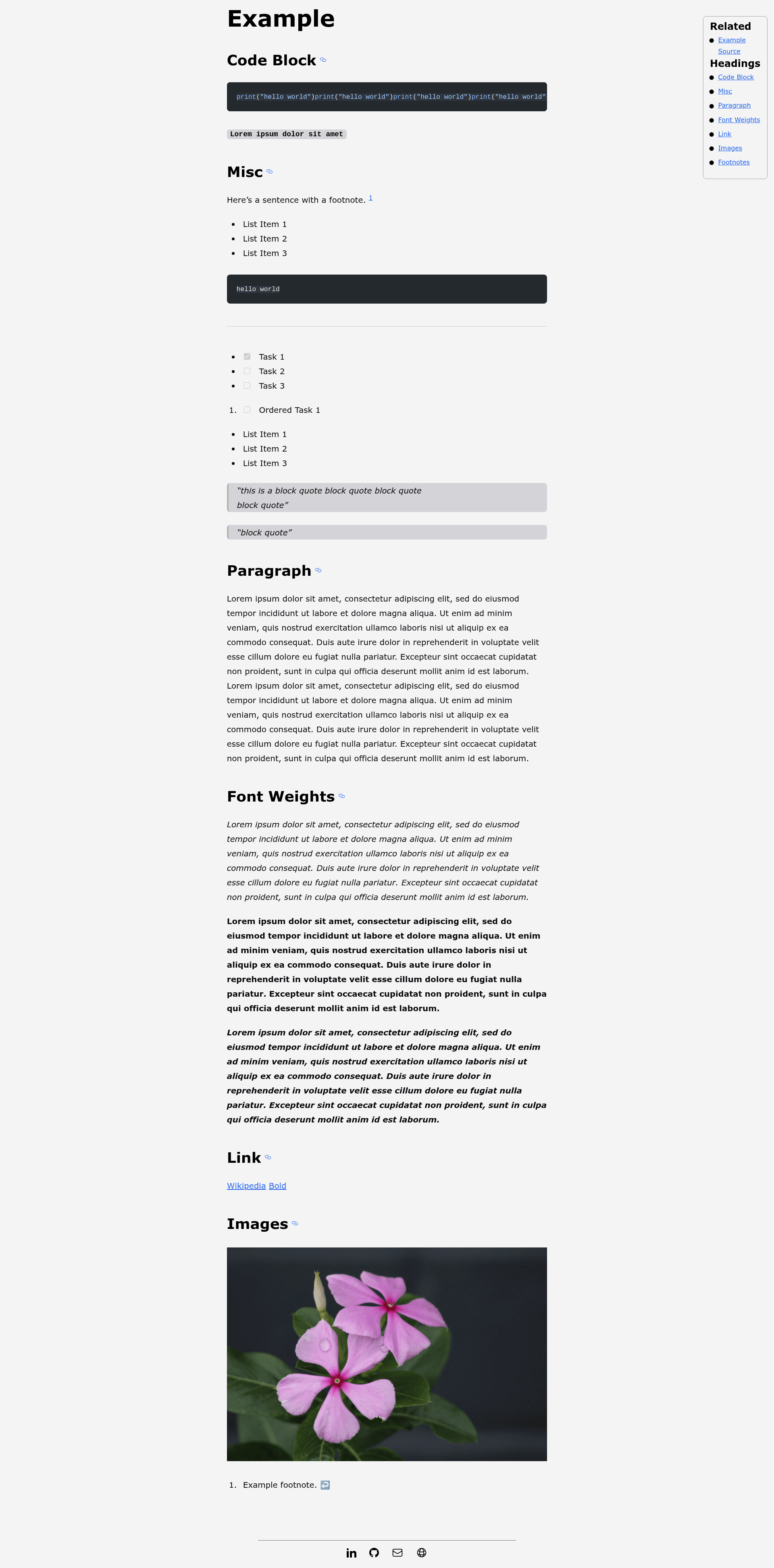
An Astro template that publishes Obsidian vault notes as a static website with auto-generated menus and related links.
About this template
Obsidian Notes is an Astro content-collections template that converts markdown files from an Obsidian vault into a deployable static website without requiring any frontmatter edits.
What is Obsidian Notes?
Obsidian Notes is a starter project built with Astro's content collections to publish markdown notes as a website. It takes plain .md or .mdx files placed in /src/content/notes/ and renders them as static pages with an auto-generated menu and footer. The project was created by Oliver Speir and is intended to be deployed to any static hosting service such as Cloudflare Pages, Netlify, Vercel, or GitHub Pages.
What makes Obsidian Notes stand out?
- Zero frontmatter required — The only optional frontmatter property is
footer: "true", which adds a footer with social links; no other metadata is needed. - Astro content collections — Notes are type-checked and queried through Astro's content layer, enabling clean page generation.
- Tailwind CSS with Typography plugin — Styling uses Tailwind and the typography plugin for readable prose; the tailwind config customizes footnote links and checkboxes.
- Accessibility via rehype — A rehype plugin applies accessibility tweaks to the rendered markdown.
- Automatic related notes — All notes in the same directory are linked together as "Related" without any configuration.
- Heading-based menu — Every
##heading in a note becomes an item in the navigation menu; subheadings below that level are ignored. - One-command Obsidian sync — A zsh alias using
rsynccopies vault notes into the repo, and apublishnotesfunction commits and pushes to trigger deployment. - Flexible deployment — Includes an Astro GitHub Action for GitHub Pages and works with any static host; deploy without setting
sitefirst if your host provides a URL after initial deploy.
Who should use Obsidian Notes?
- Obsidian users — Publish selected notes from a vault as a public website without reformatting or adding YAML frontmatter.
- Developers — Build a personal knowledge base or blog with a minimal Astro setup and Tailwind styling.
- Static-site hobbyists — Use a ready-made template that runs on any static host and includes a GitHub Actions workflow.
Use cases
- Personal digital garden: Share interconnected notes where each directory becomes a cluster of related pages.
- Simple blog: Write markdown notes with
##headings and get a table-of-contents menu automatically. - Documentation small-site: Publish markdown-based docs with related-page links and easy deployment.
How does Obsidian Notes work?
To publish a note, place a .md or .mdx file in /src/content/notes/, then set your deployed URL in the site field of astro.config.mjs. The template builds each note as a page and generates a menu from the ## headings. For Obsidian users, an rsync command in a zsh alias copies vault files into the content directory while excluding hidden files, and a publishnotes function handles commit and push.
FAQ
Do I need to edit frontmatter for each note?
No. The template is designed to publish Obsidian notes as-is. The only optional frontmatter property is footer: "true", which enables a footer with social links at the bottom of a note.
Can I deploy Obsidian Notes to any static host?
Yes. The project works with Cloudflare Pages, Netlify, Vercel, GitHub Pages, and any other static site service. An Astro-provided GitHub Action is included for GitHub Pages deployment.
How do I sync my Obsidian vault with the repo?
You can use the provided zsh alias that runs rsync -av --exclude=".*" --delete from your vault to /src/content/notes/, then a publishnotes function to add, commit, and push the changes.