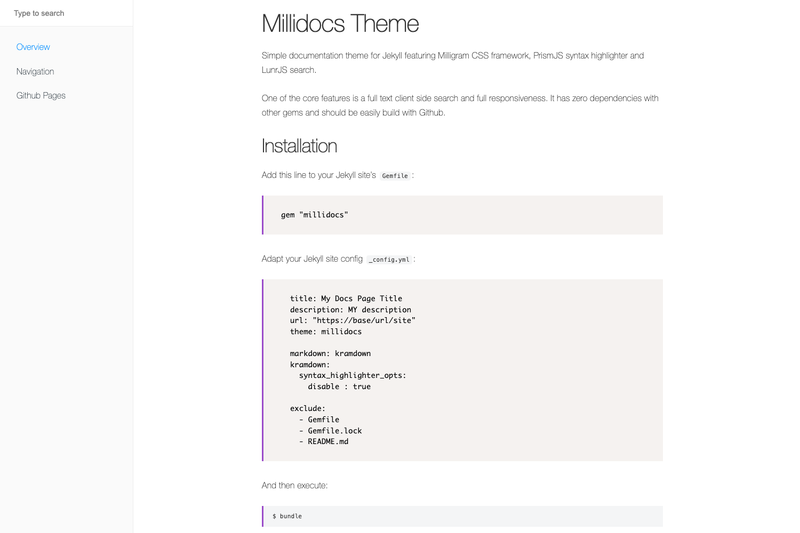
Millidocs is a Jekyll theme for building single-level documentation sites, with client-side full-text search and a responsive layout.
What is Millidocs?
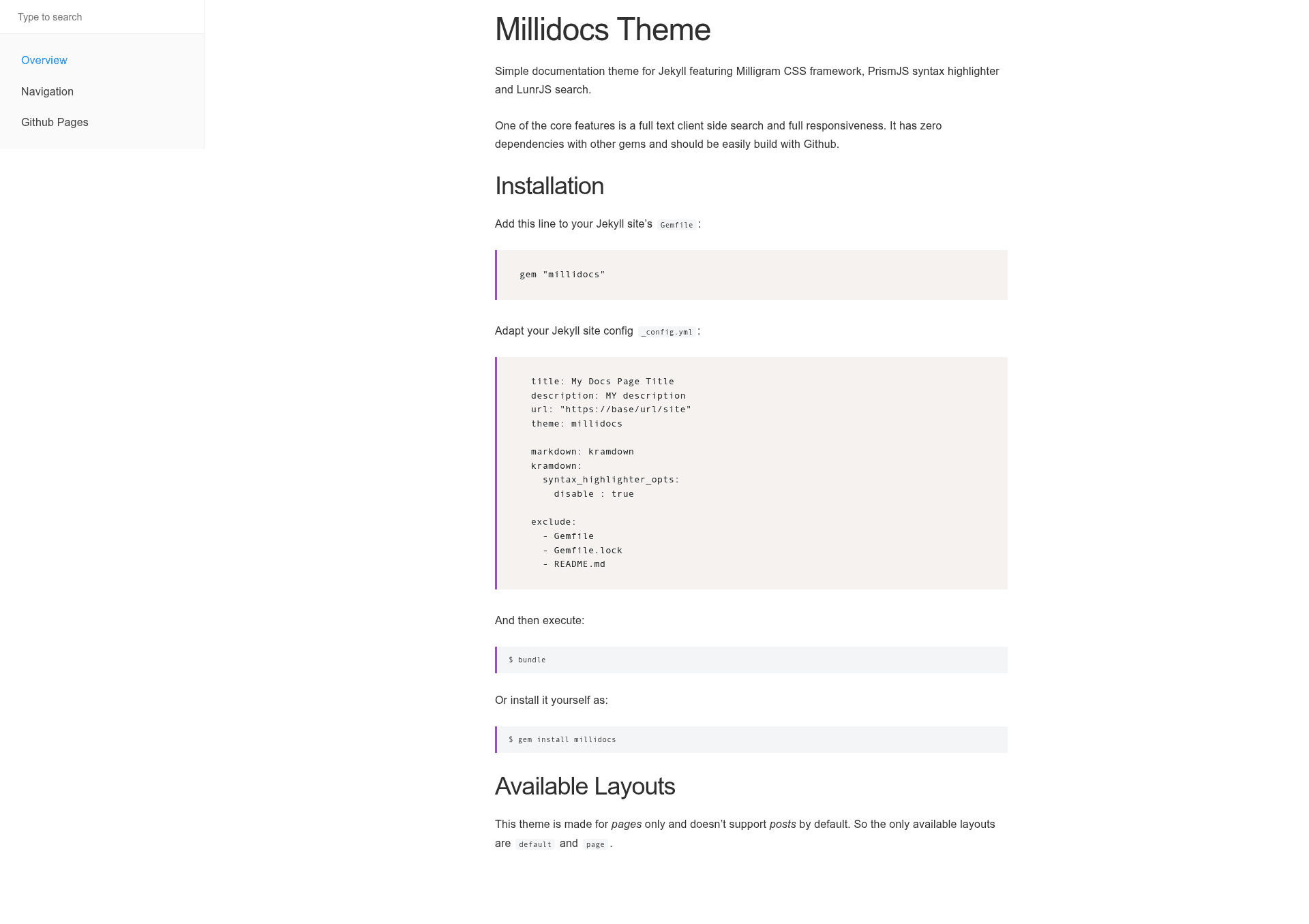
Millidocs is a documentation theme for Jekyll, the static site generator. It takes Markdown pages and produces a static HTML documentation site with a clean, responsive design. The theme is maintained on GitHub by Alexander Heimbuch and is distributed as a Ruby gem or through GitHub Pages remote theme support. It integrates three external libraries: the Milligram CSS framework for styling, PrismJS for syntax highlighting, and LunrJS for client-side full-text search.
Key Features
- Client-side full-text search — LunrJS provides search that runs entirely in the browser with no server-side indexing or third-party search service required.
- Responsive layout — The theme is fully responsive, adapting the documentation layout to mobile and desktop screens.
- Zero gem dependencies — Millidocs does not depend on any other Jekyll gems, which makes installation and building straightforward.
- GitHub Pages ready — Use the
remote_theme: alexander-heimbuch/millidocssetting to deploy directly on GitHub Pages without a separate build step. - PrismJS syntax highlighting — Code blocks are highlighted client-side by PrismJS, supporting multiple languages via its plugin system.
- Milligram CSS framework — A minimal CSS framework that keeps the page weight low and the visual design consistent.
- Simple navigation — Pages are added to navigation through a front matter
navigationattribute with an index; the theme intentionally supports only one navigation level.
Who should use Millidocs?
Millidocs suits developers and technical writers who need a clean, focused documentation site for a software project, API, or internal tool. It is a good choice for teams already using Jekyll or GitHub Pages who want a searchable docs site without configuring a separate search solution. Beginners can use it via GitHub Pages with the remote theme setting, while Jekyll users who prefer a self-hosted setup can install it as a gem.
What can you do with Millidocs?
- Document an open-source project: Publish Markdown-based docs under a GitHub Pages URL with full-text search for users.
- Create an internal knowledge base: Set up a private Jekyll site with the theme and keep documentation in a Git repository.
- Build a product manual: Structure pages with the single-level navigation and use PrismJS to show code examples in tutorials.
How does Millidocs work?
Installation follows the standard Jekyll theme workflow: add gem "millidocs" to the Gemfile, set theme: millidocs in _config.yml, and run bundle. For GitHub Pages, add remote_theme: alexander-heimbuch/millidocs instead. Pages written in Markdown with YAML front matter are rendered into the layout, and the navigation order is controlled by setting a navigation integer in each page's front matter.
Pros and cons
- Pros: Free under MIT License; no gem dependencies; built-in search; works with GitHub Pages; minimal and fast.
- Cons: No support for blog posts (Jekyll posts) — it is pages-only; navigation is limited to one level, so deeply nested doc structures require a different system like GitBook.
Pricing
Millidocs is open source and free to use under the MIT License. There are no paid tiers or premium features.
Alternatives
GitBook is a larger documentation system that supports multi-level nesting and collaboration; it is mentioned in the theme's README as an alternative when one-level navigation is not enough.
FAQ
Is Millidocs free?
Yes, Millidocs is released under the MIT License, so it is free to use, modify, and distribute, including for commercial projects.
Does Millidocs support Jekyll posts?
No, the theme is made for pages only. The README states that it does not support posts by default; only the default and page layouts are available.
How do I add a page to the navigation?
Add a navigation attribute with an integer index in the page's front matter. The index starts at 1, and the order follows the index values. Pages without the navigation attribute are not shown in the navigation.
Can I use Millidocs with GitHub Pages?
Yes, add remote_theme: alexander-heimbuch/millidocs to the _config.yml and push to a GitHub Pages-enabled branch. No extra build steps are needed.
What search library does Millidocs use?
It uses LunrJS, a client-side search library. The search index is built entirely in the browser, so no server-side processing or API calls are needed.