Template details
mzlogin.github.io
A Jekyll blog template for GitHub Pages with six built-in comment systems, custom domain support, and a clean design.
About this template
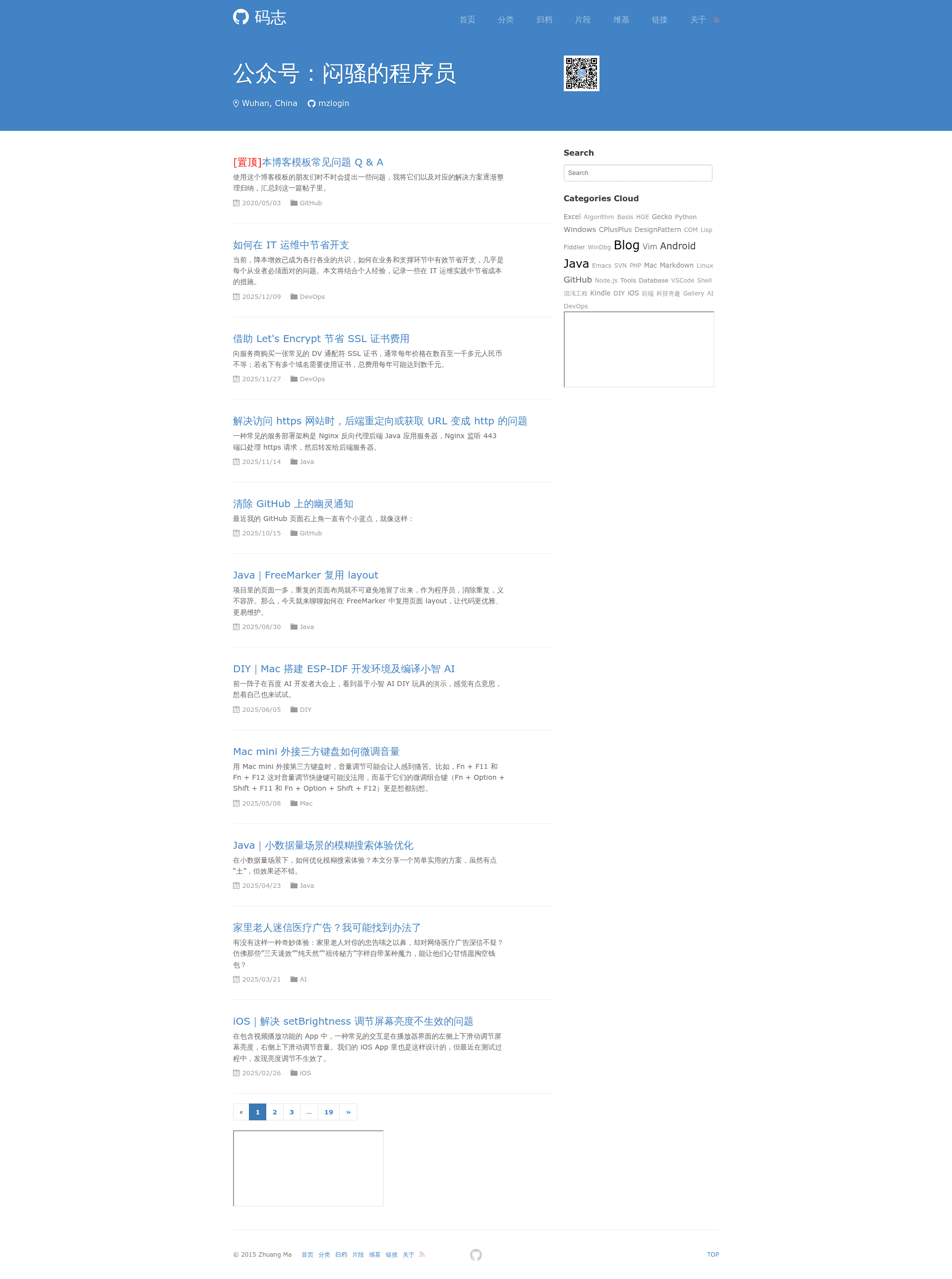
mzlogin.github.io (码志) is a Jekyll blog template for GitHub Pages that turns a username.github.io repository into a personal blog with built-in support for six comment systems. Created and maintained by developer mzlogin, this template provides a ready-to-use site structure with separate folders for posts, drafts, wiki pages, and short fragments, plus a detailed fork guide in Chinese for getting your own site running.
What is mzlogin.github.io?
mzlogin.github.io, also known as 码志, is a Jekyll-based template repository designed to publish personal blogs on GitHub Pages. It takes Markdown content from folders like _posts, _drafts, _wiki, and _fragments and outputs a static blog site, with all site-wide settings controlled through a single _config.yml file. The repository has 1660 stars and is based on a design originally created by DONGChuan.
Key Features
- Six comment system integrations — supports disqus, gitment, gitalk, utterances, beaudar, and giscus; the author recommends giscus and includes official configuration links in _config.yml.
- Multiple content types — separate folders for published posts, unpublished drafts, wiki pages, and short fragments, each displayed differently.
- Easy site configuration — website url, title, subtitle, and third-party comment settings all live in _config.yml.
- Custom domain readiness — a CNAME file is included; edit it to point to your own domain or delete it to use the default GitHub Pages URL.
- Structured about page — pages/about.md works with _data/skills.yml and social.yml to present personal skills and social links.
- GitHub Pages auto-deployment — works on the master branch of a username.github.io repository or the gh-pages branch of any other project name.
Who is it for?
- Developers starting a GitHub Pages blog — fork the repository, rename it to your username.github.io, and follow the step-by-step fork guide to customize it.
- Jekyll users who want a working starting point — the template avoids the need to build a Jekyll theme from scratch, with built-in layouts, styles, and navigation.
- Chinese-speaking tech bloggers — the documentation and template content are primarily in Chinese, and the author is reachable via Issues or the WeChat account "闷骚的程序员".
What can you do with it?
- Launch a free personal blog — host the static site on GitHub Pages with no server costs or database requirements.
- Add comments to a static site — pick one of six comment providers and configure it through _config.yml using the provided official links.
- Organize content by type — use _posts for full articles, _drafts for work-in-progress, _wiki for reference pages, and _fragments for short notes.
- Bind a custom domain — edit the CNAME file and follow GitHub's custom domain documentation to serve the blog from your own domain.
How does it work?
Fork the repository, then follow the fork guide: set the project name to match GitHub Pages rules, modify or delete the CNAME file, update _config.yml with personal data, delete the author's sample posts and images, and edit the about page. The template documentation also links to a Q&A page and to Jekyll's local setup instructions for previewing the site.
FAQ
Is mzlogin.github.io free to use?
Yes, the repository is publicly available on GitHub and can be forked freely. Hosting on GitHub Pages is free for public repositories, so you can run the blog at no cost.
Which comment systems does the template support?
It supports disqus, gitment, gitalk, utterances, beaudar, and giscus. The author recommends giscus, and each system's official setup guide is linked in the Comments section of _config.yml.
Do I have to delete the author's content after forking?
Yes. The _posts, _drafts, _wiki, and _fragments folders contain the author's personal articles and should be emptied, keeping only template.md as a reference. The images folder is also for author-owned pictures.
How do I use a custom domain with this template?
Edit the CNAME file to contain your domain, then follow the GitHub Pages custom domain configuration guide. If you do not need a custom domain, simply delete the CNAME file.