Template details
Minimal Mistakes
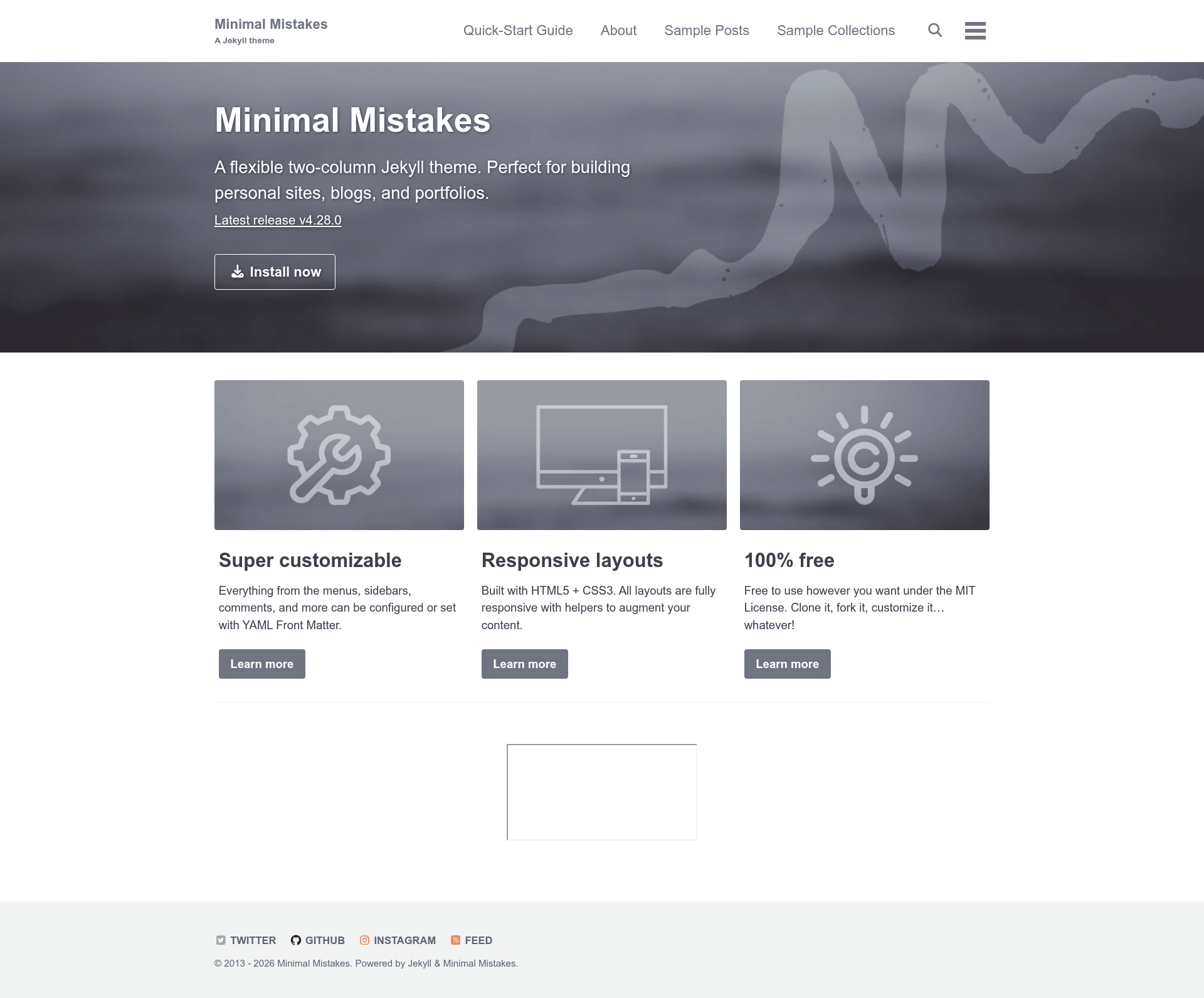
Minimal Mistakes is a flexible two-column Jekyll theme for personal sites, blogs, and portfolios, with 12 color skins and GitHub Pages support.
About this template
Minimal Mistakes is a flexible two-column Jekyll theme for building personal sites, blogs, and portfolios, created by Michael Rose and distributed under the MIT license.
What is Minimal Mistakes?
Minimal Mistakes is a Jekyll theme that transforms Markdown content into a static website with a two-column layout. It runs on Jekyll 3.7 and later, is compatible with GitHub Pages, and supports installation as a Ruby gem or as a remote theme. The theme is maintained by Michael Rose, the creator of mademistakes.com.
Key Features
Minimal Mistakes offers a wide range of features covering installation, customization, SEO, and integrations.
- Theme gem distribution — Bundled as a Ruby gem (
minimal-mistakes-jekyll) for easier installation and upgrading via Bundler. - Remote theme support — Can be used on GitHub Pages via
remote_theme: "mmistakes/minimal-mistakes@4.28.0"without Gemfile whitelisting. - Sass/SCSS preprocessing — Uses Jekyll's built-in Sass/SCSS preprocessor to customize styles.
- 12 built-in color skins — Includes the default and 11 alternates: air, contrast, dark, dirt, mint, sunrise, aqua, neon, plum, catppuccin_latte, and catppuccin_mocha.
- Multiple layout options — Single, archive index, search, splash, and paginated home page layouts.
- SEO metadata — Built-in Twitter Cards and Open Graph data support.
- Comment integrations — Disqus, Facebook, Discourse, Staticman, utterances, and giscus.
- Analytics options — Google Analytics and Swetrix (GDPR-compliant) analytics.
- UI translations — Localized text in 40+ languages, including Arabic, Chinese, French, German, Japanese, Spanish, and Vietnamese.
- Content helpers — Header images, custom sidebars, table of contents, galleries, related posts, breadcrumb links, and navigation lists.
Who is it for?
Minimal Mistakes is designed for anyone who wants a Jekyll-based static site without building a theme from scratch.
- Bloggers: publish Markdown posts with category and tag archives, syntax highlighting, and related posts.
- Portfolio owners: showcase work using galleries, custom sidebars, and header images.
- Documentation writers: structure guides with collections, table of contents, and breadcrumb navigation.
- GitHub Pages users: host a personal or project site on GitHub Pages with minimal configuration.
What can you do with Minimal Mistakes?
Minimal Mistakes lets you create and customize a variety of static sites quickly.
- Launch a blog quickly: Use the Minimal Mistakes remote theme starter on GitHub to generate a new repository with the theme pre-configured.
- Publish project documentation: Set up collection pages and use the table-of-contents helper to organize manuals.
- Build a multilingual site: Switch UI text to any of the 40+ supported language translations.
- Create a portfolio: Add image galleries and related posts to present your projects.
How does Minimal Mistakes work?
Minimal Mistakes is a Jekyll theme. You install it by adding gem "minimal-mistakes-jekyll" to your Gemfile, or by setting remote_theme in _config.yml for GitHub Pages. Then you create Markdown posts in the _posts directory, configure site settings in _config.yml, and run Jekyll to generate a static site. The README provides step-by-step instructions for all three installation methods: gem-based, remote theme, and forking the repository.
Pros and cons
- Pro: Free and open source under the MIT License, with no paid tiers.
- Pro: Broad integration options for comments, analytics, and SEO.
- Con: Requires the
jekyll-include-cacheplugin installed and listed in the_config.ymlplugins array; otherwise builds fail with "Unknown tag 'include_cached'" errors.
FAQ
Is Minimal Mistakes free?
Yes, Minimal Mistakes is free to use under the MIT License. You can use, modify, and redistribute it for personal or commercial projects without fees.
Does Minimal Mistakes work with GitHub Pages?
Yes, it is compatible with GitHub Pages using the remote theme method. Add remote_theme: "mmistakes/minimal-mistakes@4.28.0" to your _config.yml and include jekyll-include-cache in your Gemfile.
What are the system requirements?
Minimal Mistakes requires Jekyll 3.7 or later, Ruby, and the jekyll-include-cache plugin. The quickest way to start is to use the mm-github-pages-starter repository, which generates a GitHub Pages site with the theme pre-configured.
Can I change the color scheme?
Yes, the theme includes 12 built-in skins. Set the skin variable in _config.yml to one of the available names such as air, dark, mint, or neon.