Template details
Modern CV
A modern resume template written in Typst, inspired by Awesome-CV
About this template
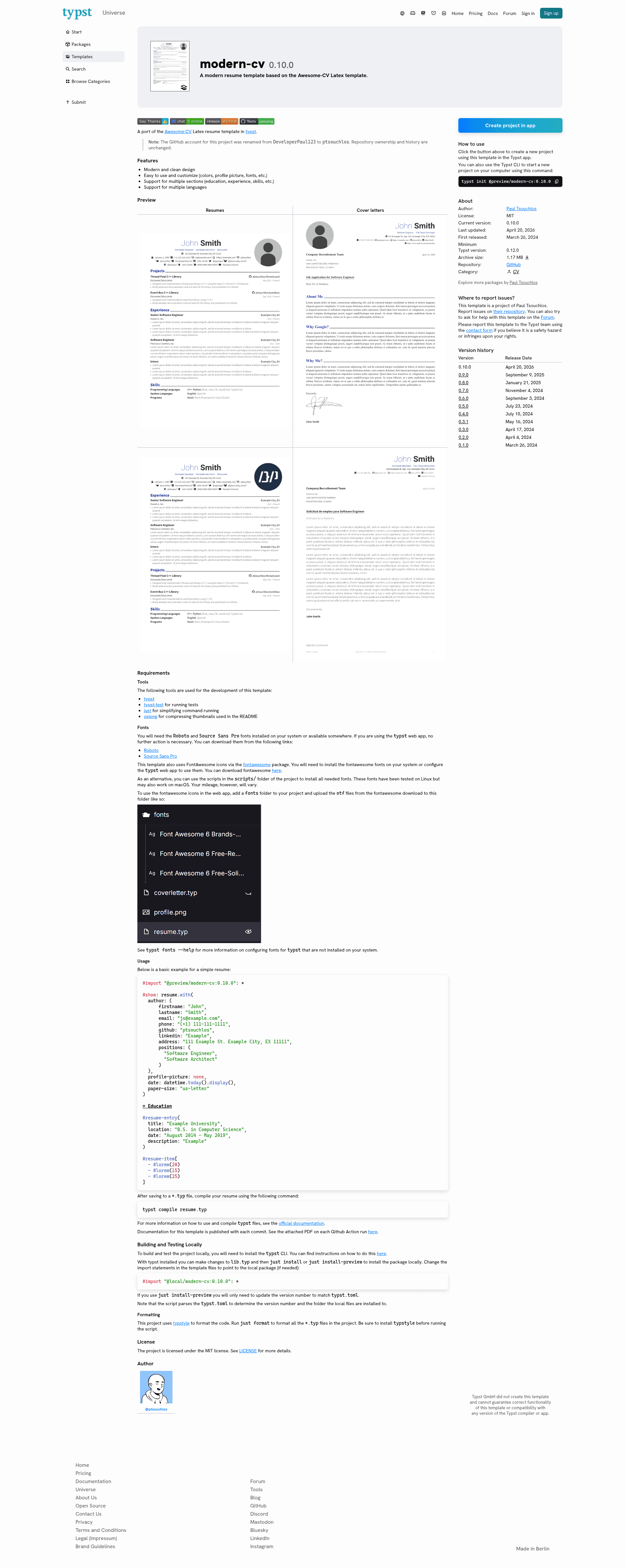
Modern CV is a Typst template for creating resumes and cover letters, ported from the popular LaTeX Awesome-CV template. It compiles plain-text .typ source files into clean, modern PDF documents using the Typst typesetting system and is maintained by ptsouchlos (formerly DeveloperPaul123) under the MIT license.
What is Modern CV?
Modern CV is a resume and cover letter template written in Typst that takes a .typ source file with author and section data and outputs a polished PDF via the Typst compiler. It is published on the Typst universe as @preview/modern-cv:0.10.0, and the repository also includes separate cover letter templates. The project was renamed from DeveloperPaul123 to ptsouchlos without changing ownership or history.
Key Features
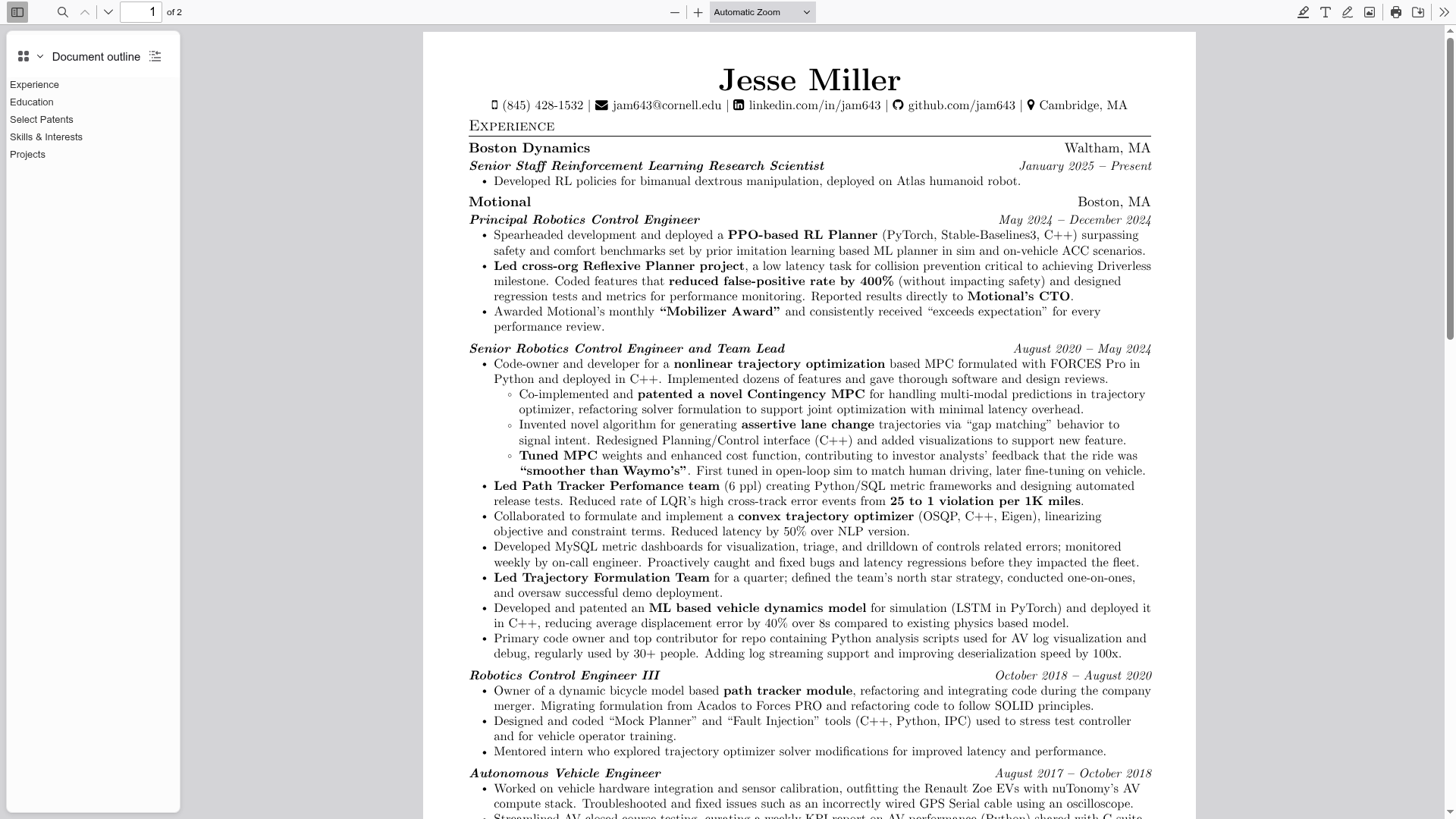
- Modern design — Clean, contemporary styling with customizable colors, profile picture, and fonts (Roboto and Source Sans 3).
- Multiple sections — Supports education, experience, skills, and other resume sections via
resume-entryandresume-itembuilding blocks. - Multi-language support — Template strings can be adapted for different languages since all content is plain Typst source.
- Cover letters included — Ships with separate cover letter templates in addition to resume templates.
- FontAwesome icons — Integrates the FontAwesome icon set through the
fontawesomeTypst package for contact icons. - Customizable author data — The
resumeshow rule accepts fields such as name, email, phone, GitHub, LinkedIn, Telegram, and address. - Paper size options — Choose between US Letter and other paper sizes via the
paper-sizeparameter. - MIT licensed — Free to use and modify under the MIT license.
Who is it for?
- Job seekers — Create a clean, modern resume and matching cover letter from a single source.
- Typst users — Anyone who prefers the Typst markup language over LaTeX and wants a ready-made CV layout.
- Developers — Those who want version control and reproducible PDF builds of their resume, since everything is plain text.
What can you do with Modern CV?
- Job applicants: compile a professional resume and cover letter with structured education and experience entries, contact icons, and a profile picture.
- Students and recent graduates: build an academic CV with sections for education, projects, and skills using
resume-entryandresume-itemblocks. - Non-native English speakers: adapt the template to other languages because the text is plain Typst source that can be translated directly.
How does Modern CV work?
Create a .typ file and import the package with #import "@preview/modern-cv:0.10.0": *, then set the resume show rule with your author details. Add sections using headings and resume entries, then run typst compile resume.typ to generate the PDF. The project also provides a just command setup for local installation and testing.
Alternatives
- Awesome-CV — the original LaTeX template this project ports, for users who prefer LaTeX.
FAQ
Is Modern CV free?
Yes, the project is licensed under the MIT license, so it is free to use, modify, and distribute.
What fonts do I need?
The template requires Roboto and Source Sans 3 fonts, plus the FontAwesome icon fonts. If you use the Typst web app, you can upload the font files to a fonts folder in your project.
Does Modern CV include cover letter templates?
Yes, the repository provides separate cover letter templates alongside the resume templates, each with its own preview.
How do I change the profile picture?
Pass the profile-picture parameter in the resume show rule; setting it to none omits the picture.
Can I use it in the Typst web app?
Yes, the package is published on the Typst universe, so you can import it directly in the web app. You will need to configure fonts as described.