Template details
Personal Site
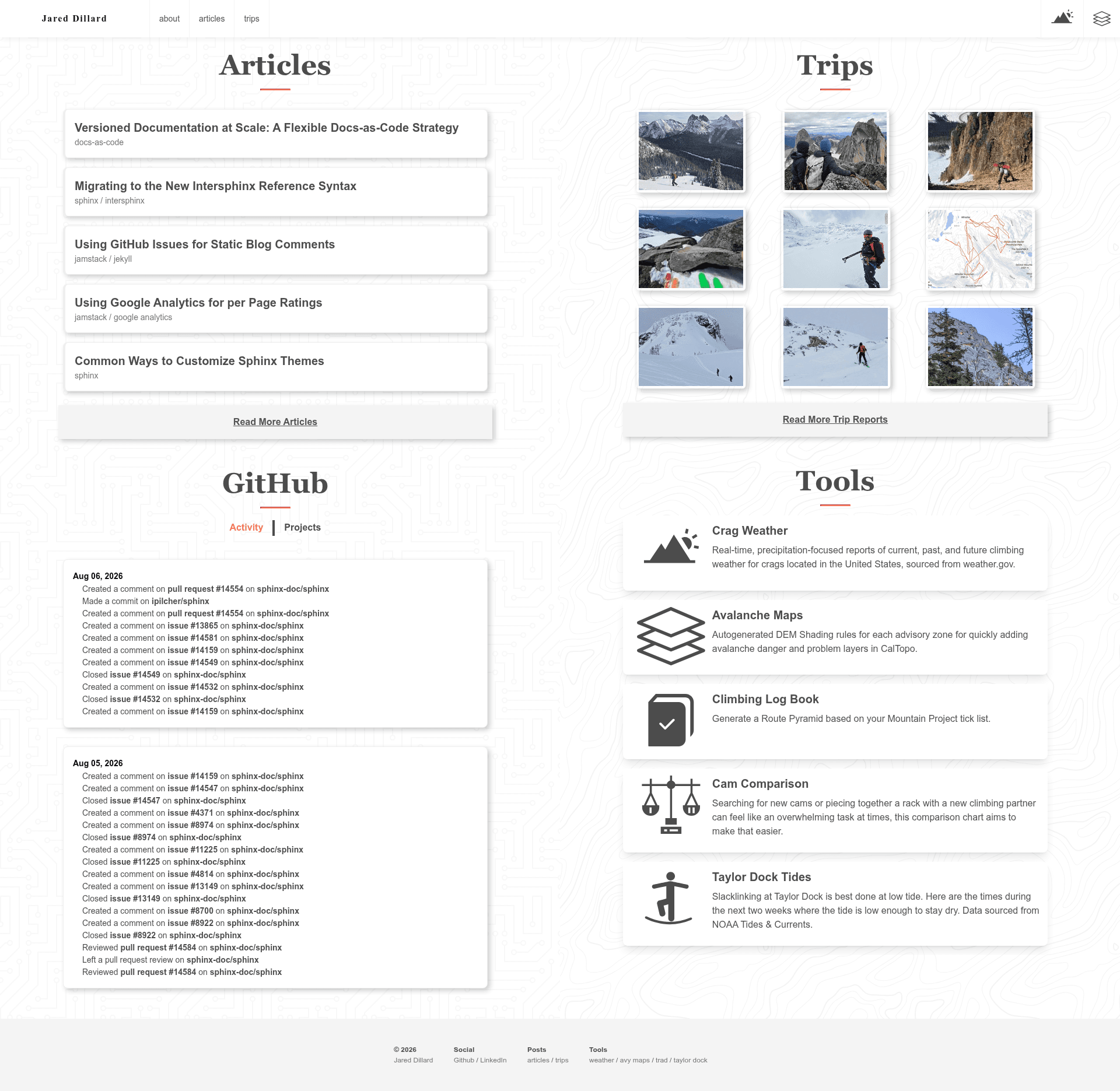
The source for jareddillard.com, a Jekyll-based static personal website and blog.
About this template
Personal Site is a Jekyll-based static website repository that powers jareddillard.com, a personal blog and website, and includes an npm-managed SCSS/PostCSS asset pipeline.
What is Personal Site?
Personal Site is the source code for jareddillard.com, built with the static site generator Jekyll. It takes content written in Markdown and outputs a static HTML website through Jekyll's build process, which can be hosted on any static file server. The repository also integrates a Node.js/npm workflow for processing stylesheets and scripts, using SCSS and PostCSS. It is publicly maintained on GitHub under the jdillard account and welcomes pull requests and issue reports.
Key Features
- Jekyll static generation — Uses Jekyll, run via
rake serve, to compile Markdown and templates into a static site, giving fast page loads and no database requirements. - npm-based asset pipeline — CSS and JavaScript source files are developed with
npm startfor live reload and built for production usingnpm run build. - SCSS and PostCSS processing — Styles are processed with SCSS and PostCSS, allowing modern CSS features and preprocessor syntax.
- Dual development workflow — Requires running
rake serveandnpm startin two terminal windows, separating content generation from asset bundling. - Committed build assets — Production distribution files are committed to the repository with the explicit commit message "update built assets", keeping the compiled output versioned.
- Open contribution model — Anyone can contribute by creating a pull request or opening an issue for problems or corrections.
Who is it for?
- Personal bloggers who want a lightweight, static personal website and are comfortable writing Markdown and running local development servers.
- Jekyll developers seeking a concrete example of wiring an npm-based SCSS/PostCSS build into a Jekyll project.
- Static site enthusiasts who want a simple, open-source codebase to repurpose for their own online presence, with a clear contribution path.
What can you do with it?
- Publish your own content by replacing the Markdown posts and templates with your own writing, then building the static site.
- Learn a hybrid toolchain by studying how
rake serveandnpm startwork together to serve a Jekyll site with live asset updates. - Contribute improvements by editing CSS/JS files, building them with
npm run build, and submitting the change as a pull request.
How does the build workflow work?
To develop locally, you start Jekyll with rake serve in one terminal and npm start in a second terminal to watch and live-reload assets. After editing CSS/JS files, you run npm run build to generate the production distribution files, which should be committed separately with the message "update built assets". This keeps source files and compiled assets in sync.