Template details
Next-DatoCMS-Template
A free to use DatoCMS template and an open-source Next.js sample to create a complete site. You can duplicate this template and deploy the frontend from GitHub.
About this template
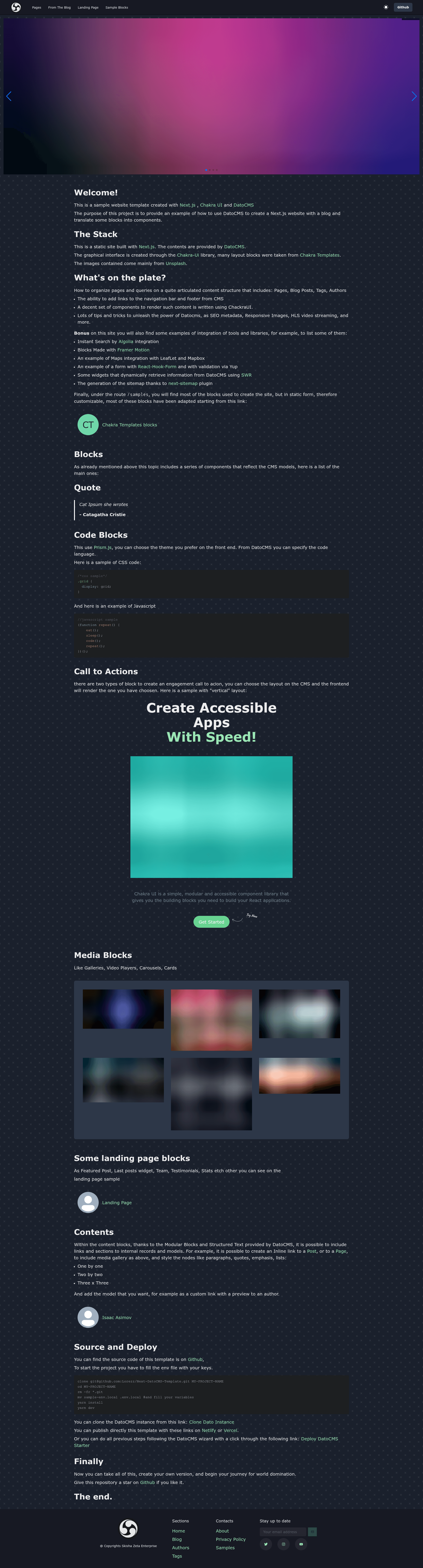
Next-DatoCMS-Template is a free, open-source Next.js boilerplate that pairs a DatoCMS project model with a deployable frontend, enabling you to duplicate the template and build a complete site. It is built on Next.js, styled with Chakra UI, and maintained as a public GitHub repository by Lorezz (github.com/lorezz/next-datocms-template) with a live demo at next-datocms-template.netlify.app.
What is the Next-DatoCMS-Template?
Next-DatoCMS-Template is a headless-CMS starter that combines a DatoCMS project (which you clone from the DatoCMS dashboard) with a Next.js frontend, producing a full website you can deploy to Vercel or Netlify. The repository is open source and free to use; you can duplicate it and deploy the frontend from GitHub. The author is not named on the README, but the repository is hosted under the GitHub user Lorezz.
Key Features
- Chakra UI components — Built on Chakra UI, with sample blocks from Chakra Templates, giving you a set of ready-made styled sections for a site.
- DatoCMS StructuredText and ModularContent — Includes working examples for rendering rich text and modular content from DatoCMS.
- SEO Metatags — Shows how to use DatoCMS Metatags to populate page title, description, and social metadata.
- Responsive images — Uses Dato ResponsiveImage to serve optimized, responsive images.
- Video blocks — Examples for Mux video streaming and embedded videos from YouTube or Vimeo.
- Map blocks — Sample implementations with both Leaflet and Mapbox Map.
- Code highlighting — A Code Highlighter block for displaying syntax-highlighted code.
- Carousel — A Swiper Carousel sample block.
- Framer Motion examples — Includes some animation examples from Framer Motion.
- One-click deployment — Deploy to Vercel or Netlify using the button links in the README, with environment variables NEXT_PUBLIC_DATO_KEY and SITE_URL.
Who is it for?
- Next.js developers who want a concrete example of integrating DatoCMS with a Next.js site, without building the wiring from scratch.
- Freelancers and agencies who need a complete starter to duplicate, rebrand, and deploy quickly for client projects.
- Developers evaluating DatoCMS who want to see real code samples for StructuredText, ModularContent, ResponsiveImage, video, and maps before committing.
- Technical content teams that prefer a headless CMS and need a frontend that renders rich content blocks, video, and maps out of the box.
What can you do with it?
- Build a marketing or content site by cloning the DatoCMS project and connecting the Next.js frontend through Vercel or Netlify.
- Learn DatoCMS integration patterns by reading the sample blocks for SEO Metatags, StructuredText, ResponsiveImage, Mux video, embedded videos, Leaflet/Mapbox maps, code highlighting, and Swiper carousels.
- Create a video-rich landing page using the Mux and YouTube/Vimeo examples.
- Extend the starter for a client by replacing the sample content and adding your own DatoCMS models and React components.
How does the template work?
The README provides two setup paths. The first is to clone the DatoCMS project from the dashboard, then deploy the GitHub repository to Vercel or Netlify while setting the NEXT_PUBLIC_DATO_KEY and SITE_URL environment variables. The second is the DatoCMS starter deployment button that guides you through the whole process. For local development, you clone the repo, remove its git history, copy sample-env.local to .env.local, fill in your variables, then run yarn install and yarn dev.
Pricing
The template itself is free to use and open-source, as stated in the README. Deployment to Vercel or Netlify and a DatoCMS account are separate services you would need to provide yourself.
FAQ
Is the Next-DatoCMS-Template free?
Yes, the README states it is "free to use" and the source is open on GitHub, so you can clone, duplicate, and deploy it without paying for the template itself.
What environment variables does it need?
It uses NEXT_PUBLIC_DATO_KEY for your DatoCMS read-only API key and SITE_URL for the canonical site URL; these are passed during deployment or copied into .env.local.
How do I run it locally?
Clone the repository, delete the existing git history, rename sample-env.local to .env.local, fill in the variables, then run yarn install and yarn dev.
Does it support multi-language sites?
Multi-language is listed as a feature in progress in the README, so it is not available in the current version.
Which UI library does it use?
It uses Chakra UI for styling, with sample blocks from Chakra Templates and animation examples from Framer Motion.