Template details
Next Grocery
A grocery e-commerce UI built with Next.js, MySQL, TypeScript, and TailwindCSS.
About this template
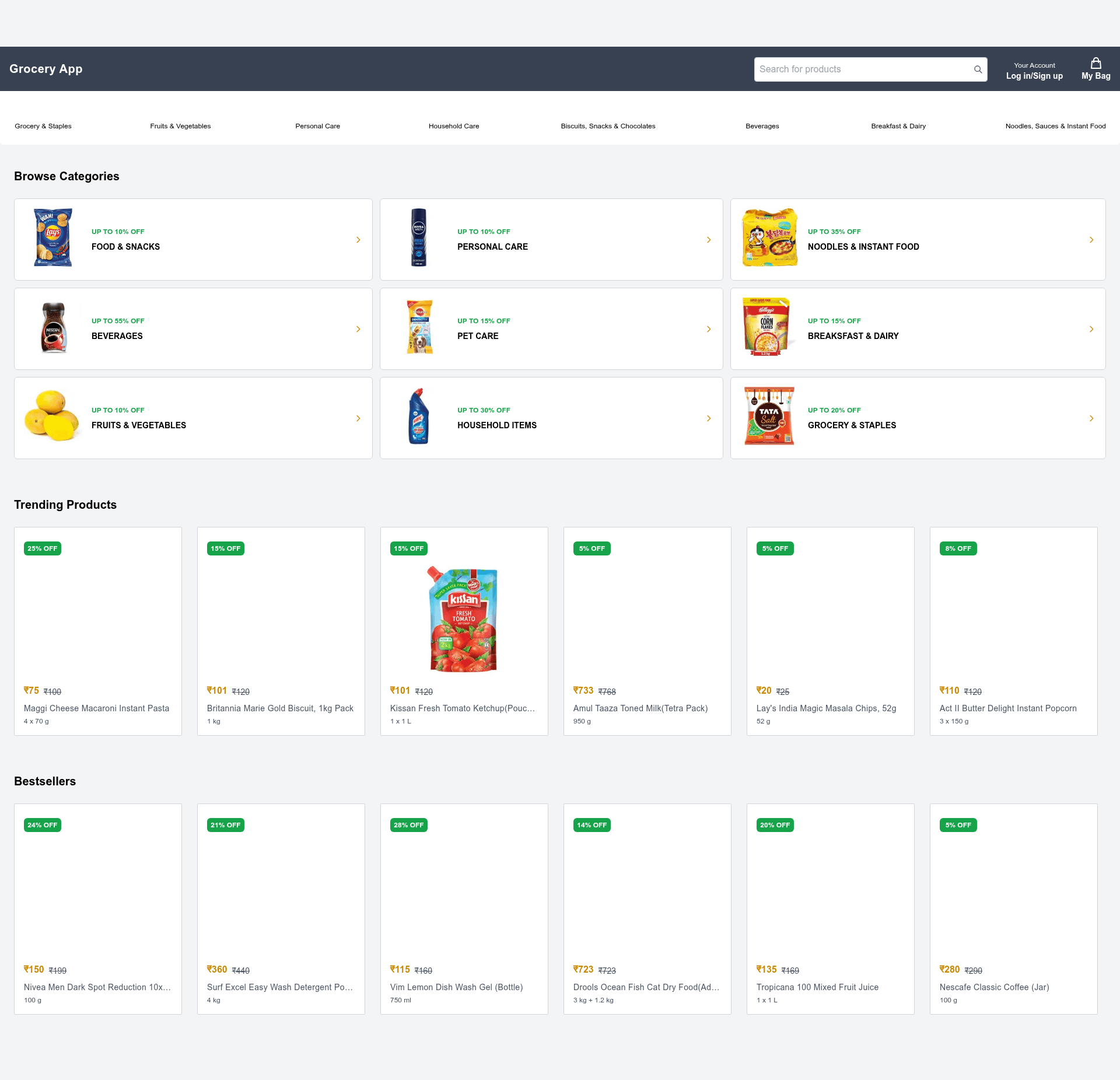
Next Grocery is an open-source grocery e-commerce UI built on Next.js, MySQL, TypeScript, and TailwindCSS, demonstrating a complete storefront flow from authentication to cart totals.
What is Next Grocery?
Next Grocery is a full grocery shopping application UI built with Next.js, MySQL, TypeScript, and TailwindCSS. It lets users register or log in, browse products across categories like food, staples, and personal care, add items to a cart, and view the total order amount. The project is available as a GitHub repository and runs as a live demo.
It takes a MySQL database containing product data (sourced from a products.dummy.ts file) and handles authentication via JWT. It outputs a complete storefront interface with product listing, search, category filtering, and cart management.
Key Features
- Authentication — Users can register and log in; credentials are checked against a MySQL database and sessions are secured with a JWT secret key configured in
.env.local. - Product catalog — Products span food, staples, and personal care, with data provided in
products.dummy.tsand originally sourced from Amazon India and Grofers. - Image optimization — The app uses Next.js custom
Imagecomponent to optimize images. - Cart management — Users can add items to their cart and see the total order amount along with related details.
- Search and categories — Screenshots show dedicated search and category views, indicating browsable product filtering.
- Custom error page — A custom error page is implemented.
- Loader/spinner animation — Added loading state animation during data fetches.
- Planetscale-ready — The production setup is demonstrated with Planetscale as the MySQL host, though any cloud provider works.
Who is it for?
- Developers learning full-stack Next.js — The codebase shows how to wire Next.js to a MySQL database with a custom migration script and JWT auth.
- E-commerce UI designers — They can use the TailwindCSS-based storefront as a starting point for grocery store interfaces.
- Freelancers building MVPs — The app is a ready-made grocery ordering flow that can be extended with payment integration.
Use cases
- Grocery startups — Use the repo as a front-end foundation for an online grocery store, replacing the dummy product data with their own inventory.
- Backend developers — Study the JWT authentication and MySQL integration to understand how to secure a Next.js app with a relational database.
- Open-source contributors — Fork the repository and improve it; the public GitHub repo invites collaboration.
How does Next Grocery work?
Clone the repository, install dependencies with npm install, then add your MySQL database credentials and a JWT secret in .env.local. Run npm run migrate to create the necessary tables from scripts/migration-db.js, then start the app with npm run dev. Users interact with the storefront through pages for home, categories, product details, search, and cart.
FAQ
Is Next Grocery free?
Yes, the source code is publicly available on GitHub, so you can clone and use it for free. The live demo is also publicly accessible.
What tech stack does Next Grocery use?
Next Grocery uses Next.js as the React framework, MySQL for data persistence, TypeScript for type safety, and TailwindCSS for styling.
How do I set up the database?
After cloning the repo, run npm install, create a .env.local file with your MySQL host, port, name, user, password, and a JWT secret. Then run npm run migrate to create the tables automatically.
Does Next Grocery support payments?
No payment gateway is included. The app focuses on product browsing, cart management, and displaying order totals; you would need to integrate a payment provider for a full checkout experience.