Template details
Next Modular Contentful
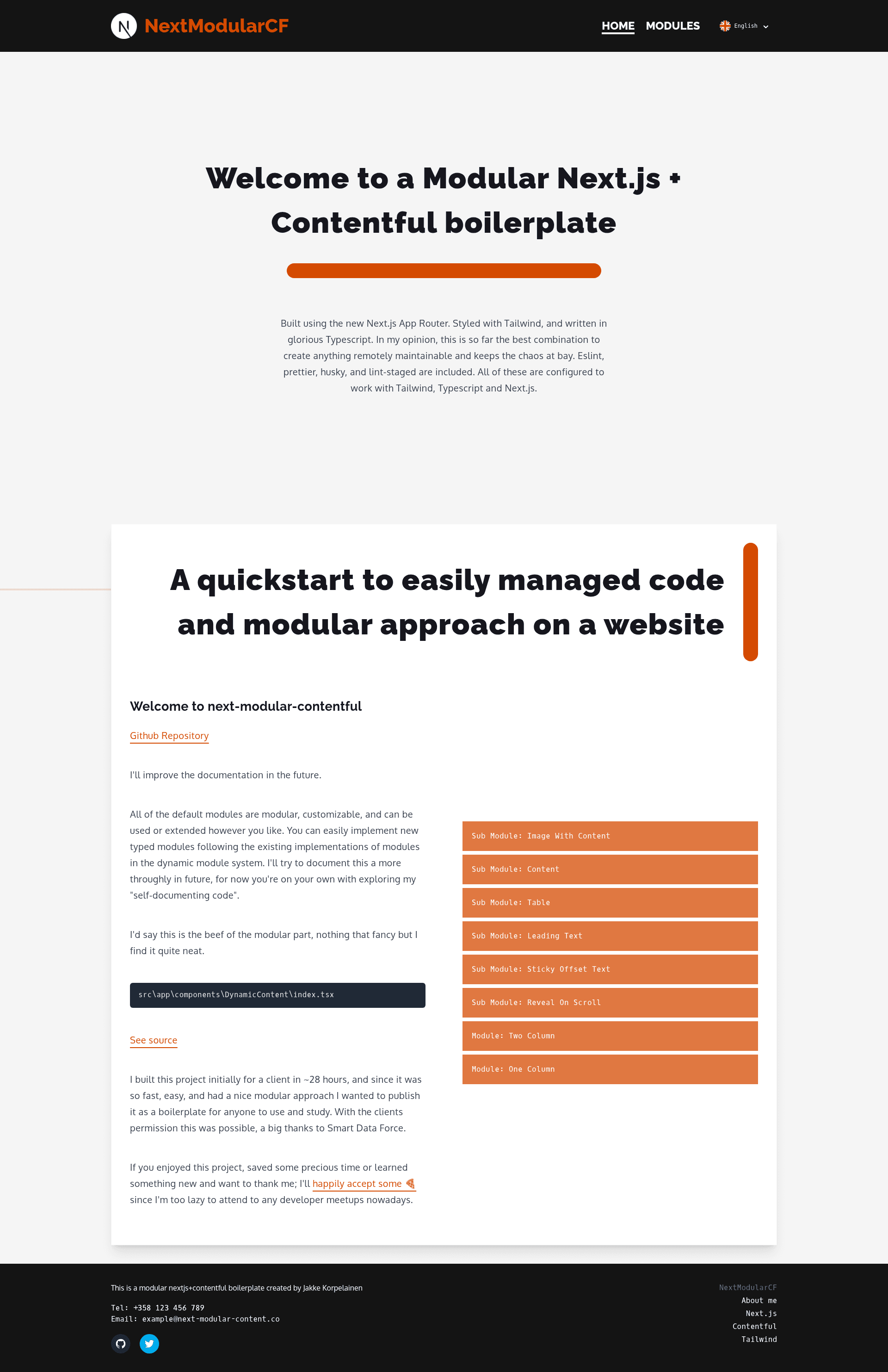
Modular Contentful + Next.js + Tailwind boilerplate with typed dynamic content modules
About this template
Next Modular Contentful is an open-source boilerplate that pairs the Next.js App Router with Contentful as a headless CMS and Tailwind CSS to create a typed, modular page-building system.
What is Next Modular Contentful?
Next Modular Contentful is a starter project for building content-driven Next.js sites where editors compose pages from modular content types stored in Contentful. It takes Contentful entries — a published Page and a GlobalSettings entry — as input and renders them as typed React components with localization and revalidation built in. It was created by Jakke Korpelainen for a client in about 28 hours and then published as a public boilerplate with the client's permission. The repository includes a live demo that loads content from the author's demo space.
Key Features
- Next.js App Router — Built on the new App Router with file-based routing under
src/app/[lang]/[page]and server-side rendering. - Tailwind CSS styling — Styled entirely with Tailwind, pre-configured to work with TypeScript and Next.js.
- Typed dynamic module system — Contentful entries are mapped to typed React components through
src/app/components/DynamicContent/index.tsx, and new modules follow the existing implementations. - Localization support — Multi-language sites are configured by adding language types in
src/types/Language.tsand settingDEFAULT_LANGUAGE,supportedLanguages,LanguageNames, andLanguageCodesinsrc/lib/localization.ts. - Developer tooling included — ESLint, Prettier, Husky, and lint-staged are pre-configured for the TypeScript, Tailwind, and Next.js stack.
- Contentful integration — Reads pages and global settings from Contentful, with API keys supplied through
CONTENTFUL_*environment variables in.env.development,.env.production, and optional.env.local. - Configurable revalidation — ISR revalidation time is adjustable in
src/app/[lang]/[page]/page.tsxandsrc/lib/contentful.ts. - Companion data repository — The
next-modular-contentful-datapackage replicates the modular Contentful content types to a new space using contentful-cli.
Who should use Next Modular Contentful?
Next.js developers who want a ready-made Contentful integration can clone the repo and start with a working localized site instead of wiring up the CMS themselves. Agencies and freelancers delivering client sites can use the modular system to let editors compose pages from predefined Contentful modules and customize components per project. Content teams can manage pages, global settings, and localized content through Contentful's editor while developers control the rendering and revalidation behavior.
Use cases
- Multi-language marketing sites — Configure supported languages once in
src/lib/localization.tsand produce localized pages using Contentful locales. - Modular landing pages — Create a Contentful Page entry with multiple modular content blocks and have each block render as a typed React component via the DynamicContent system.
- Rapid client projects — Fork the boilerplate to start a new content-driven site quickly; the author's original client version was completed in about 28 hours.
- Learning the App Router — Study a small, typed codebase that combines the App Router, Tailwind, and Contentful in one project.
How does Next Modular Contentful work?
Install with npm install on Node.js 16.8 or later, then run npm run dev to start the development server at http://localhost:3000. To connect your own Contentful space, create or sign into a Contentful account, create a space, create API keys under /api/keys, and use the companion next-modular-contentful-data repo with contentful-cli to replicate the content types. Then set the CONTENTFUL_* environment variables, configure languages, and publish a Page plus a GlobalSettings entry.
FAQ
What are the requirements to run this template?
Node.js 16.8 or later is required. After cloning, run npm install and npm run dev; the site defaults to the author's demo Contentful space, so it works out of the box before you configure your own API keys.
Does it support multiple languages?
Yes, localization is built in. You define known languages in src/types/Language.ts and set DEFAULT_LANGUAGE, supportedLanguages, LanguageNames, and LanguageCodes in src/lib/localization.ts to match the locales enabled in Contentful.
How do I add new content modules?
The dynamic module system maps Contentful entry types to React components via src/app/components/DynamicContent/index.tsx. You can implement new typed modules by following the pattern of existing modules in that directory.
Is there a live demo?
Yes, a demo is available at https://next-modular-contentful.jakke.fi/en-US/home. By default, the development server loads content from the same demo space until you configure your own.
Can I adjust how often pages are rebuilt?
Yes, the revalidation time is configurable in src/app/[lang]/[page]/page.tsx and src/lib/contentful.ts, so you control how frequently Contentful changes trigger static regeneration.