Template details
minimal-categorized
A flexible Jekyll theme for sites that split content into two main categories, with minimal styling and YAML-based customization.
About this template
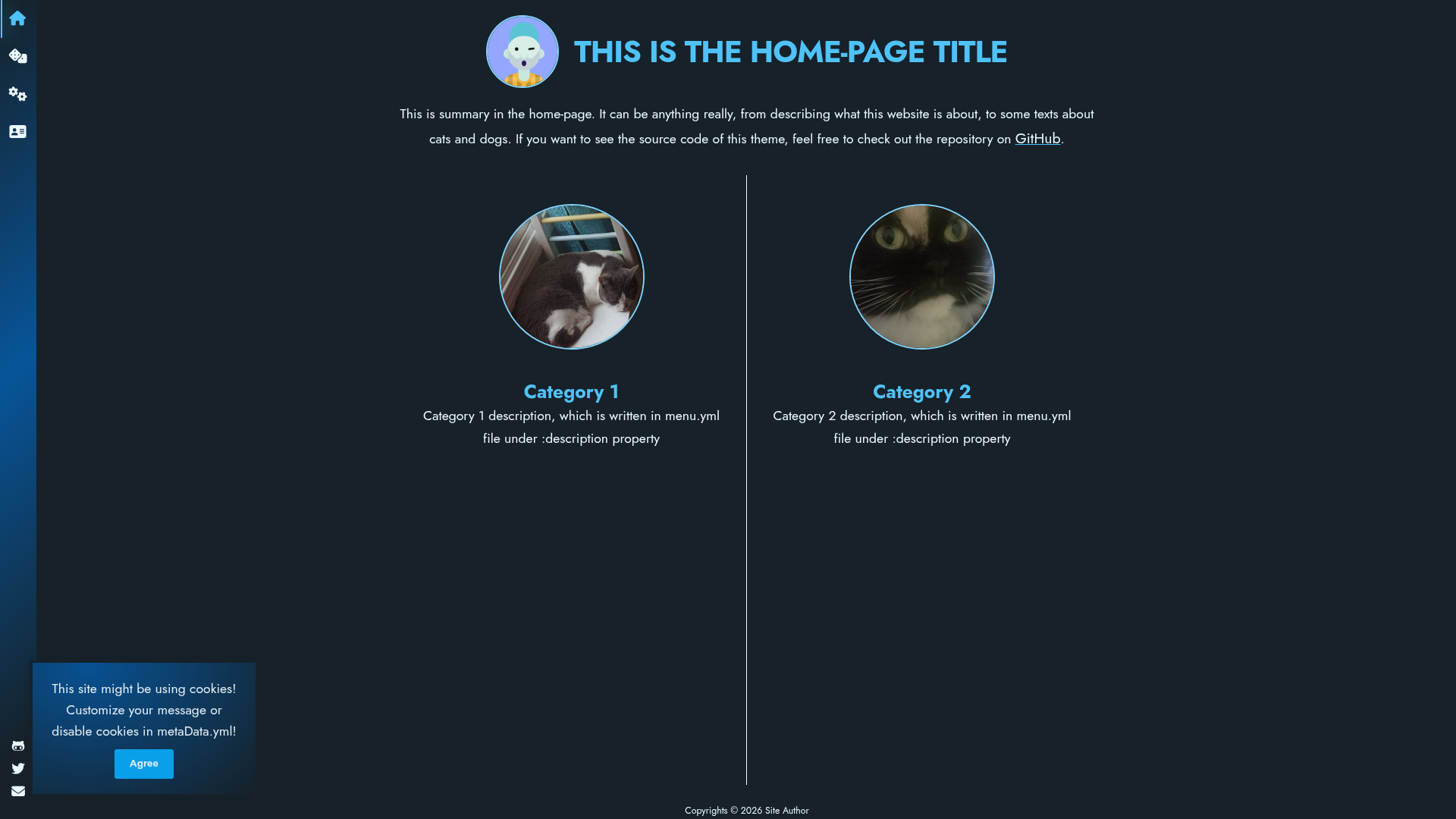
minimal-categorized is a Jekyll theme that separates a website's content into two primary categories presented on a home page category picker, built to keep the design minimal while offering full customization through YAML data files.
What is minimal-categorized?
minimal-categorized is a Jekyll theme developed by ItsPatrq and distributed as a Ruby gem, a GitHub Pages-compatible remote theme, or a direct fork. It takes a Jekyll site's content and organizes it into two main categories shown as a picker on the home page, with additional categories accessible from a menu. The theme uses YAML configuration files, namely _data/menu.yml and _data/metaData.yml, to define categories, menu items, contact links, and site metadata. It produces a static website with separate pages for each category, suitable for blogs, portfolios, or documentation where content naturally falls into two buckets.
Key Features
- Two-category home picker — The home page displays two primary categories chosen via
show_on_homein_data/menu.yml, each with an optionalimage_urlfor the picker tile. - Flexible menu system — Define menu items with
title,url,tooltip,icon_name, and acategoryidentifier; extra categories beyond the two main ones appear only in the menu. - Minimal and normal menu modes — Set
minimal_menuto true for a compact menu bar or false for the default menu withmenu_title,menu_headline, andmenu_introfields. - Cookie consent pop-up — Configure a cookie notice with
cookies.messageandcookies.agreeButtonText, and toggle it viacookies.enabledin_data/metaData.yml. - About page support — Include an author name and
avatar_urlin_data/metaData.ymlto populate the about page and menu intro. - Contact icons — Add contact links in
_data/menu.ymlwithfaiconicon names, URLs, and target attributes for the menu's contact section. - Home page logo toggle — Control whether the menu logo appears on the default home page layout with
show_menu_logo_on_home_page. - Multiple installation methods — Install as a gem (
gem "minimal-categorized"), as a remote theme (remote_theme: ItsPatrq/minimal-categorized), or by forking the repository directly.
Who is it for?
Jekyll site owners who need to split content into two clearly separated sections, such as a blog with posts and projects, will find the two-category picker especially useful. GitHub Pages users can adopt the theme without building a gem by using remote_theme in their _config.yml. Developers who want a minimal base to customize can fork the theme and edit the YAML data files to restructure categories, menu, and layout options without touching Jekyll templates.
What can you do with minimal-categorized?
- Bloggers with two content streams: Create a home page that lets visitors choose between "Posts" and "Projects", each with its own image tile and dedicated page.
- Freelance developers: Use the two categories as "Portfolio" and "Blog" while adding extra menu links for "About" and "Contact" without displaying them on the picker.
- Documentation maintainers: Split documentation into "Guides" and "Reference" categories, set
minimal_menufor a compact sidebar, and include a contact list with icons. - Small business sites: Present "Services" and "News" as the two main categories, with additional pages like "FAQ" and "Contact" in the menu, and enable the cookie consent pop-up to comply with basic privacy notices.
How does minimal-categorized work?
The theme reads _data/menu.yml to build the menu and determine which items appear as category picker tiles, and _data/metaData.yml for global settings like author, avatar, cookie pop-up, and logo behavior. You configure these YAML files, then run bundle exec jekyll serve to develop locally; the theme generates the category picker home page and category-specific pages from the defined categories. For production, build with jekyll build or push to GitHub Pages.
FAQ
Is minimal-categorized free? Yes, the theme is open source under the MIT License, so you can freely use, modify, and redistribute it. There is no cost for the theme itself or for using it on GitHub Pages.
How do I install minimal-categorized as a gem?
Add gem "minimal-categorized" to your Jekyll site's Gemfile, set theme: minimal-categorized in _config.yml, and run bundle in your terminal. Alternatively, run gem install minimal-categorized for a system-wide install.
Can I use minimal-categorized on GitHub Pages?
Yes, GitHub Pages supports the remote theme method. In _config.yml, remove any existing theme and set remote_theme: ItsPatrq/minimal-categorized, then push your site to GitHub Pages.
How many categories can I have?
The theme is built for two main categories that appear on the home picker, but you can define unlimited additional categories in _data/menu.yml; those only show in the menu, not on the picker.
What versions of Jekyll does it support? The badge on the repository indicates support for Jekyll 3.9 and higher, so it should work with most modern Jekyll sites.