Template details
NextJS Dashboard Tailwind
A Next.js dashboard starter with Tailwind CSS and JWT-protected routes.
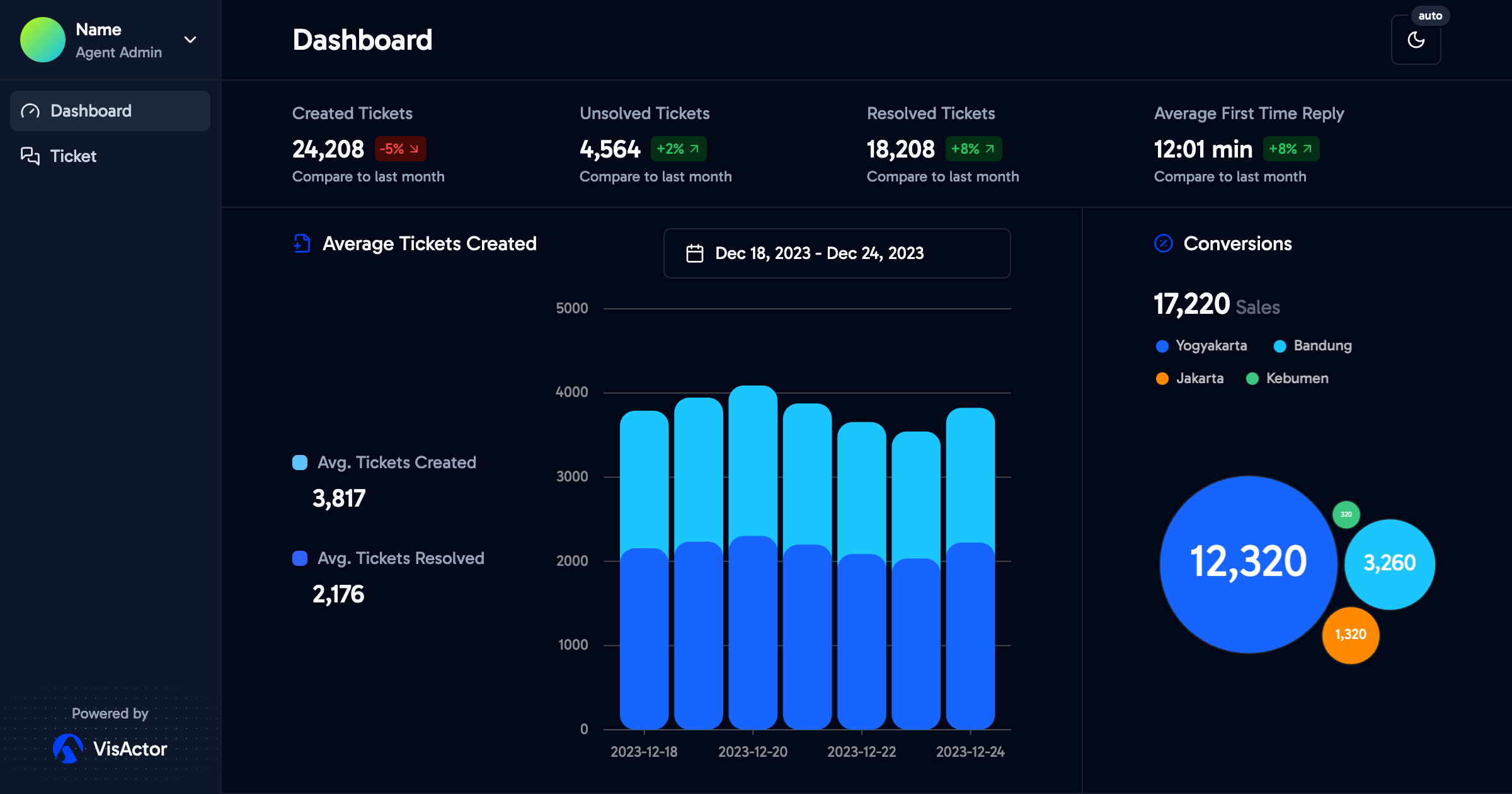
About this template
NextJS Dashboard Tailwind is a Next.js dashboard boilerplate that ships with Tailwind CSS for styling and JWT-protected routes for authentication, giving developers a pre-built base for admin interfaces. This template is bootstrapped with create-next-app, so it inherits the standard Next.js project structure, including the pages directory for routing and the pages/api directory for API routes.
What is NextJS Dashboard Tailwind?
It is a project bootstrapped with create-next-app, meaning it uses the classic Next.js pages router and API routes instead of the newer App Router. The core function is to provide a starting point for a dashboard application, with authentication already wired in so that protected pages require a valid JSON Web Token. It runs on the Node.js runtime and can be deployed to Vercel or any platform that supports Next.js.
What makes NextJS Dashboard Tailwind stand out?
- JWT authentication — The template includes JSON Web Token-based authentication to secure routes, as indicated by the repo's authentication and protected-routes topics. It is set up so that certain pages require a valid token to access.
- Dark theme — A dark-theme color scheme is built into the repository topics, so the dashboard interface is pre-styled for low-light environments.
- Tailwind CSS — Utility classes are available throughout the project, allowing rapid customization of the UI without writing custom CSS.
- Protected routes — Route protection logic is included, so unauthenticated users are redirected or blocked from admin pages.
- API routes — The pages/api directory is mapped to /api/*, meaning serverless functions can be added to the dashboard, with a sample hello endpoint already present at pages/api/hello.js.
- Next.js pages router — The project uses the traditional pages directory structure, where pages/index.js is the home page and editing it triggers hot reload during development.
- next/font integration — The Inter Google Font is automatically optimized and loaded via next/font, eliminating manual font file management.
- Vercel deployment — One-click deployment to Vercel is available, as the project is a standard Next.js app that follows the platform's expected structure.
Who should use NextJS Dashboard Tailwind?
- Developers building admin panels — Anyone who needs a ready-made dashboard skeleton with authentication can clone this repo and start adding their own components and pages.
- Startups prototyping internal tools — Teams can quickly spin up a protected dashboard for metrics, user management, or analytics without setting up auth from scratch.
- Learners exploring Next.js — The project is bootstrapped with create-next-app, so it serves as a familiar base for those following the official Next.js documentation.
Use cases
- Internal tools: Spin up a protected admin interface with the included JWT and route-guard logic, then customize the layout with Tailwind classes.
- API prototyping: Add serverless functions in pages/api to handle data requests, and fetch them from the dashboard UI using fetch or any HTTP client.
- Dark-themed applications: Use the pre-styled dark theme as the visual foundation for a modern, high-contrast dashboard without extra setup.
How does it work?
The template follows the standard create-next-app workflow. To run it locally, execute npm run dev (or yarn dev / pnpm dev) and open http://localhost:3000. The main page lives in pages/index.js, and the sample API route is at pages/api/hello.js. To deploy, use the Vercel Platform directly from the project directory, or follow the Next.js deployment documentation.