Template details
Next.js with Pages MUI Starter TS
Starter for Next.js with Pages Router + Material UI + TypeScript
About this template
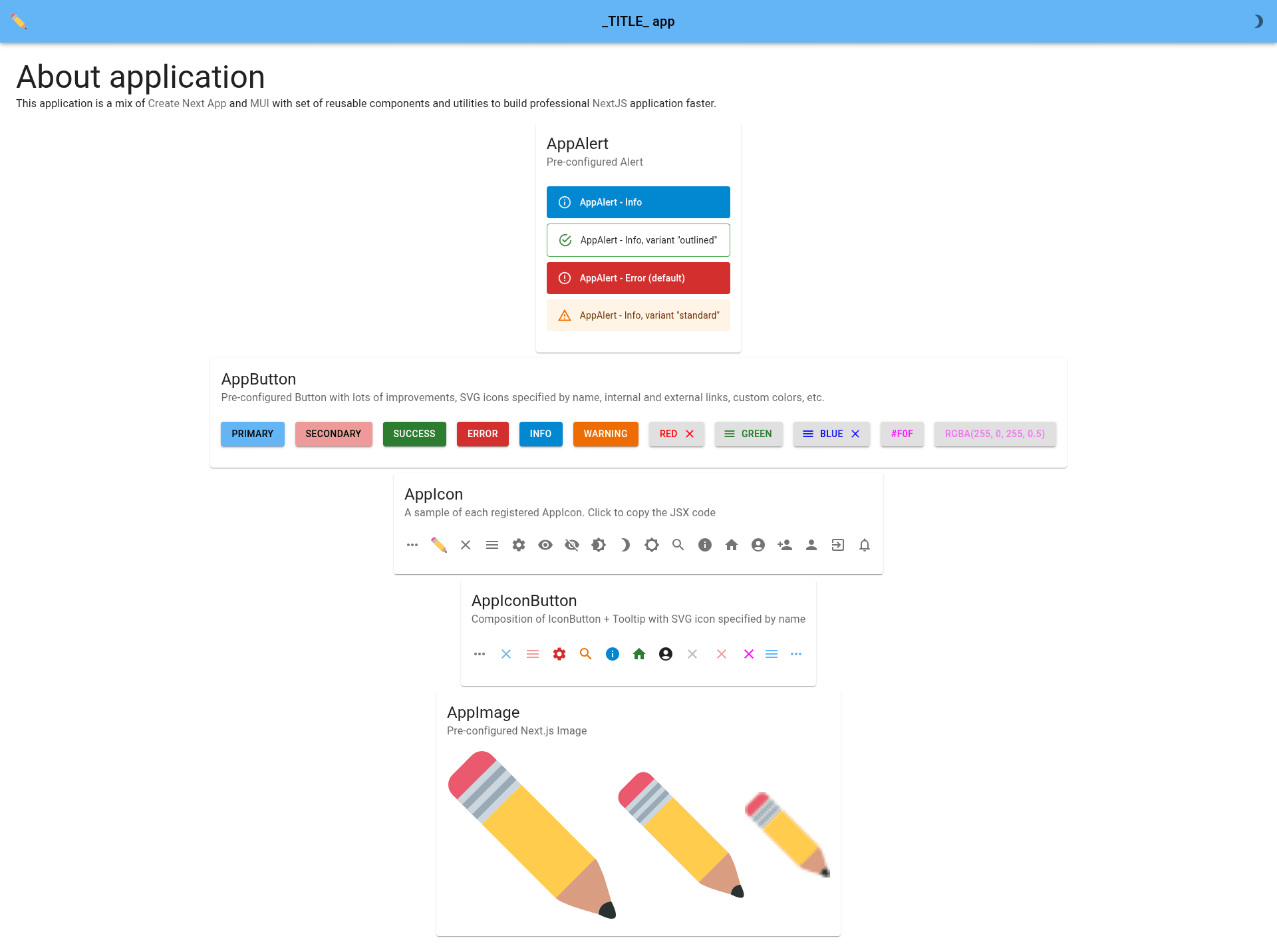
Next.js with Pages MUI Starter TS is an open-source boilerplate from GitHub user karpolan that fuses Create Next App with Material UI (MUI) and TypeScript, giving developers a preconfigured starting point for building Next.js applications with the Pages Router.
What is this template?
This template is a starter project for Next.js that uses the Pages Router (not the newer App Router) and bundles Material UI as the component and styling library. It takes a cloned repository as input and produces a runnable Next.js application with MUI set up, configured linting, formatting, and testing scripts. The project is written in TypeScript and is distributed on GitHub under the repository nextjs-with-pages-mui-starter-ts, with an online demo hosted on Vercel.
Key Features
- TypeScript out of the box — The entire starter is written in TypeScript, so type checking and editor autocompletion work immediately.
- Material UI integration — MUI v5 components and theme setup are included, eliminating the manual wiring of the component library.
- Pages Router architecture — Uses the classic Next.js Pages Router rather than App Router; the README notes that App Router is now favored, so this template may be deprecated in the future.
- Reusable components and utilities — The project ships with a set of reusable components and utility functions to accelerate development.
- Environment file template — A
.env.samplefile is provided; you copy it to.envand adjust variables. - Placeholder markers — Replace
_TITLE_and_DESCRIPTION_across the codebase to set your app's metadata. - Scripts for every stage —
npm run dev,lint,format,test,build, andbuild:staticcover development, quality checks, building, and static-site generation. - Vercel deployment ready — The README points to Vercel as the easiest deployment target and includes a link to Next.js deployment docs.
Who is this template for?
- Next.js developers starting a new project — They can clone this repo and immediately run
npm installandnpm run devto get a working MUI app instead of configuring everything from scratch. - TypeScript teams — Teams that mandate TypeScript get a codebase that is already typed and set up with linting and formatting scripts.
- Developers preferring the Pages Router — Anyone who still uses or maintains Pages Router applications can use this as a base, though they should note the author's warning about future deprecation.
What can you do with this template?
- Bootstrap a MUI + Next.js app — Clone the repo, copy
.env.sampleto.env, replace_TITLE_and_DESCRIPTION_, and runnpm run devto start at localhost:3000. - Find and fix leftover TODOs — The template places
// TODO:directives in the source; resolving them customizes the starter for your own app. - Build a static site — Run
npm run build:staticto generate an SSG version in theoutfolder, though the README marks this as a deprecated build method. - Deploy to Vercel — After running
npm run build, deploy the.nextoutput through the Vercel Platform with one click.
How does this template work?
The workflow is straightforward: clone the repository, create .env from .env.sample, replace the placeholder title and description strings in the codebase, resolve the // TODO: markers, and then add your own application logic. Local development is served by npm run dev on port 3000, and production builds run through npm run build.
Pros and cons
- Pros: Preconfigured MUI v5, TypeScript, linting, formatting, and testing; clear script names; free and open source.
- Cons: The Pages Router is deprecated according to the author's own warning;
build:staticis described as a deprecated way to build the app.
Alternatives
- karpolan/nextjs-mui-starter-ts — The same author's App Router version of this starter, recommended in the README for developers who want the newer routing paradigm.
- Create Next App — The official scaffolding tool that creates a bare Next.js project without MUI or utilities; this template is built on top of it.
FAQ
Is this template free?
Yes, the starter is open source and hosted on GitHub at karpolan/nextjs-with-pages-mui-starter-ts. You can clone or download it without paying anything.
Does this template use the App Router or Pages Router?
It uses the Pages Router. The README explicitly warns that App Router is now the winner and that this template could be deprecated in the future.
How do I change the site title and description?
Find and replace the _TITLE_ and _DESCRIPTION_ placeholders in the files with your own text, as stated in the setup instructions.
How do I deploy this to production?
The README recommends the Vercel Platform for deployment. Run npm run build to create the production bundle, then connect the repository to Vercel or use the provided deployment link.
What is the build:static script for?
It builds the SSG (static site generator) version of the app into the out folder. The README notes that this is a deprecated way to build a Next.js app.