Template details
vercanard
A colorful resume template for Typst
About this template
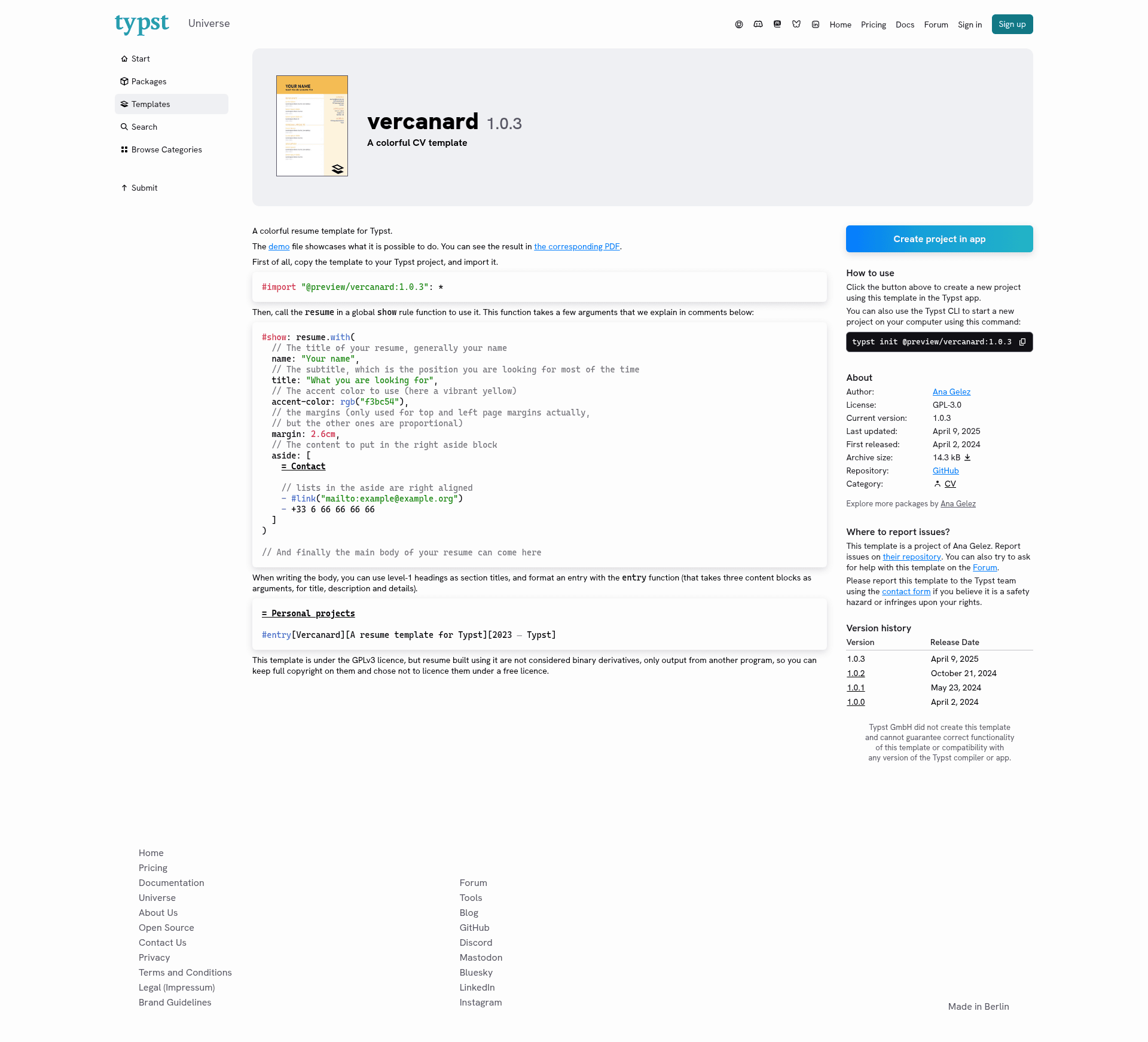
vercanard is a colorful resume template for Typst, a code-based typesetting system, that turns structured Typst markup into a two-column PDF resume with a customizable accent color.
What is vercanard?
vercanard is a resume template written in Typst, the markup-based typesetting language, published as version 1.0.3 in the Typst package preview. It imports via #import "@preview/vercanard:1.0.3": * and provides a resume function meant to be called in a global show rule. The function accepts parameters for name, subtitle, accent color, margins, and an aside block, and it outputs a fully formatted PDF resume ready for job applications.
Key Features
- Customizable accent color — Set
accent-colorto any RGB value (e.g.,rgb("f3bc54")for vibrant yellow) to immediately change the entire resume's color scheme. - Two-column layout with aside — The
asideparameter places right-aligned content such as contact details; lists in the aside are right-aligned automatically. - Structured entries — The built-in
entryfunction formats each resume item from three blocks: title, description, and details (e.g., time period), producing a clean chronological layout. - Simple section headings — Use level-1 headings in the body to define sections like "Personal projects"; no extra configuration needed.
- Configurable margins — The
marginparameter sets the top and left page margins directly, with other margins scaled proportionally. - Open-source license — Released under GPLv3, but resumes generated with it are not treated as derivative works, so you retain full copyright over your output.
Who should use vercanard?
- Job seekers who want a modern, colorful resume without wrestling with visual editors; they write content in Typst markup and compile to PDF.
- Typst users who already use Typst for documents and want a resume that matches their workflow with reproducible, text-based output.
- Developers and engineers who prefer to keep their resume in version control and generate updates via a simple text file.
Use cases
- Job applicants: produce a standout PDF resume with a distinctive accent color and a sidebar for contact information, then share it with recruiters.
- Developers updating portfolios: quickly regenerate resumes when work history changes by editing the Typst source and recompiling.
- Open-source advocates: take advantage of the GPLv3 license terms that explicitly allow keeping generated resumes proprietary.
How does it work?
- Copy the template into your Typst project and import it with
#import "@preview/vercanard:1.0.3": *. - Set up the
resumefunction in a globalshowrule, passing your name, target title, accent color, margins, and aside content. - Write the resume body using level-1 headings for sections and the
entryfunction for each position or project, then compile to PDF.
Pricing
vercanard is free and open-source under the GPLv3 license. You can use, modify, and redistribute the template itself, and resumes you create with it remain your copyright.
FAQ
Is vercanard free to use?
Yes, vercanard is released under GPLv3, making it free to use, modify, and share. The template itself is open-source while the resumes you produce with it are not considered derivative works.
How do I change the accent color?
Pass an accent-color argument to the resume function, e.g., accent-color: rgb("f3bc54"). Any RGB hex value works, so you can match your personal branding.
Can I use vercanard for commercial resumes?
Yes. The GPLv3 license applies to the template code only; resumes produced with it are treated as program output, allowing you to keep full copyright and use them for any purpose, including commercial job applications.
What does the entry function do?
The entry function formats a single resume line from three content blocks: the title (e.g., role or project name), a description (e.g., what you did), and details (e.g., dates or tech). It creates a clean, readable entry within your section.