Template details
Personal
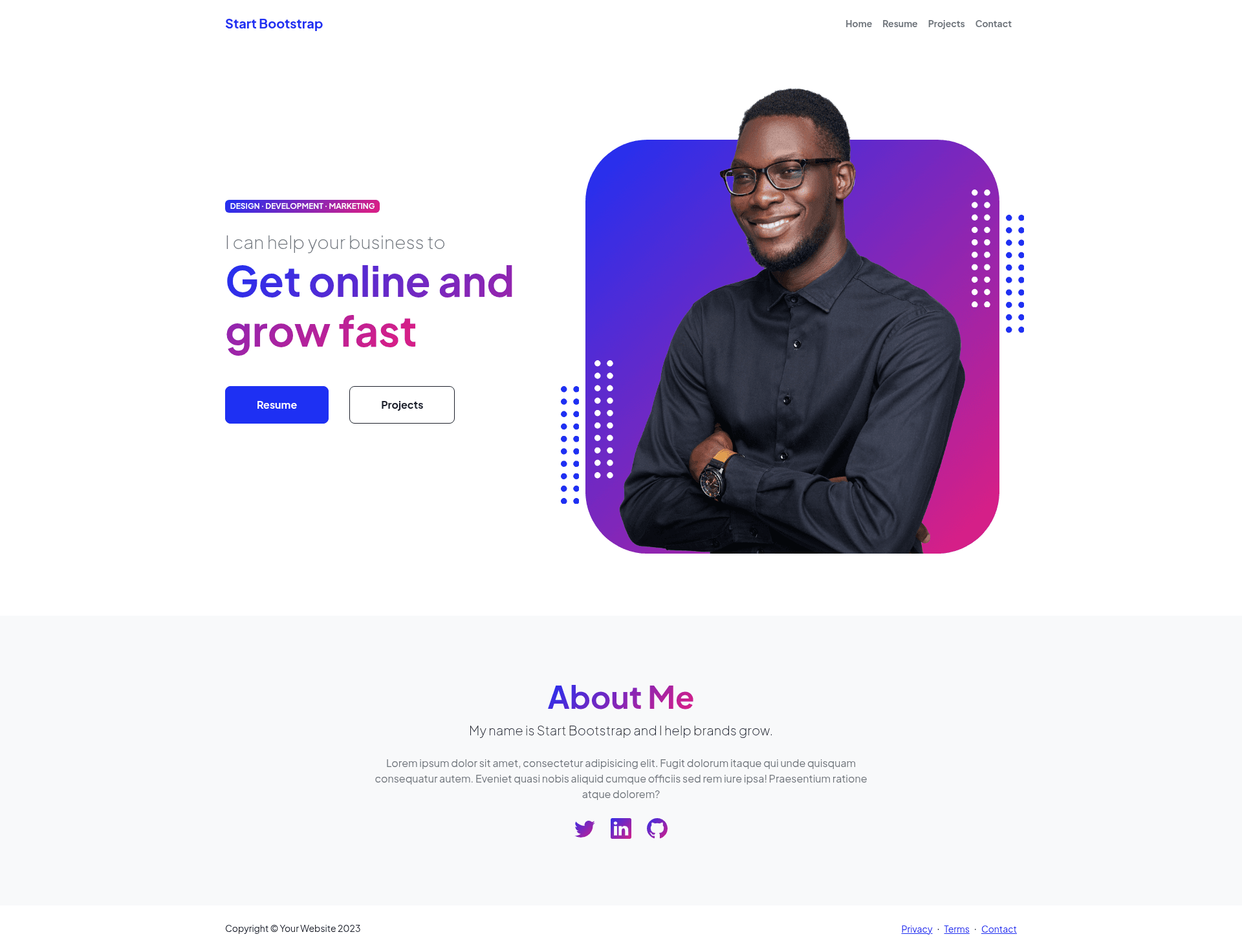
Free Bootstrap template for personal resume websites with four pages and a working SB Forms contact form.
About this template
Personal is a free, open-source Bootstrap website template from Start Bootstrap, built for personal resume and portfolio sites. It ships as four static HTML pages with a working contact form that uses the SB Forms service, and it's maintained by David Miller and Start Bootstrap. The template takes plain HTML, SCSS, and Pug source files as input and produces a static multi-page site that can be hosted on any web server.
What is Personal?
Personal is a personal website template built on Bootstrap by Start Bootstrap, designed for resume and portfolio sites. It includes four pre-built HTML pages and a contact form powered by SB Forms. The template is open source under the MIT license and can be installed via npm, cloned from GitHub, or downloaded directly from Start Bootstrap.
Key Features
- Four unique HTML pages — The template includes four pre-built pages so you get a complete personal site structure rather than a single landing page.
- SB Forms contact form — A functional contact form is prebuilt with SB Forms markup; after signing up for SB Forms and pasting your access key into the data-sb-form-api-token attribute, form submissions are handled without a backend.
- Bootstrap framework — Built directly on Bootstrap, giving you responsive layout utilities and components straight from the official framework.
- SCSS styling layer — The theme's styles are authored in SCSS and compiled into dist CSS, so you can customize variables and partials before building.
- Pug templating — Page markup is generated from Pug files in src/pug, which lets you reuse includes and mixins across pages.
- npm-based build environment — npm scripts handle building assets, Pug, scripts, and SCSS into dist, plus a start script that watches files and live-reloads in the browser.
- Multiple installation options — You can download the release from Start Bootstrap, install via npm as startbootstrap-personal, or clone the GitHub repository.
- MIT license — Released under the MIT license, so the template is free to use for personal and commercial projects alike.
Who is it for?
- Job seekers — Create a personal resume website that presents work history and skills in a structured, multi-page layout.
- Independent developers and freelancers — Showcase a portfolio of projects and collect inquiries through the built-in contact form.
- Designers and writers — Set up a professional personal page without writing server-side code, since the contact form is API-based.
What can you do with Personal?
- Broaden a professional presence: Publish a personal site that links to your resume, project samples, and a contact route, all inside four navigable pages.
- Collect messages with SB Forms: Configure the contact form by adding your SB Forms API token, and start receiving submitted messages on your dashboard.
- Customize with a real build pipeline: Clone the repo, run npm install and npm start, and edit the Pug, SCSS, and JS sources with live browser reload while you work.
How does Personal work?
The simplest workflow is to download the release and edit only the HTML and CSS files in the dist directory. For advanced work, clone the GitHub repo, run npm install, then npm start to launch a live preview that watches for changes and reloads the browser. After your edits, npm run build compiles everything back into dist so you can deploy the static files.
FAQ
Is Personal free to use?
Yes, Personal is released under the MIT license by Start Bootstrap, so you can use it for free in personal and commercial projects. The license text is included in the GitHub repository.
How do I set up the contact form?
The form is prebuilt with SB Forms markup. Sign up for SB Forms, add the domain where you'll use the form, copy your access key, and paste it into the data-sb-form-api-token attribute in place of the API_TOKEN placeholder.
Can I use Personal without SB Forms?
Yes. You can delete the SB Forms data attributes from the form and remove the SB Forms script tag that appears above the closing body tag, then wire the form to your own handler or leave it static.
What do the npm scripts do?
The package.json includes scripts for building the full project into dist, copying assets, compiling Pug to HTML, bundling scripts, compiling SCSS to CSS, cleaning the dist directory, and running a debug mode.
What pages are included in Personal?
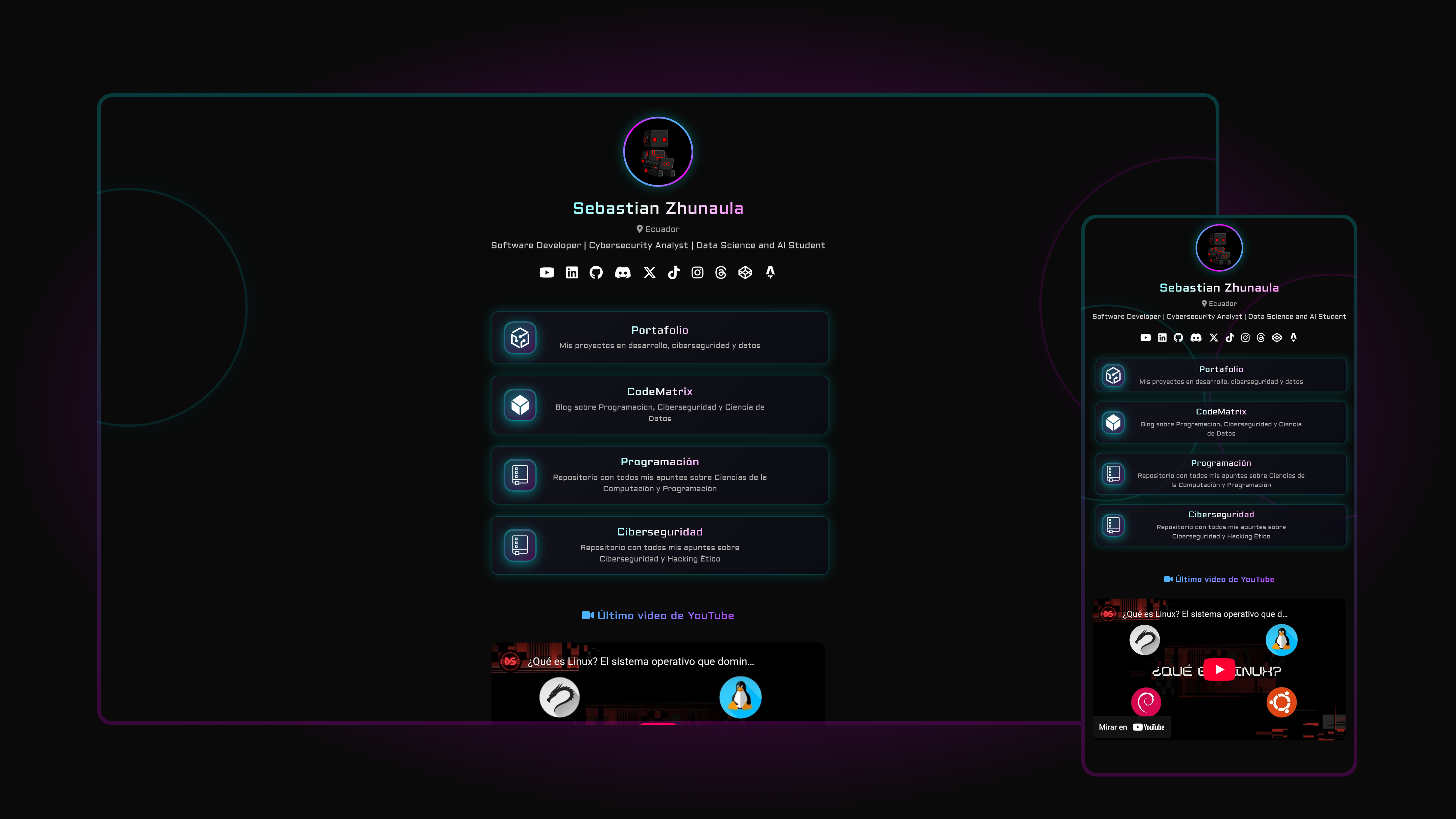
Personal includes four unique HTML pages, giving you a multi-page site for your resume, projects, and contact details. The live preview on GitHub Pages shows the full set of pages in action.