Template details
pRoJEct-VeXEd
A hacker-inspired, highly customizable Jekyll theme for notes, blogs, portfolios, and CV-style personal sites.
About this template
pRoJEct-VeXEd is a hacker-inspired Jekyll theme for building notes, blogs, portfolios, and CV-style personal websites, organized through Jekyll collections.
What is pRoJEct-VeXEd?
pRoJEct-VeXEd is a Jekyll theme distributed under the MIT License, designed for personal sites that need to mix notes, blog posts, portfolio items, and CV-style pages. It requires Ruby and Bundler, and it converts Markdown content placed in ./collections/ into a fully static website. The theme was created by akiritsu and is available on GitHub at https://github.com/akiritsu/pRoJEct-VeXEd.
Key Features
- Hacker-inspired design — A distinctive terminal-like aesthetic for personal websites, with customization options described in the README.
- Jekyll collections — Store content in a
./collections/directory and register each collection in_config.ymlto manage notes, portfolios, albums, and other content types without extra recoding. - Encrypted text support — Allows protected content to be displayed in an encrypted form on the site.
- Bilingual switching — Built-in support for switching between two languages for multilingual writing and reading.
- Archive page — All collection entries are automatically available from the Archive page.
- Disqus comments — Set a
disqus_usernamein_config.ymlto enable Disqus commenting on pages. - Demo site — A live demo is available at https://gmkzwwg.github.io/pRoJEct-VeXEd/.
Who is it for?
- Note-takers and bloggers — Publish notes or blog posts as collection entries and display them in an archive.
- Portfolio owners — Showcase projects in a portfolio collection with custom ordering.
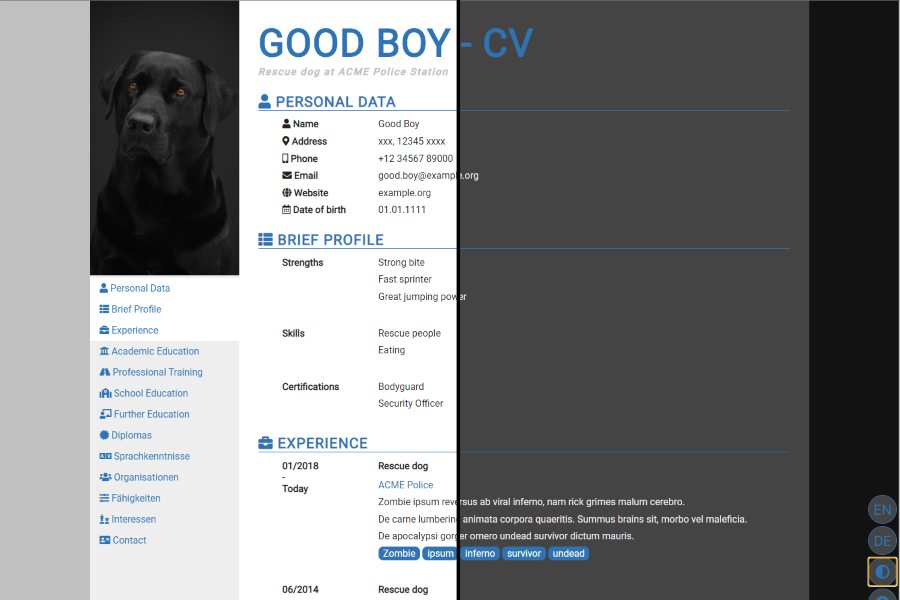
- Job seekers — Use the theme as a CV-style personal site to present resume information.
- Multilingual writers — Use the bilingual switching to serve content in two languages.
What can you do with pRoJEct-VeXEd?
- Organize mixed content types — Create separate collections for notes, portfolio items, and albums, each with its own permalink structure and sort order.
- Protect content — Use the encrypted text feature to show a teaser while keeping the full text behind a cipher.
- Customize via config — Edit
_config.ymlto change site info, collections, and Disqus settings. - Run locally — Use
bundle exec jekyll serveafterbundle installto preview athttp://127.0.0.1:4000.
How does pRoJEct-VeXEd work?
Install Ruby and Bundler, then run bundle install and bundle exec jekyll serve. Content goes into ./collections/ and is registered in _config.yml; each collection is output to its own permalink and aggregated in the Archive page.
FAQ
Is pRoJEct-VeXEd free?
Yes, the theme is distributed under the MIT License, so it is free to use, modify, and distribute.
How do I add a new collection?
Create a folder inside ./collections/, add your Markdown files, and register the collection in _config.yml with output: true and your desired permalink. All entries appear on the Archive page automatically.
How do I enable comments?
Create a Disqus account and set your Disqus username in _config.yml under disqus_username. The theme will then include Disqus comment threads on your pages.
What are the system requirements?
You need Ruby and Bundler installed. After cloning the repository, run bundle install to install dependencies, then bundle exec jekyll serve to run the site locally.