Template details
Pokedex Nextjs
Get to know the different render methods that the Next.js framework provides by exploring Pokemons
About this template
Pokedex Nextjs is an open-source Next.js application that demonstrates the three main rendering methods of the framework — Client Side Rendering (CSR), Server Side Rendering (SSR), and Static Site Generation (SSG) — through a Pokemon explorer interface. Built by developer Laura Beatris and released under the MIT license, the project serves as a learning resource for comparing how data fetching and pre-rendering behave across each approach.
What is Pokedex Nextjs?
Pokedex Nextjs is a sample application that lets users browse, search, and view details for Pokemon; its core purpose is to illustrate the practical differences between Next.js rendering strategies. The repository contains three implementations, one per rendering mode, located in separate directories: client-side-rendering, server-side-rendering, and static-site-generation. It uses Next.js as the framework, Ant Design for UI components, Framer Motion for animations, and is designed to be run locally with Yarn or accessed via a live Vercel deployment.
Key Features
- Three render mode examples — The repo provides dedicated directories for CSR, SSR, and SSG, each showing how to fetch data in that mode and produce the final page.
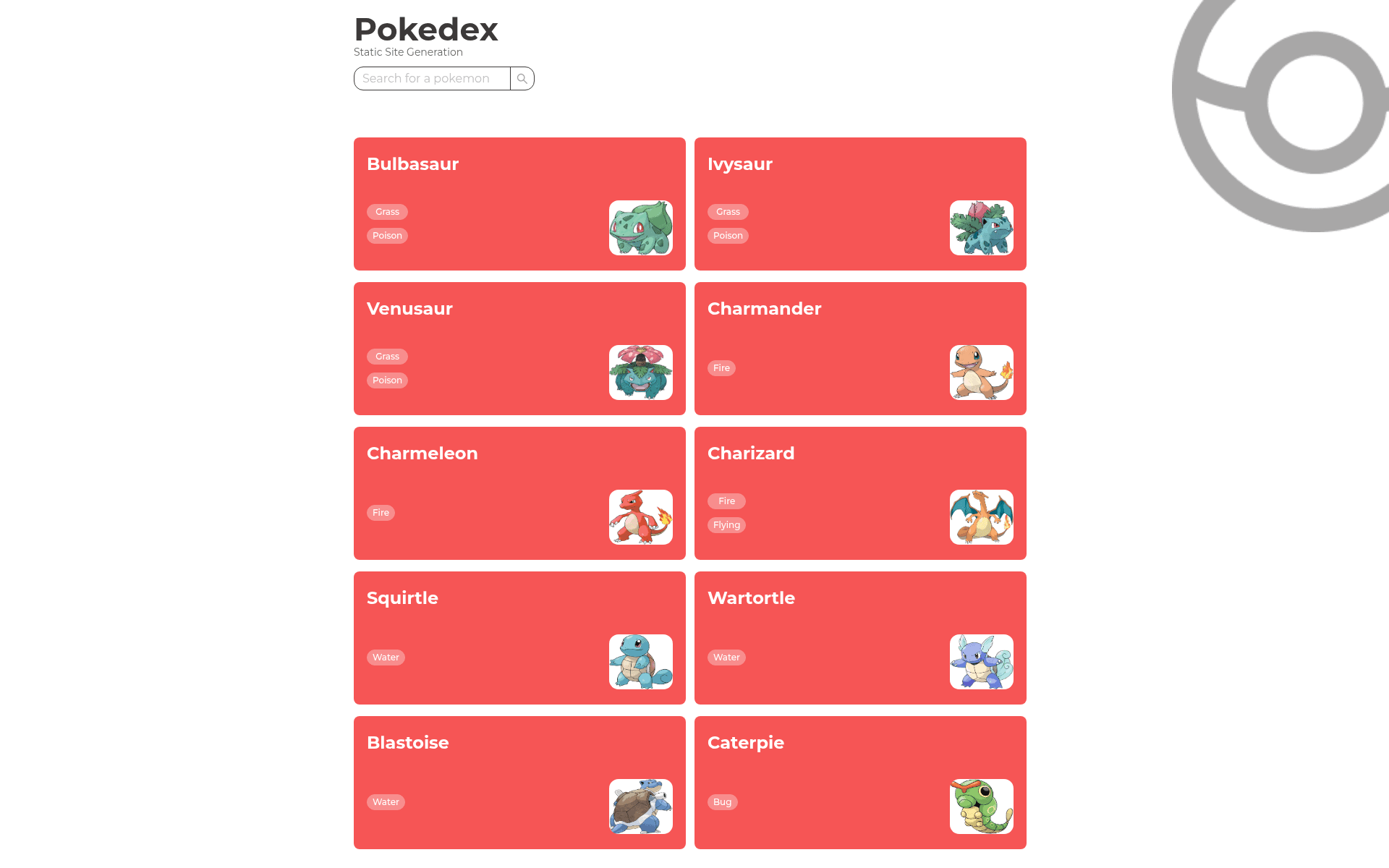
- Pokemon exploration — Users can browse the full Pokedex list and search Pokemon by name directly in the interface.
- Pokemon detail view — Each Pokemon has a dedicated details page that shows its abilities and damage levels, demonstrating dynamic routing and data loading.
- Next.js framework — Built on Next.js, using its standard routing and data-fetching mechanisms to support the three rendering modes.
- Ant Design components — Uses Ant Design for tables, cards, layouts, and styling, giving the app a consistent enterprise-grade look.
- Framer Motion animations — Page transitions and UI animations are handled with Framer Motion, enhancing the user experience.
Who is it for?
- Next.js developers who want a working example of how to choose between CSR, SSR, and SSG for different use cases.
- Frontend learners who need a small, readable codebase to study data fetching patterns and pre-rendering behavior.
- Pokemon API enthusiasts who want a ready-made Pokedex interface they can extend with additional features like favorites or type filters.
What can you do with Pokedex Nextjs?
- Compare render strategies: Check out each directory side by side to see how the source code changes when you switch from client-side fetching to server-side props or static generation.
- Build a custom Pokedex: Fork the repository and modify the Ant Design theme, add new pages, or integrate additional Pokemon data from the PokeAPI.
- Use it as a starter: The project is set up with Yarn and can be run with yarn dev after installing dependencies, making it a quick starting point for a Next.js demo app.
How does it work?
To run the project locally, clone the repository with git, install dependencies using yarn install, then start the development server with yarn dev. The production version is deployed at pokedex-nextjs-neon.vercel.app, giving you a live example of the SSG build. Each rendering mode is kept in its own directory, so you can switch directories to inspect the differences in code structure.
FAQ
What technologies are used in Pokedex Nextjs?
The project uses Next.js as the React framework, Ant Design for UI components, and Framer Motion for animations. These are stated in the repository's FAQ section.
Is Pokedex Nextjs free?
Yes, the project is open source and released under the MIT license, so it is free to use and modify.
How do I run Pokedex Nextjs locally?
Install Node.js and Yarn, clone the repository, run yarn install, and then yarn dev to start the development server.
Why are there three separate directories in the repository?
The repository contains three subdirectories, each with the same Pokedex app implemented using a different Next.js rendering method: client side rendering, server side rendering, and static site generation, allowing you to compare them.