Template details
PolluxUI
PolluxUI Free Bootstrap Admin Dashboard Template
About this template
PolluxUI is a free Bootstrap 4 admin dashboard template from BootstrapDash that delivers a simple, muted-color layout for building back-end dashboards and management interfaces.
What is PolluxUI?
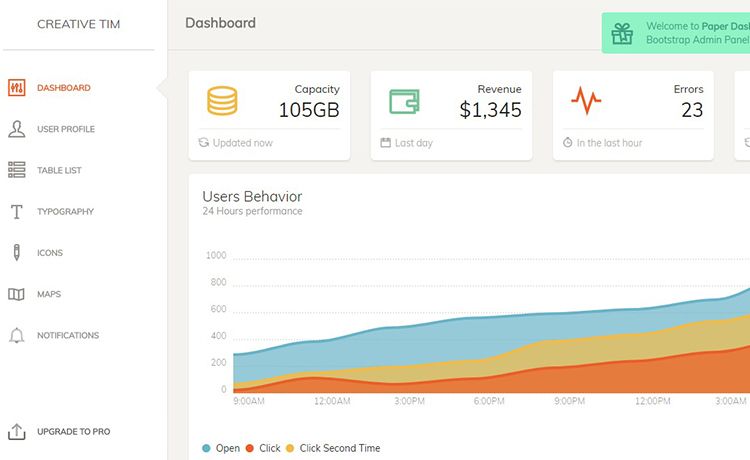
PolluxUI is a free, MIT-licensed admin dashboard template built on Bootstrap 4 and developed by BootstrapDash. It provides a ready-made static HTML layout with muted colors and a minimal design, plus sample pages and components for charts, forms, tables, and more. The template runs client-side with jQuery and includes a Gulp-based workflow; you edit the index.html file directly or run the included build tasks.
Key Features
- MIT license — Free to use, share, and modify for personal or commercial projects without licensing fees.
- Bootstrap 4 foundation — Built on Bootstrap 4 for responsive, mobile-ready layouts.
- Gulp build system — Includes Gulp tasks; run
gulp serveto open the template in your default browser. - Chart.js integration — Includes Chart.js for building interactive data visualizations in dashboard pages.
- Icon libraries — Ships with Font Awesome and Material Design Icons (MDI) for UI elements.
- Sass framework — Uses a Sass-based architecture for customizing colors and styles.
- Documentation — Comes with a documentation.html file covering setup and customization.
- Premium upgrade — The premium version adds over 300 handcrafted elements and 5 unique layouts.
Who is it for?
- Web developers — Quickly scaffold admin panels by editing the provided HTML and Sass files instead of starting from scratch.
- Freelancers — Deliver client dashboards on a budget using a free template with no license restrictions.
- Startups — Use it as the UI foundation for internal tools, analytics dashboards, or management back-ends.
- Front-end learners — Study a complete Bootstrap 4 project with Gulp and Chart.js to learn build workflows.
What can you do with PolluxUI?
- Data-heavy apps: Embed Chart.js charts and tables into the dashboard layout to present metrics and reports.
- Admin panels: Build user management, settings, and analytics screens using the included Bootstrap components.
- Prototypes: Quickly mock up back-end interfaces for client presentations or product demos.
How does PolluxUI work?
Download the ZIP or clone the repository, then run npm install to fetch dependencies. Open index.html in a text editor to modify components and content, or run gulp serve for a live local preview. For contributions, fork the repo, install dependencies, and submit a pull request after making changes.
Pricing
PolluxUI offers a free version under the MIT license. BootstrapDash also sells a premium version with 300+ handcrafted elements and 5 unique layouts; dollar amounts are not published on this page.
Alternatives
- StarAdmin — Another free Bootstrap 4 admin template from BootstrapDash with a different visual style.
- PurpleAdmin — A free admin template from BootstrapDash with a purple-based color scheme.
- MajesticAdmin — A free Bootstrap admin template from BootstrapDash with an alternative layout.
FAQ
Is PolluxUI free?
Yes, PolluxUI is released under the MIT license, so you can use it in personal and commercial projects without paying. The premium version from BootstrapDash offers additional features and layouts for a fee.
What technologies does PolluxUI use?
PolluxUI is built with Bootstrap 4, Font Awesome, jQuery, Gulp, and Chart.js. It also uses a Sass framework and Material Design Icons, as noted in the project metadata.
How do I install PolluxUI?
Download the ZIP from GitHub or clone the repository, then run npm install in the project folder. You can open index.html directly in a browser or run gulp serve to launch a development server.
What browsers does PolluxUI support?
The template supports the latest versions of Chrome, Firefox, Safari, Opera, and Internet Explorer 10 and above.
How can I contribute to PolluxUI?
Fork and clone the repository, install Node.js and npm, then run npm install and gulp serve. After making changes, submit a pull request to the original repo.