Template details
SvelteKit Supabase Dashboard
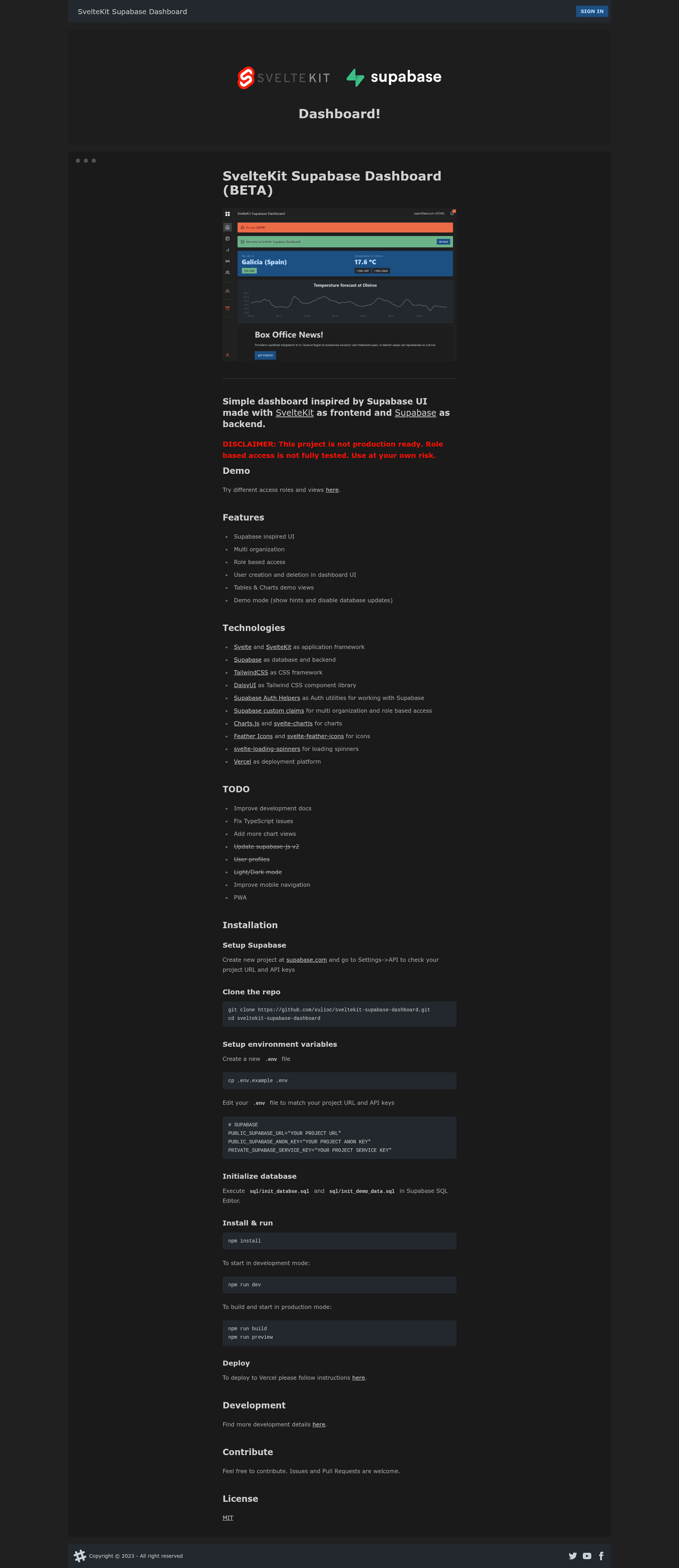
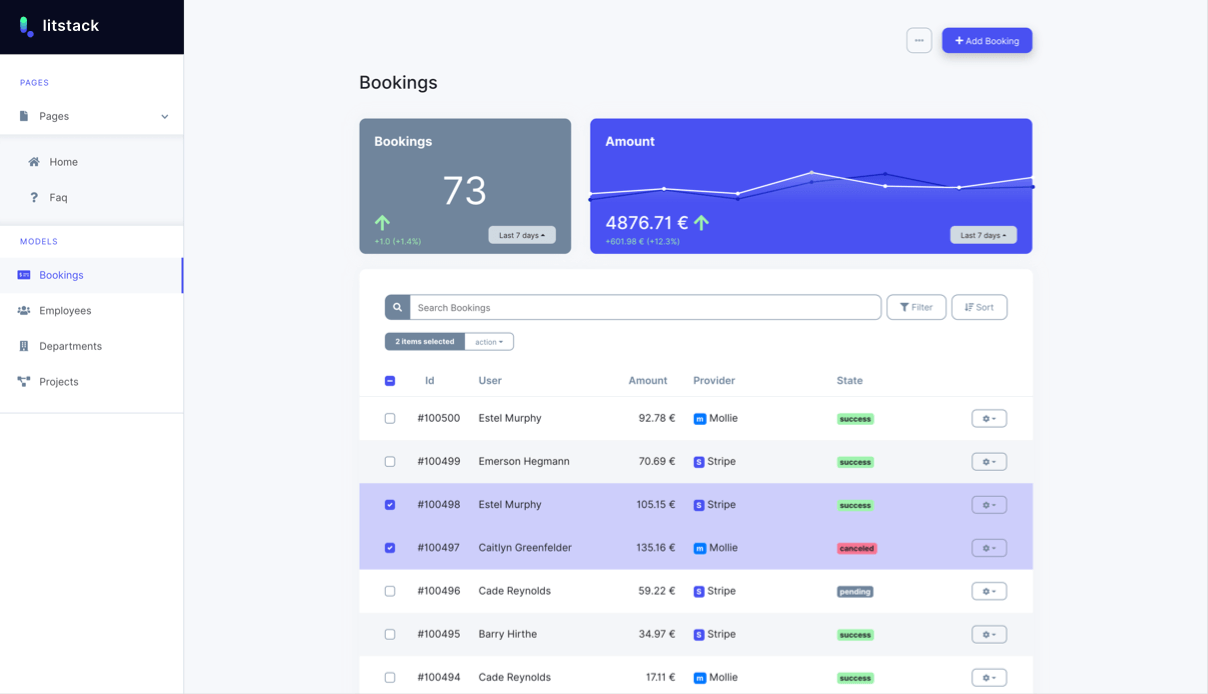
Dashboard inspired by Supabase UI and made with SvelteKit as frontend and Supabase as backend.
About this template
SvelteKit Supabase Dashboard is an open-source dashboard template that recreates the Supabase admin UI with SvelteKit as the frontend and Supabase as the backend, giving developers a multi-organization, role-based admin panel deployable to Vercel.
What is SvelteKit Supabase Dashboard?
SvelteKit Supabase Dashboard is a beta-version starter project by GitHub user xulioc. It takes a Supabase project URL, anon key, and service key as environment variables, then uses two SQL scripts to initialize the database schema and demo data. The result is a running dashboard with organization switching, user creation and deletion, and table/chart views, all styled after Supabase’s own console. The project is distributed under the MIT license.
What makes SvelteKit Supabase Dashboard stand out?
- Supabase-inspired UI — The dashboard reproduces the look and layout of Supabase’s admin console, so teams get a familiar interface without designing from scratch.
- Multi-organization support — Organizations are implemented with Supabase custom claims, letting one dashboard serve multiple tenants with data scoped per organization.
- Role-based access — Custom claims also restrict views and actions by role; the README cautions that this area is not fully tested.
- User management in the dashboard — Admins can create and delete users directly through the UI, powered by Supabase Auth.
- Tables and charts demo views — Sample pages render tabular data and charts using Chart.js and svelte-chartjs.
- Demo mode — A toggleable mode shows hints and disables database writes, making it safe to explore the interface.
- Light and dark mode — Theme switching is already implemented, as confirmed by the completed item in the TODO list.
- Modern SvelteKit stack — Built with SvelteKit, TailwindCSS, DaisyUI, Supabase Auth Helpers, Feather Icons, and svelte-loading-spinners, with Vercel as the deployment platform.
Who should use SvelteKit Supabase Dashboard?
- Svelte and SvelteKit developers who want a working starting point for a Supabase-backed dashboard with authentication and organizations.
- SaaS founders and product teams that need a multi-tenant admin area and want to see how Supabase custom claims behave before hardening the code for production.
- Developers learning Supabase who want a real example of auth, row-level security, and custom claims tied to a functional UI.
What can you do with SvelteKit Supabase Dashboard?
- Prototype an admin console quickly: Run the demo, switch between access roles, and inspect organization-scoped tables and charts without writing frontend code first.
- Manage users at runtime: Use the dashboard UI to create and delete users for an organization, avoiding a separate admin tool.
- Build a multi-tenant SaaS dashboard: Reuse the custom-claims pattern to separate data by organization and gate features by role.
How does the project work?
The repository provides step-by-step setup: clone the repo, copy .env.example to .env, add your Supabase project URL, anon key, and service key, then execute sql/init_database.sql and sql/init_demo_data.sql in the Supabase SQL Editor. After that, npm install followed by npm run dev starts a local development server; npm run build and npm run preview serve a production build.
Pros and cons
- Open-source MIT license — Free to use, modify, and distribute.
- Current SvelteKit + Supabase stack — The project tracks recent versions, with supabase-js v2, user profiles, and light/dark mode all marked complete.
- Not production ready — The README explicitly labels the project as beta and notes that role-based access is not fully tested.
- Some features remain unfinished — Mobile navigation improvements, more chart views, TypeScript fixes, and PWA support are listed in the TODO.
FAQ
Is SvelteKit Supabase Dashboard free?
Yes, the repository is open source under the MIT license, so you can use, modify, and distribute it freely.
Is it production ready?
No. The README includes a disclaimer that the project is not production ready and that role-based access has not been fully tested. Treat it as a starting point rather than a hardened product.
What technologies does it use?
It uses SvelteKit and Svelte for the app, Supabase for the database and auth, TailwindCSS and DaisyUI for styling, Chart.js for charts, and Vercel for deployment.
How do I run the demo?
A live demo is hosted at https://sveltekit-supabase-dashboard.vercel.app/ where you can try different access roles and views.
Does it support multiple organizations?
Yes, multi-organization support is implemented using Supabase custom claims, which also drive role-based access. Keep in mind the disclaimer that this area is not fully tested.