Template details
Resume
A minimal Pelican theme to host your resume
About this template
Resume is a minimal Pelican theme for hosting a personal résumé as a static website, configured entirely through your pelicanconf.py settings file.
What is Resume?
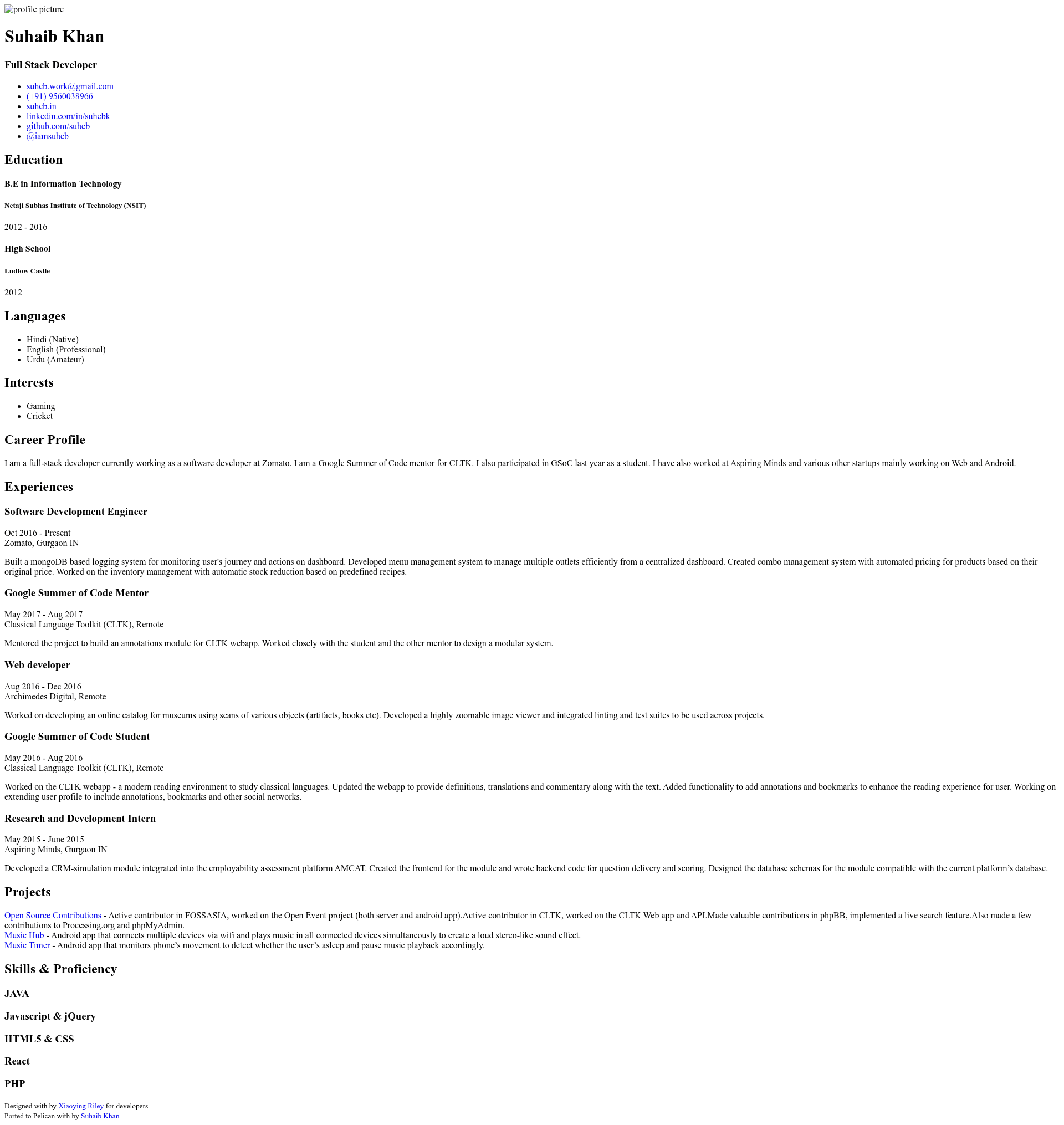
Resume is a Pelican theme that transforms a set of Python variables in your site configuration into a single-page online résumé. The theme takes data such as your name, tagline, skills, projects, work experience, education, languages, interests, and contact links, and outputs a responsive HTML page. It is a port of Xiaoying Riley's original résumé template, adapted first to Jekyll as online-cv by Sharath Kumar, and then to Pelican by Suhaib Khan. The repository is available on GitHub under the name "resume" and is also listed in the official pelican-themes collection.
Key Features
The theme's standout traits are its simple configuration and clean, responsive design. All résumé content is defined directly in pelicanconf.py, so there is no separate admin panel or database. The layout includes a profile sidebar with photo, contact links, a career summary, a skills bar with percentage levels, project listings, work history, education, languages, and interests. It ships with six color schemes that you can switch by setting the CSS_FILE variable. The theme is fully responsive, adapting to mobile and desktop screens.
- Pelican-native configuration — Set variables like NAME, TAGLINE, SKILLS, and EXPERIENCES in pelicanconf.py to populate the résumé.
- Responsive layout — The page reflows on mobile and desktop, as demonstrated in the repository's screenshots.
- Six color schemes — Change the look by assigning a value such as 'main-1.css' to the CSS_FILE setting.
- Sidebar profile — Display your photo, email, phone, website, LinkedIn, GitHub, and Twitter handle.
- Skills with levels — Render skill bars using numeric values (e.g., 90) for each skill.
- Structured sections — Show projects, experience, education, languages, and interests in ordered layouts.
- Static output — Generates plain HTML that can be hosted on any static file server or GitHub Pages.
Who is it for?
Resume is built for developers and technical professionals who already use Pelican to generate their personal website and want a résumé page that stays in sync with their existing workflow. It also suits anyone who prefers editing a Python config file over using a visual résumé builder. Job seekers who want a fast, lightweight, and self-hosted résumé will find this theme convenient. Since it is open source, developers who want to customize the theme's templates or add new sections can fork the repository.
What can you do with Resume?
- Developers: Publish a clean résumé page on your Pelican-powered personal site by adding a handful of variables to your settings file.
- Job seekers: Quickly update your career summary, skills, and experience by editing pelicanconf.py and regenerating the site.
- Designers: Choose from six color schemes to match your personal brand without touching HTML or CSS.
- Open-source contributors: Fork the theme and extend it with additional sections or integrations, then share it through the pelican-themes ecosystem.
How does Resume work?
To use Resume, clone the repository and point the THEME variable in pelicanconf.py to the theme's directory. Alternatively, install it via the pelican-themes tool. Then define the résumé data variables in the same settings file. Running the pelican command generates a static site with your résumé rendered as the homepage.
Alternatives
online-cv is the Jekyll port of the same design, suitable for sites built with Jekyll instead of Pelican.
FAQ
Is Resume free to use?
You can clone the repository from GitHub without any cost. The theme is publicly available in the pelican-themes collection, so it is free to download and use for personal or commercial projects.
Does Resume support mobile devices?
Yes, the theme is responsive, as shown in the responsive screenshot on the repository page. The layout adjusts to different screen sizes.
How do I change the color scheme?
Add the line CSS_FILE = 'main-1.css' to your pelicanconf.py file. The theme includes six CSS files, each corresponding to a different color scheme.
Can I use Resume with WordPress?
No, Resume is a Pelican theme, so it requires Pelican to generate the static site. It is not compatible with WordPress or other dynamic CMS platforms.
What information can I display on the résumé?
The theme supports a profile sidebar, career summary, skills, projects, work experience, education, languages, and interests. All of these are defined through variables in pelicanconf.py, giving you full control over the content.