Template details
Rizzui Starter Template
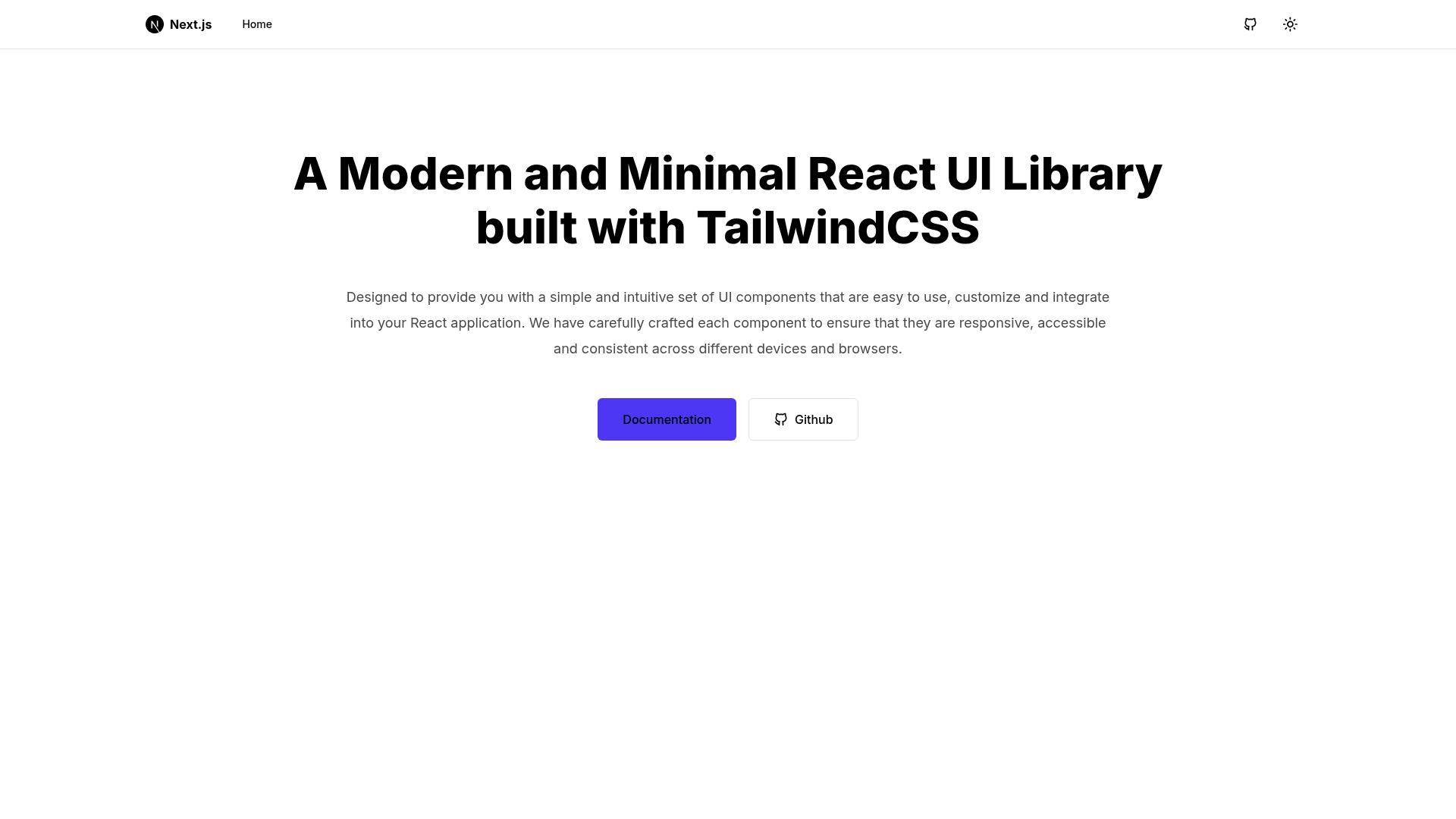
Next.js 13 starter template preconfigured with RizzUI components, Tailwind CSS, dark mode, and Tabler icons.
About this template
Rizzui Starter Template is a Next.js 13 starter template that scaffolds an application preconfigured with the RizzUI component library, Tailwind CSS, and dark mode support via next-themes.
What is Rizzui Starter Template?
Rizzui Starter Template is an open-source (MIT-licensed) Next.js 13 boilerplate created by shakibdshy for bootstrapping applications with the RizzUI component library and Tailwind CSS. It takes a fresh Next.js project and produces a working starter with the App Directory, custom Tailwind plugin, Tabler Icons, dark mode, and Tailwind tooling already wired up. The template is installed via a single npx create-next-app command pointing at the GitHub repository.
Key Features
- Next.js 13 App Directory — Uses the current App Router structure for file-based routing, layouts, and server components.
- RizzUI Component Library — Includes React components from the RizzUI library, a Tailwind CSS-based component set.
- Tailwind CSS — Utility-first styling is fully configured, including a custom Tailwind plugin specifically for RizzUI.
- Tabler Icons — Integrates the open-source Tabler Icon set so you can use icons without an additional icon package.
- Dark mode with next-themes — The template preconfigures next-themes to toggle between light and dark themes and persist user preference.
- Tailwind CSS tooling — Class sorting, merging, and linting are configured for consistent class management.
Who is it for?
- Next.js developers who want to skip repetitive configuration and start coding with a component library already integrated.
- UI engineers who prefer Tailwind CSS and want pre-built RizzUI components with custom plugin support.
- Indie hackers who are prototyping a new product and need dark mode and icons out of the box.
- Open-source contributors who want a MIT-licensed foundation to modify freely for their own projects.
What can you do with Rizzui Starter Template?
- Scaffold a new Next.js app: Run the
npx create-next-app -ecommand with the template URL to generate a project with all dependencies installed. - Build a dark-mode-ready interface: Use the built-in next-themes configuration to add a theme toggle to your layouts.
- Style components with Tailwind: Leverage the custom RizzUI plugin to extend Tailwind's utility classes and pair it with Tabler icons.
How does Rizzui Starter Template work?
Installation is a single command. Run npx create-next-app -e https://github.com/shakibdshy/rizzui-starter-template in your terminal. The CLI copies the remote repository, installs dependencies, and produces a local Next.js project you can run immediately.
Pricing
The template is free to use under the MIT license, and you can modify and redistribute it without restriction.
FAQ
Is Rizzui Starter Template free?
Yes, the template is open source under the MIT license, so you can use it for personal and commercial projects at no cost.
What versions does the template support?
It targets Next.js 13 with the App Directory. It does not include a Pages Router setup.
Does the template include dark mode?
Yes, dark mode is implemented with next-themes, which handles theme toggling and persistence.
How do I install the template?
Run npx create-next-app -e https://github.com/shakibdshy/rizzui-starter-template in your terminal.
What icons are bundled?
Icons come from Tabler Icons, an open-source icon library, and are ready to use in RizzUI components.