Template details
Jekyll AsciiDoc Quickstart
A template project for creating AsciiDoc-based websites using Jekyll.
About this template
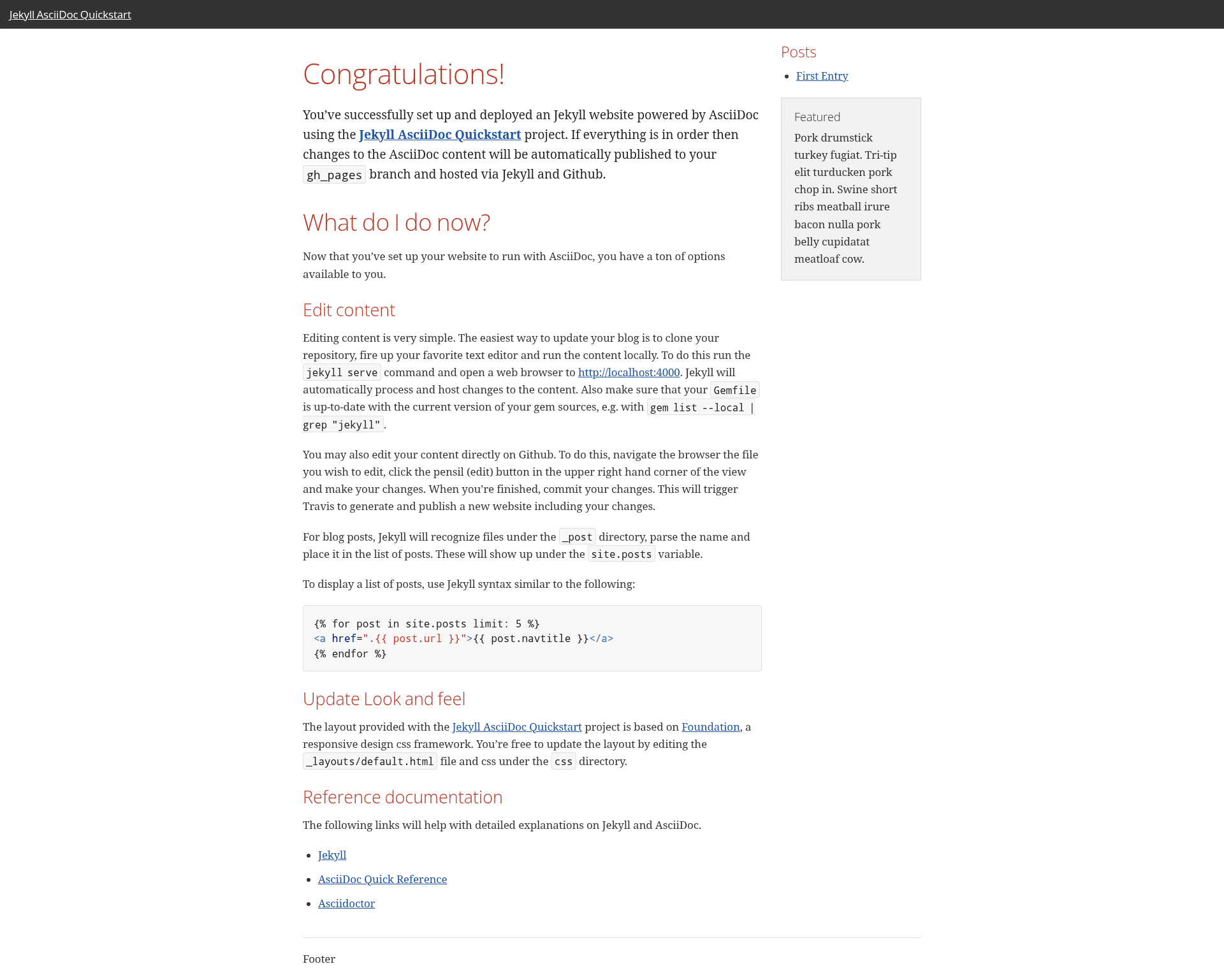
Jekyll AsciiDoc Quickstart is a GitHub repository template for building AsciiDoc-based static websites with Jekyll, published automatically to GitHub Pages through a preconfigured GitHub Actions workflow.
What is Jekyll AsciiDoc Quickstart?
Jekyll AsciiDoc Quickstart is a starting point for creating AsciiDoc-powered websites that use Jekyll as the static site generator. It takes AsciiDoc markup files as input and produces a fully built static website hosted on GitHub Pages. The template is offered as a GitHub repository template, so creating a new site means clicking "Use this template," then enabling GitHub Pages and running the publish workflow. A live example site is available at https://asciidoctor.github.io/jekyll-asciidoc-quickstart.
Key Features
- Repository template — Create a new website repository directly from GitHub's "Use this template" button without copying files manually.
- GitHub Actions publishing workflow — A preconfigured workflow at
.github/workflows/publish.ymlbuilds the Jekyll site with the AsciiDoc plugin on every push tomainormaster, then pushes the output to thegh-pagesbranch for hosting. - AsciiDoc support — Write blog posts and pages in AsciiDoc (
.adoc) instead of Markdown, with the jekyll-asciidoc plugin enabled during the build. - Blog-ready layout — The template includes a blog-style structure and an elegant CSS foundation, allowing you to start publishing posts right away.
- Live example — A working site generated from this template is available at https://asciidoctor.github.io/jekyll-asciidoc-quickstart.
- Local development — Run
jekyll servelocally after installing Ruby and RubyGems to preview your site before pushing.
Who is it for?
- Technical writers — Publish documentation or tutorials in AsciiDoc and host them on GitHub Pages without maintaining a separate build pipeline.
- Jekyll users — Developers who already use Jekyll but want to author content in AsciiDoc instead of Markdown.
- Open-source project maintainers — Set up a project blog or documentation site quickly using GitHub's existing infrastructure.
What can you do with Jekyll AsciiDoc Quickstart?
- Start a new blog — Create a repository from the template, write
.adocposts, push to GitHub, and the site goes live on yourusername.github.io/repository-nameURL. - Publish AsciiDoc content to GitHub Pages — Because GitHub Pages does not natively render AsciiDoc, this template's workflow bridges that gap by building the site beforehand.
- Customize the build — Edit
.github/workflows/publish.ymlto alter the Jekyll build or add extra publishing steps.
How does Jekyll AsciiDoc Quickstart work?
After creating a repository from the template, you enable GitHub Pages with the "GitHub Actions" source in Settings. The included workflow listens for pushes, runs the Jekyll build with the AsciiDoc plugin, and deploys the generated content to the gh-pages branch. To work locally, install Ruby, check your Gemfile for dependencies, and run jekyll serve.
FAQ
Does GitHub Pages support AsciiDoc natively?
No. GitHub Pages does not whitelist the jekyll-asciidoc plug-in, so .adoc files are not rendered like Markdown posts. This template works around that limitation by using a GitHub Actions workflow to build the site before publishing.
How do I create a website from this template?
Click the green "Use this template" button on the GitHub repository page, create a new repository, then go to Settings → Pages, set Source to "GitHub Actions," and run the "Publish to GitHub Pages" workflow from the Actions tab.
Can I preview the site locally?
Yes. Install Ruby and RubyGems as described in the Jekyll installation docs, then run jekyll serve in your repository root. If the command fails, confirm the required gems are installed with gem list --local | grep "jekyll".
What branch should I use for my source files?
The template expects a main or master branch for markup sources and configuration. The workflow is configured to build from either branch.
Is the workflow customizable?
Yes. You can edit .github/workflows/publish.yml to customize the build or publishing process. The included workflow is intended to work as-is, but it is a standard GitHub Actions file you can modify.