Template details
Rosé Pine for Hugo
Soho vibes for Hugo Sites
About this template
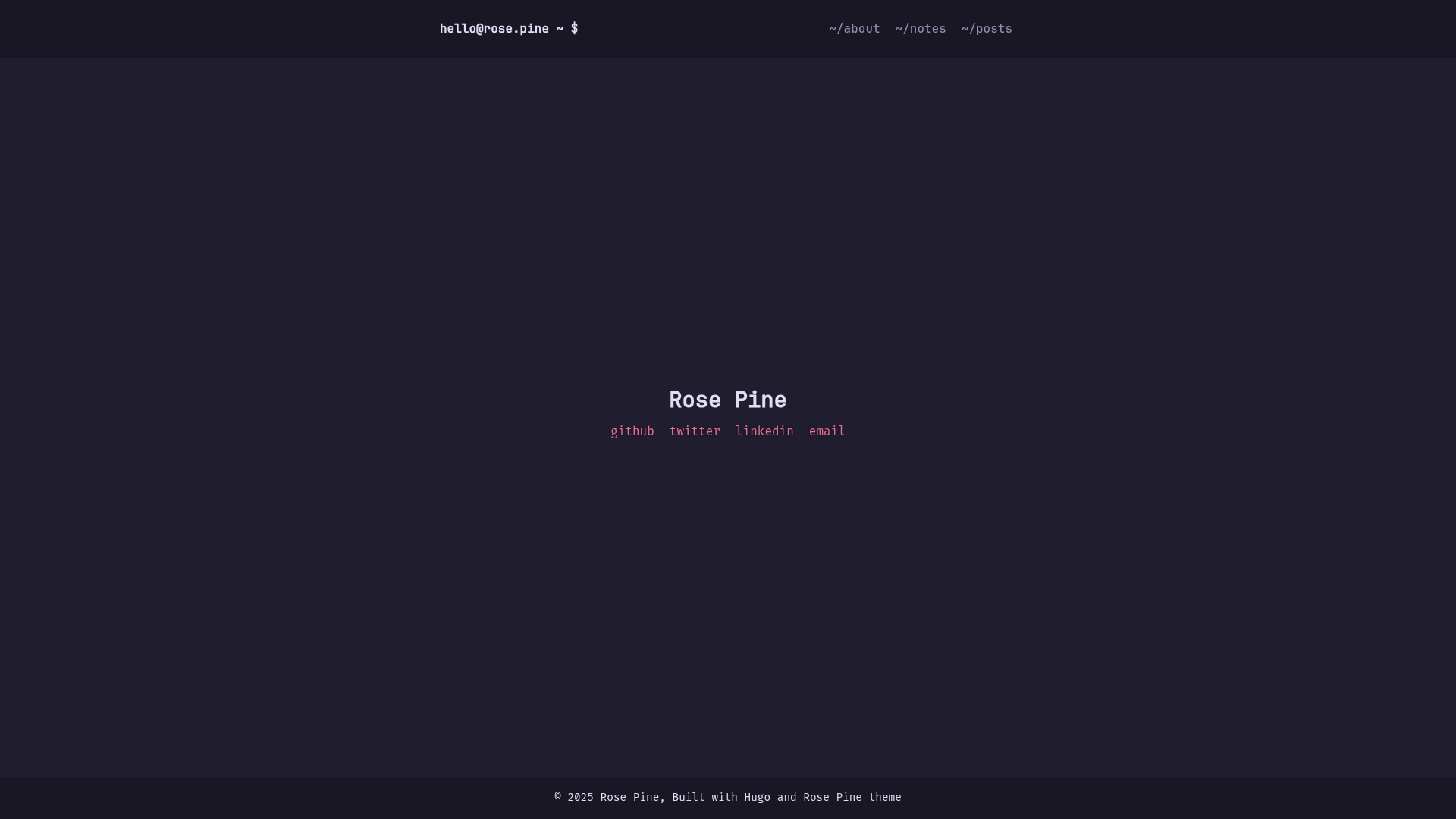
Rosé Pine for Hugo is a Hugo blog theme that applies the Rosé Pine color palette to static sites, giving minimalist writers a calm, soho-inspired look. It is part of the Rosé Pine community theme collection, developed by akopdev and published on GitHub.
What is Rosé Pine for Hugo?
Rosé Pine for Hugo is a Hugo theme designed for blogs and personal sites, using the Rosé Pine color palette — a set of soft, muted, nature-inspired tones. The theme takes your Hugo site configuration from config.toml and your Markdown content, and renders it as a static website with a classy, minimalist aesthetic. It runs on Hugo, the static site generator, and is maintained by akopdev on GitHub.
Key Features
- Rosé Pine palette — The theme uses the Rosé Pine color scheme (all natural pine, faux fur and a bit of soho vibes) for a warm, low-contrast look that suits long-form reading.
- Config-based author metadata — Set the author name, user handle, and hostname in the params section of config.toml to personalize the site.
- Social link integration — Add up to any number of social entries (GitHub, Twitter, LinkedIn, email) as an array in config.toml; each entry needs a key, name, and URL.
- Blog-oriented structure — The theme is listed as a Hugo blog theme, meaning it handles post lists, single pages, and other blog features out of the box.
- Example site included — The repository ships an exampleSite/config.toml file that demonstrates the complete configuration, so users can see how to set up the theme before customizing.
- Static site output — As a Hugo theme, it generates a fully static site that can be deployed to any static hosting service without server-side dependencies.
Who is it for?
- Hugo bloggers — Anyone running a personal blog on Hugo who wants a ready-made theme with a distinctive color scheme instead of building one from scratch.
- Minimalist webmasters — Site owners who prefer a quiet, elegant aesthetic and want a theme that matches the Rosé Pine palette used in many editors and terminals.
- Rosé Pine community users — People who already use Rosé Pine across their tools and want their website to match the same visual language.
What can you do with Rosé Pine for Hugo?
- Personal blog site — Write Markdown posts and use the theme to present them in a clean reading layout with your name and hostname displayed.
- Portfolio of writing — Use the theme to showcase articles or essays, with social links pointing to your profiles for readers to follow.
- Theme prototyping — Clone the example site, tweak the config.toml, and quickly experiment with how the Rosé Pine aesthetic works on your own content.
How does Rosé Pine for Hugo work?
Install the theme by cloning its GitHub repository into your Hugo themes directory, then create or update your site’s config.toml with the required params. The theme reads those params to display author and hostname information, and it picks up any social entries you add under the social array. A complete example is available in exampleSite/config.toml in the repository.
FAQ
Is Rosé Pine for Hugo free?
Yes, the theme is open source and hosted on GitHub, so you can clone and use it freely. There is no mention of a paid license or premium tier.
How do I install Rosé Pine for Hugo?
Run git clone https://github.com/akopdev/hugo-theme-rose-pine themes/rose-pine inside your Hugo project, then reference the theme and configure it in your site’s config.toml.
What configuration is required?
You need to add a [params] section with author, user, and hostname values. Social links are optional and are defined as an array of objects with key, name, and url fields.
Does the theme support social links?
Yes, it supports multiple social entries, including GitHub, Twitter, LinkedIn, and email, configured through the social array in config.toml. Each entry uses a numeric key, a name, and a URL.