Template details
Rust Hello World
Simple Rust serverless functions demonstrating basic HTTP handling and performance benchmarks.
About this template
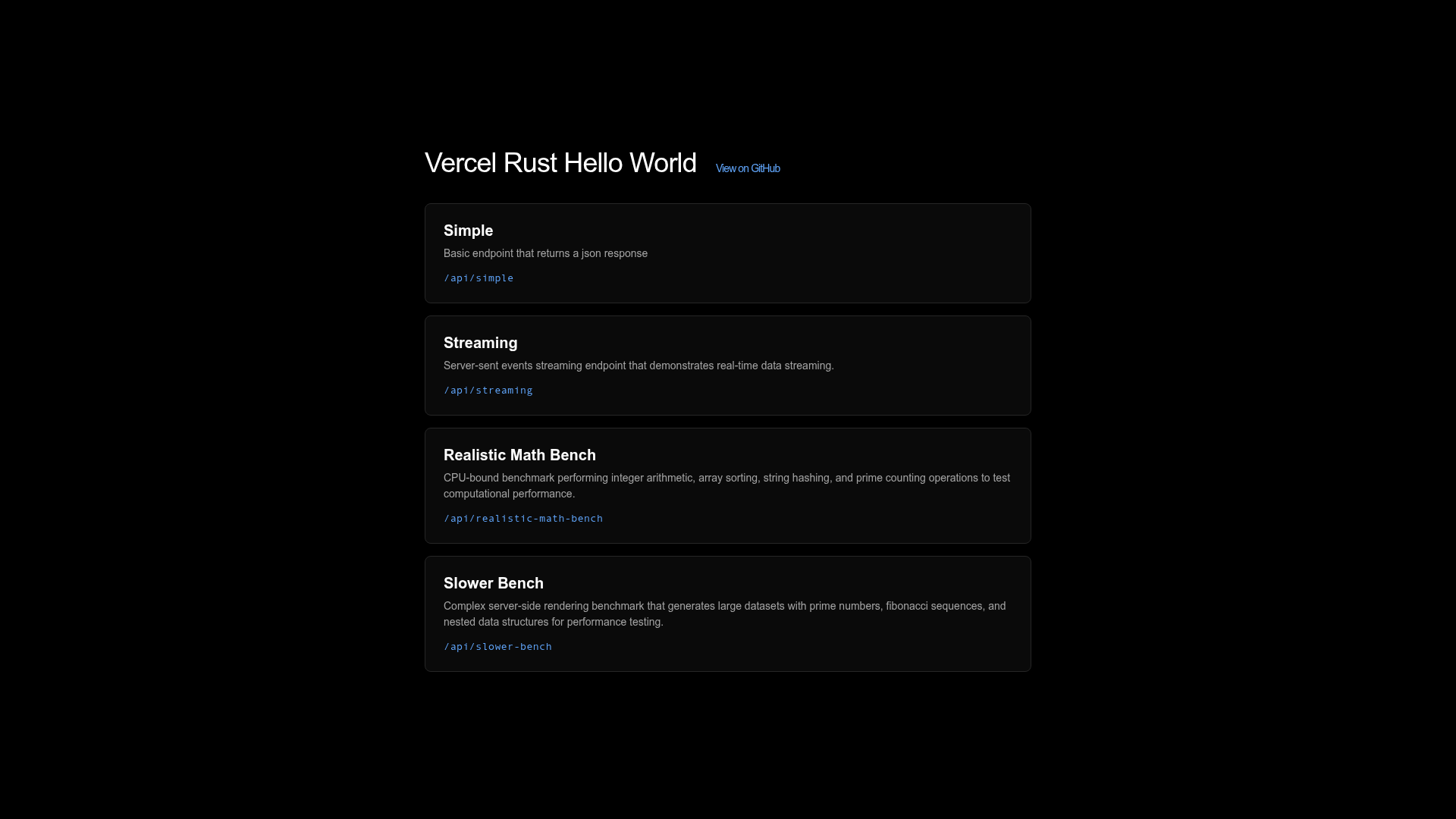
Rust Hello World is a Vercel starter template that demonstrates how to build and deploy Rust serverless functions, with four endpoints covering JSON responses, streaming output, and CPU-bound performance benchmarks.
What is Rust Hello World?
Rust Hello World is a starter template published by Vercel that shows how to write serverless functions in Rust. It takes a Rust project structured with an api directory and a Cargo.toml that defines multiple binary targets, and compiles those into serverless functions deployed on Vercel's platform. The template includes four runnable endpoints — api/hello for a basic JSON response, api/streaming for a streaming response, and api/realistic-math-bench plus api/slower-bench for performance benchmarking. It lives in the Vercel examples repository, which is publicly available on GitHub and has over 5,000 stars across the whole examples collection.
Key Features
- Four ready-to-run endpoints — The template ships with a basic JSON handler, a streaming response example, and two math-heavy benchmark functions with different workloads.
- Streaming response support — The
api/streamingendpoint demonstrates how to return a streaming HTTP response from a Rust serverless function, which is useful for long-lived connections or large payloads. - Performance benchmark suite —
api/realistic-math-benchandapi/slower-benchprovide CPU-bound tasks so you can measure Rust's execution speed on Vercel's serverless infrastructure. - Multiple Rust binaries in Cargo.toml — Each endpoint is declared as a separate binary target, making it straightforward to add new handlers or split logic across functions.
- Local development with Vercel CLI — Run
vc devto test the functions locally; the page notes this requires the Rust toolchain to be installed on your machine. - One-click deployment — A deploy URL is included that clones the repository and sets it up as a new Vercel project automatically.
Who should use Rust Hello World?
- Rust developers exploring serverless — Anyone who wants to write HTTP handlers in Rust and deploy them to Vercel can use this template as a starting point, with working examples of JSON and streaming output.
- Teams evaluating Rust on Vercel — Engineering groups can run the included benchmark endpoints to measure Rust's performance for CPU-intensive tasks in a serverless environment before committing to the language.
- Developers learning Vercel's Rust runtime — The template illustrates the required project layout — an
apidirectory plus multiple binaries inCargo.toml— so you can see exactly how to structure a Rust serverless deployment.
What can you do with Rust Hello World?
- API developers: Start from
api/helloto build a minimal JSON API in Rust with no framework dependencies. - Performance engineers: Use the two benchmark endpoints to test how Rust handles realistic math workloads and slower computational tasks on Vercel.
- Streaming use cases: Adapt the
api/streamingendpoint to implement server-sent events, live logs, or other chunked response patterns in Rust.
How does Rust Hello World work?
Clone the Vercel examples repository and change into the rust/hello-world directory, then install Rust via the official rustup script if you don't already have it. After the toolchain is ready, run vc dev to launch a local development server that serves the endpoints. To go live, either use the one-click deploy URL or push the project to Vercel through the CLI.
FAQ
Does Rust Hello World require a web framework?
No. The endpoints are plain Rust handlers that return JSON or streaming responses directly, with no framework such as Axum. If you prefer a framework, Vercel offers a related template called rust-axum that integrates the Axum web stack.
What endpoints are included in Rust Hello World?
The template includes four endpoints: api/hello returns a basic JSON response, api/streaming demonstrates streaming responses, and api/realistic-math-bench along with api/slower-bench run CPU-bound performance benchmarks. Each endpoint maps to a separate binary in Cargo.toml.
How do I run Rust Hello World locally?
Clone the repository, navigate to the rust/hello-world folder, and install Rust with the rustup script if it is missing. Then use the Vercel CLI command vc dev to serve the functions on a local development server. The template page states that the Rust toolchain is required for local testing.