Template details
Semantic Docs
Documentation theme with AI-powered semantic vector search using Astro, Tailwind, and Turso.
About this template
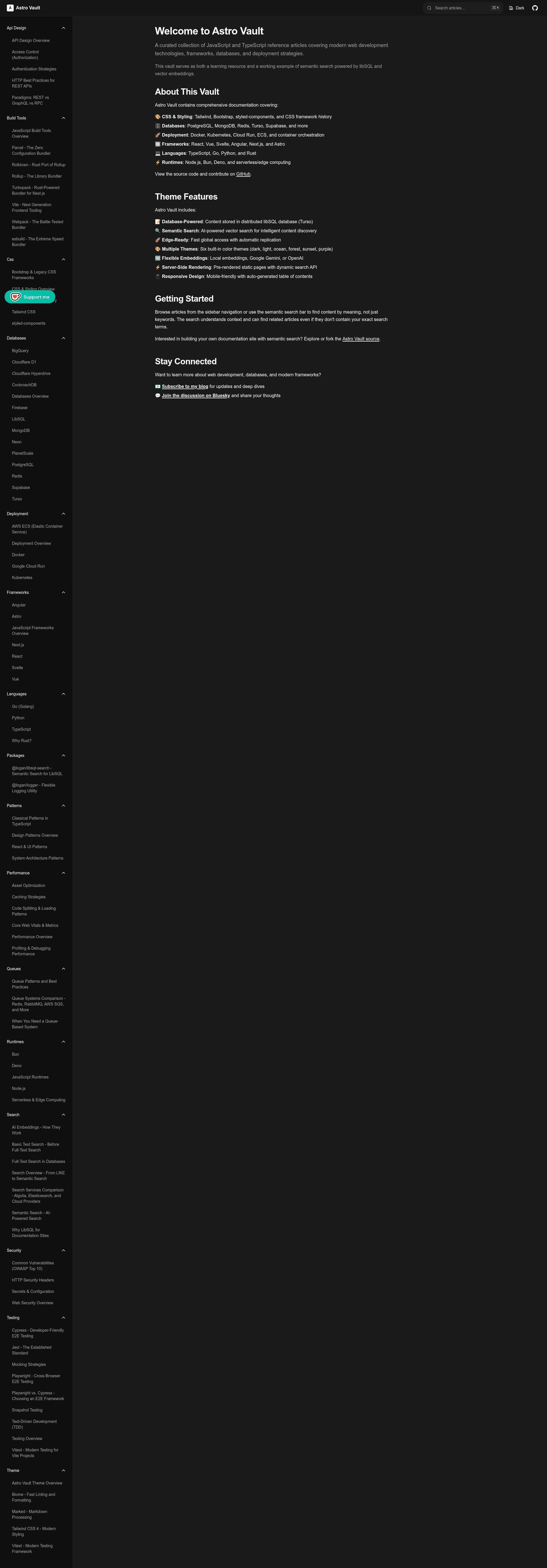
Semantic Docs is an open-source documentation theme for Astro 5 that gives content sites AI-powered semantic vector search via libsql-search and Turso. It accepts markdown files in a ./content directory, indexes them with local Xenova embeddings (no API keys required), and serves them as a dark-mode docs site with a collapsible sidebar, auto-generated table of contents, and server-rendered search.
What is Semantic Docs?
Semantic Docs is a documentation theme built on the Astro 5 framework, styled with Tailwind CSS 4, and powered by the libsql-search library for semantic vector search. It takes plain markdown files as input, optionally with front matter for title and tags, and produces a static-generated documentation site with an edge-ready search API endpoint at src/pages/api/search.json.ts. The theme runs on Node.js 22.12.0 or newer, is fully written in TypeScript, and is maintained by llbbl in the GitHub repository llbbl/semantic-docs. It is released under the MIT License.
Key Features
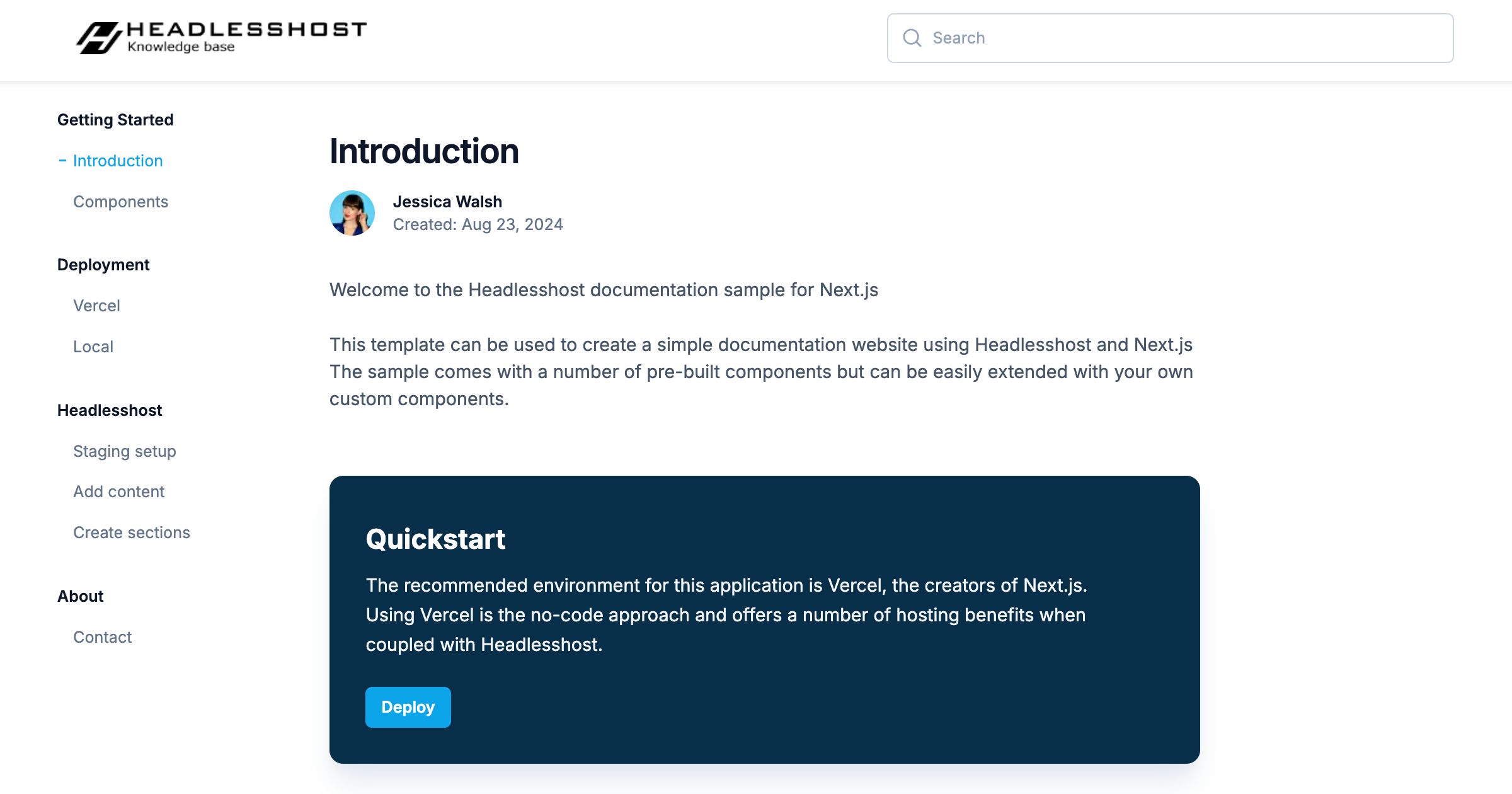
- Semantic search — The header search bar performs vector similarity matching over indexed content, returning instant results ranked by relevance and displaying article tags.
- Local embeddings — Indexing uses the Xenova local embedding model by default, requiring no external API keys; the first run downloads roughly 50MB, and later runs use a local cache.
- Dark OKLCH design — The theme ships a modern dark UI built on Tailwind CSS 4 with OKLCH colors; colors and site title are edited in
src/styles/global.cssandsrc/layouts/DocsLayout.astro. - Responsive collapsible sidebar — Navigation is organized by folder structure in
./content, with collapsible sections on desktop and a mobile-friendly drawer. - Automatic table of contents — A React component (
src/components/DocsToc.tsx) generates the TOC from each page's headings. - Turso/libSQL storage — Embeddings and content metadata are stored in Turso's global libSQL database, configured with
TURSO_DB_URLandTURSO_AUTH_TOKEN; a locallocal.dboption exists for testing viapnpm db:init:local. - Type-safe codebase — The whole theme is written in TypeScript, including the search React component and Astro pages.
- Automated releases — A GitHub Actions workflow on pushes to main uses conventional commit prefixes to determine version bumps (major, minor, patch), updates
package.json, runs checks, tags commits, and publishes releases with a git-cliff changelog.
Who is it for?
- Documentation maintainers — Publish API references, tutorials, and guides as markdown and give readers semantic rather than keyword-only search.
- Knowledge base teams — Organize articles into folders that become collapsible sidebar sections with tag-based filtering in search results.
- Astro developers — Use the theme as a starter for a TypeScript, Tailwind, and React-island project with Turso as a vector database.
Use cases
- Open-source project documentation: Drop markdown into
./content, runpnpm db:initandpnpm index, and deploy a searchable docs site to container platforms. - Developer onboarding guides: Structure
getting-started,guides, andreferencefolders; readers can search by concept (like "configuration") rather than exact headings. - Edge-rendered knowledge bases: Use Turso's global database through the libsql client for low-latency search responses on server-rendered pages.
How does Semantic Docs work?
After cloning the repository, you install dependencies with pnpm (Node.js 22.12.0+ and pnpm 10.20.0 required), copy .env.example to .env, and set TURSO_DB_URL and TURSO_AUTH_TOKEN from the Turso CLI. Content is added as markdown under ./content, then indexed with pnpm index (or pnpm index:local for a local SQLite file), which scans files, generates Xenova embeddings, and stores everything in the chosen database. pnpm dev starts a local server at http://localhost:4321; for production you run pnpm build.
Pricing
Semantic Docs is free and open source under the MIT License. No paid tiers are advertised; you pay only for the infrastructure you choose, such as Turso's database and your hosting platform.
Alternatives
- Starlight — the official Astro documentation theme, also free and open source.
FAQ
Does Semantic Docs require an API key for semantic search?
No. The default indexing uses a local Xenova model, so no external embedding API is needed; the model downloads roughly 50MB on first run and caches afterward.
What are the Node.js and package manager requirements?
The project requires Node.js 22.12.0 or newer and pnpm 10.20.0. Commands like pnpm install, pnpm dev, and pnpm build are used throughout.
Can I deploy to Vercel or Netlify?
The repository states these platforms have not been tested and cannot be recommended at this time. Container-based platforms such as Railway, Render, Fly.io, Google Cloud Run, AWS ECS/Fargate, Azure Container Apps, and Coolify are the recommended deployment targets.
How do I change the site title?
Edit the site name in src/components/DocsHeader.astro and the default title and description in the Astro.props of src/layouts/DocsLayout.astro.
Is Semantic Docs free to use?
Yes, the theme is open source under the MIT License and lives in the llbbl/semantic-docs GitHub repository.
Pros and cons
- Pros: Free MIT license; no API keys for embeddings; type-safe; automated release pipeline; edge-ready Turso integration.
- Cons: Vercel and Netlify deployment not tested; remote search requires a Turso account and credentials; the first indexing run downloads about 50MB of model data, which can be slow.