Template details
Shopware Frontends Demo Store (Nuxt)
Deprecated reference storefront built with Shopware Frontends and Nuxt 4, wired to a pre-configured Shopware 6 demo API.
About this template
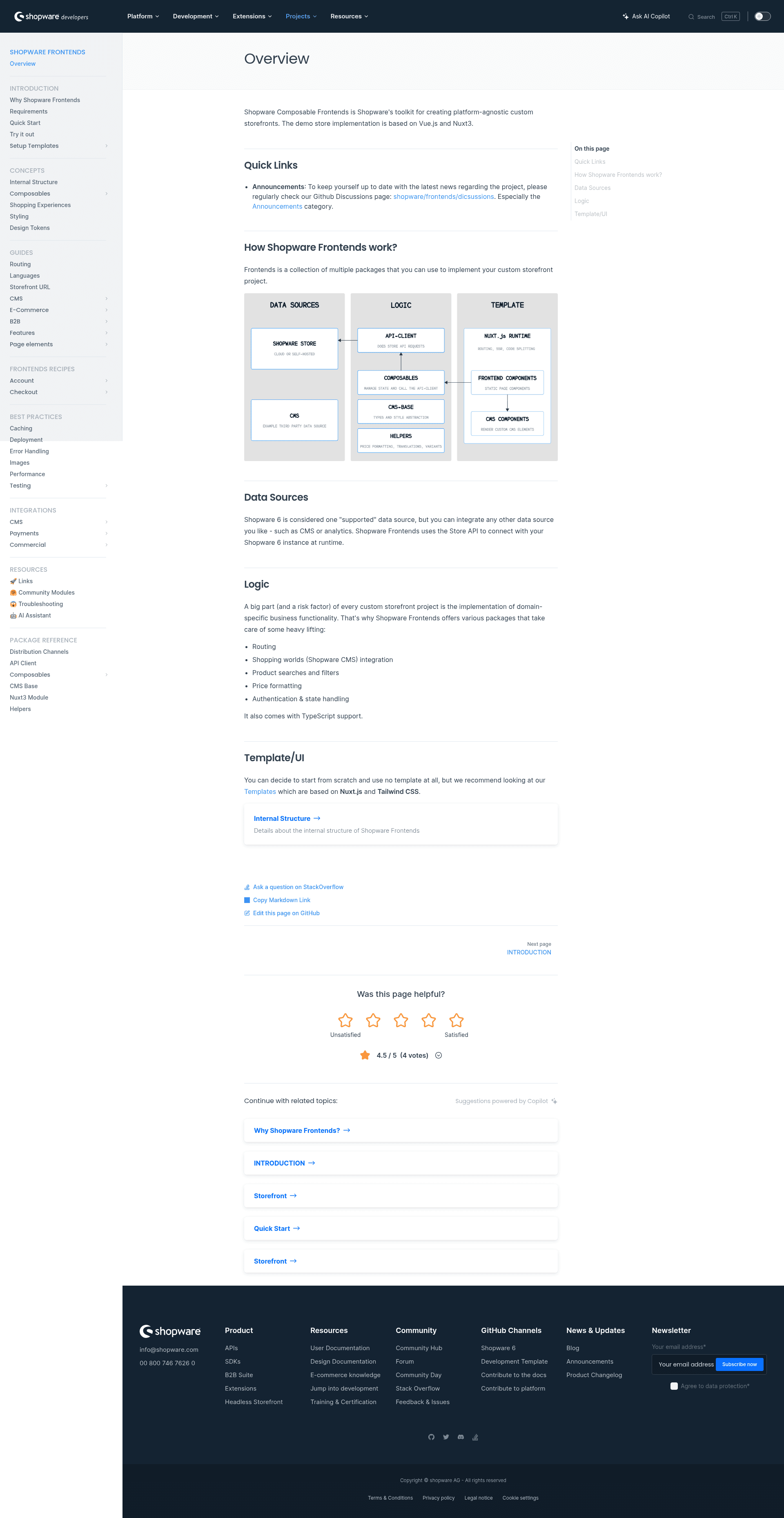
Shopware Frontends Demo Store (Nuxt) is a deprecated Ecommerce reference implementation that shows how to build a headless Shopware 6 storefront with Nuxt 4, the Shopware Frontends framework, and UnoCSS.
What is the Shopware Frontends Demo Store (Nuxt)?
The Shopware Frontends Demo Store is an example ecommerce application built by Shopware with the Shopware Frontends framework and Nuxt 4, shipped as a reference implementation rather than a starter. It bundles the libraries a Shopware storefront needs — the API client, CMS components, composables, and the Nuxt module — and ships with a pre-configured Shopware 6 demo API, so after installing dependencies it renders a working storefront against that remote instance. The repository explicitly warns against using it to start a new project and points to the Vue Starter Template instead, which is built on Nuxt layers and picks up framework updates automatically.
Key Features
- Nuxt 4 application — the template runs on Nuxt 4 with pnpm scripts for
pnpm i,pnpm dev,pnpm build, andpnpm start(npm and yarn equivalents also documented). - Shopware Frontends libraries included — the API client, CMS components, composables, and the frontends Nuxt module are pre-installed and registered.
- Pre-configured Shopware 6 demo API — a working
endpointandaccessTokenare set innuxt.config.ts; swapping them points the store at another Shopware 6 instance. - UnoCSS styling with Tailwind CSS classes — UnoCSS is the utility-first CSS engine and is configured to accept Tailwind CSS class names, with a root
uno.config.tsavailable to extend or override the default configuration. - CMS Base nuxt layer — the
@shopware/cms-base-layerpackage supplies the CMS components used for Shopware Shopping Experiences rendering and is registered innuxt.config.ts. - API type generation — types ship with
@shopware/api-clientuntil you run the@shopware/api-genCLI to load a schema and regenerate them viapnpm generate-types. - Multiple deployment targets — documented production paths include a Node.js build and start, Nitro presets, a
vercel-edgepreset, and a separate docker-composable-frontends repository.
Who should use the Shopware Frontends Demo Store (Nuxt)?
- Shopware developers learning the framework: read the repository as a working reference for how API client, composables, and CMS components fit together.
- Frontend engineers migrating an existing storefront: study the Shopping Experiences integration and CMS layer setup before adopting the maintained Vue Starter Template.
- Backend or platform developers: test a local Shopware 6 development instance by changing the API credentials in
nuxt.config.tsand regenerating API types. - DevOps and platform teams: evaluate Nitro output presets, including the documented Vercel serverless and ISR caveats.
What can you do with the Shopware Frontends Demo Store (Nuxt)?
- Shopware integrators: point the app at a different Shopware 6 instance by editing the endpoint and access token, then load a store API schema and regenerate types with
@shopware/api-gen. - CMS-focused developers: inspect how the
@shopware/cms-base-layerpackage renders Shopping Experiences content without hand-building CMS components. - Design-system tinkerers: add a root
uno.config.tsto extend the default UnoCSS and Tailwind configuration with custom theme values. - Deployment engineers: reproduce the Node.js build-and-start flow or switch Nitro platform presets for serverless hosting.
How does the demo store work?
Running it takes two commands: pnpm i installs dependencies, then pnpm dev starts the Nuxt development server against the pre-configured Shopware 6 demo API. To use your own instance, update the API credentials in nuxt.config.ts, put your Shopware API details in the .env file, load the store schema, and regenerate types — generated files such as api-types/storeApiTypes.d.ts are overwritten on the next schema generation, so extra endpoints belong in storeApiTypes.overrides.ts.
Pros and cons
- Works out of the box against a live Shopware 6 demo instance with no credentials required.
- Demonstrates real framework patterns: CMS layer registration, type generation, and Nitro presets.
- Deprecated and explicitly not intended for new projects; the maintained alternative is the Vue Starter Template.
- Not built on Nuxt layers, so it does not automatically receive framework updates.
- Documented Vercel limitation: an issue with serverless functions and ISR for the catch-all route requires disabling
isrfor that route or building with thevercel-edgepreset.
FAQ
Is the Shopware Frontends Demo Store (Nuxt) free?
Yes. It is an open-source example repository published under the Shopware Frontends project, with no license fees or paid tiers mentioned. You install it with pnpm and run it locally against the bundled demo Shopware 6 API or your own instance.
Should I use this template to start a new project?
No. The repository states plainly that the template is deprecated and should not be used to start a new project. Shopware directs new work to the Vue Starter Template, which is built on Nuxt layers and stays maintainable by picking up framework updates automatically.
How do I connect the demo store to my own Shopware 6 instance?
Edit the Shopware API endpoint and accessToken values in nuxt.config.ts, add your Shopware API information to the .env file, then regenerate API types with the @shopware/api-gen CLI so the storefront uses your instance's schema instead of the shipped demo types.
Does the demo store work on Vercel?
It can, with a caveat. An open Nitro issue affects Vercel serverless functions with ISR on the catch-all route and on dynamic data depending on GET query parameters, so you must either disable isr for that route in nuxt.config.ts or build with the vercel-edge Nitro preset.