Template details
Tactile
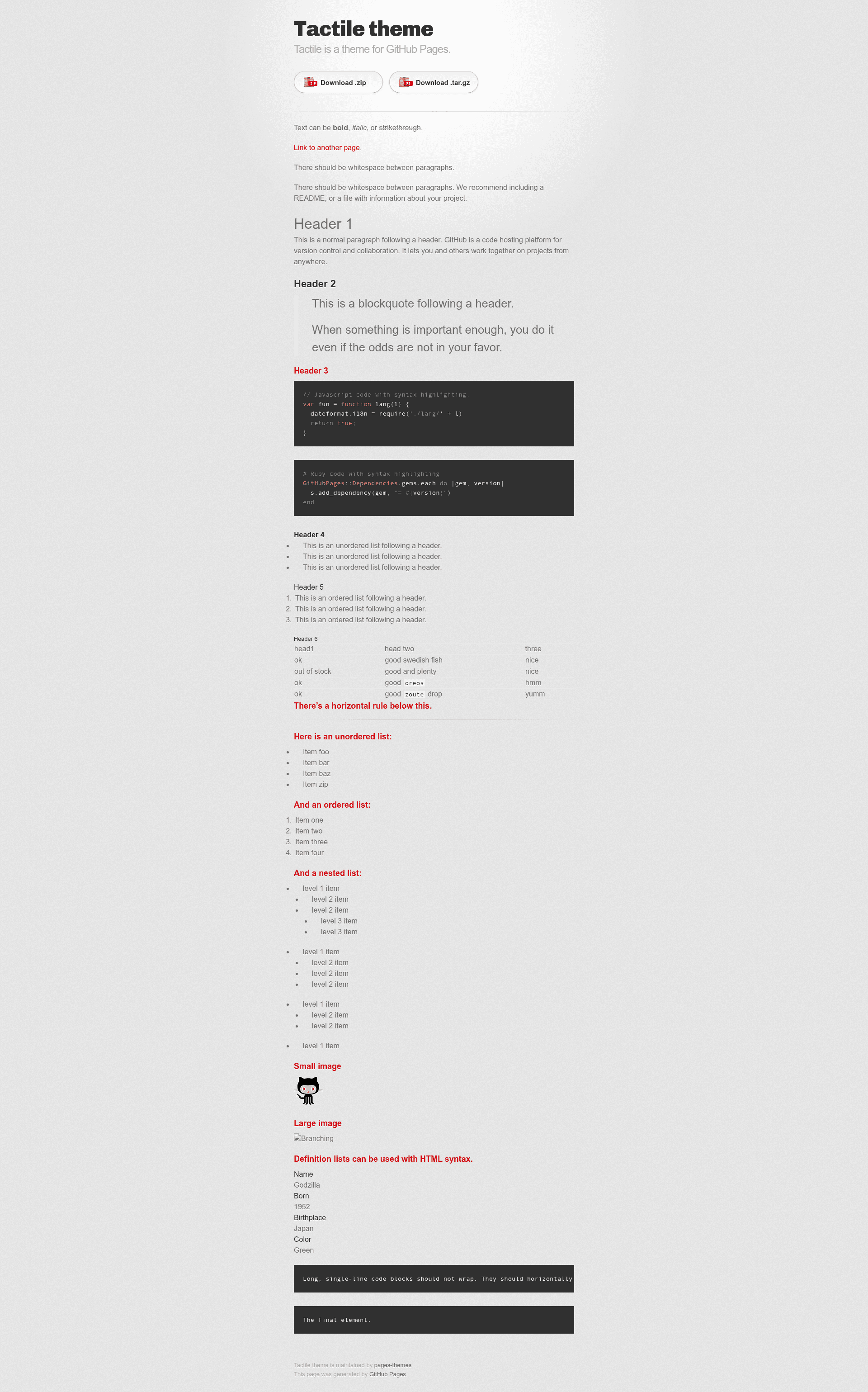
Tactile is a Jekyll theme for GitHub Pages with a minimal, tactile design and easy customization.
About this template
Tactile is a Jekyll theme for GitHub Pages that provides a simple, tactile design for creating personal sites and project pages with minimal configuration.
What is Tactile?
Tactile is an official Jekyll theme maintained by the pages-themes organization on GitHub, designed specifically for GitHub Pages. It takes a Jekyll site configuration and produces a static website using a single default layout that works for both pages and posts. The theme is distributed as a Ruby gem named jekyll-theme-tactile and can be installed via the remote_theme mechanism, which requires no forking.
Key Features
- remote_theme support — Add
remote_theme: pages-themes/tactile@v0.2.0to your site's_config.ymland thejekyll-remote-themeplugin to the plugins list to use the theme on GitHub Pages. - Configurable site metadata — Set
titleanddescriptionin_config.ymlto customize the header and page description; optionalshow_downloadsandgoogle_analyticsvariables control download links and analytics tracking. - Custom stylesheet — Override or extend the theme's CSS by creating
assets/css/style.scsswith@import "{{ site.theme }}";at the top, and define new Sass variable values before the import line to change the theme's look. - Layout override — Copy the default layout from the theme's repository into
_layouts/default.htmlto fully control the HTML structure, or augment specific parts via_includesfiles like a custom favicon. - Google Analytics customization — Place the latest Google Analytics tracking code in
_includes/head-custom-google-analytics.htmlto keep your analytic snippet current without editing the theme. - URL overrides — Override GitHub-generated URLs such as
site.github.zip_urlby specifying them under thegithubkey in_config.yml, useful for custom download links. - Local preview with GitHub Pages gem — Add
gem "github-pages", group: :jekyll_pluginsto your Gemfile and runbundle exec jekyll serveto preview the site on your computer.
Who should use Tactile?
- Individuals creating a personal website — Set your
titleanddescription, write a short bio or introduction, and publish instantly via GitHub Pages. - Open-source maintainers — Use Tactile as a project homepage with a download button enabled by
show_downloads, and override the download URL if needed. - Jekyll beginners — Start with a theme that works out of the box and follows a simplicity-first philosophy; add complexity only when you need it through custom CSS or layouts.
What can you do with Tactile?
- Personal portfolio: Quickly create a one-page site that lists your projects, links, and contact information with minimal setup.
- Project documentation: Write simple docs pages in Markdown and rely on the theme's clean layout for readability.
- Blog publishing: Use Jekyll's native post collection to write posts; the theme styles them consistently with the rest of the site.
How does Tactile work?
To install, add remote_theme: pages-themes/tactile@v0.2.0 to your _config.yml and include the jekyll-remote-theme plugin. For local development, add the github-pages gem to your Gemfile. The theme's files are fetched from the repository and used as the site's default layout and styles during the Jekyll build.
FAQ
Is Tactile free to use?
Yes, Tactile is open source and freely available on GitHub. You can use it for personal or commercial purposes without any licensing fees.
How do I install Tactile on GitHub Pages?
Add the remote_theme line to your _config.yml and ensure the jekyll-remote-theme plugin is listed in the plugins section. Once you push your changes, GitHub Pages applies the theme automatically.
Can I customize the colors and fonts?
Yes, create assets/css/style.scss in your site, include the theme's import line, and set new Sass variable values before the import. This lets you change colors, fonts, and other visual properties.
How do I add Google Analytics to my Tactile site?
Set the google_analytics variable in _config.yml to your tracking ID. Alternatively, for newer analytics code, place the snippet in _includes/head-custom-google-analytics.html.
Does Tactile support multiple layouts?
Tactile ships with one default layout, but you can copy it to _layouts/default.html and modify it to create additional layouts or alter the existing one.