Template details
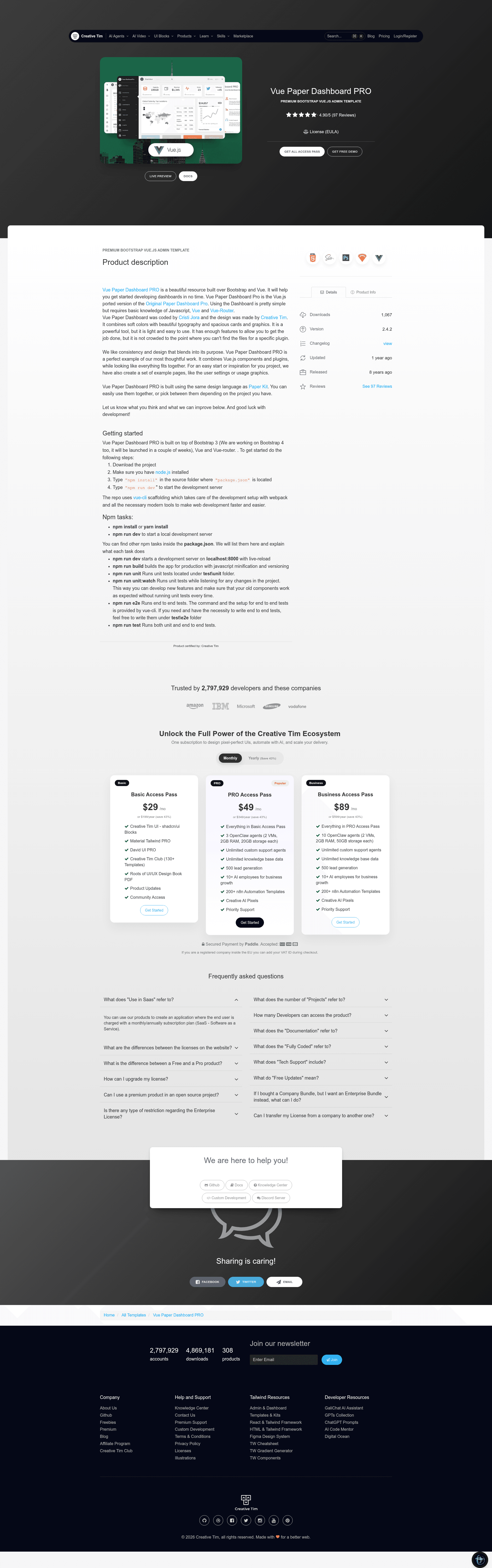
Vue Paper Dashboard PRO
Vue.js and Bootstrap admin dashboard template with example pages for charts, forms, maps, and tables, from Creative Tim.
About this template
Vue Paper Dashboard PRO is a paid admin dashboard template from Creative Tim that combines Vue.js with Bootstrap to create a ready-to-run dashboard UI with example pages for charts, maps, forms, and tables.
What is Vue Paper Dashboard PRO?
Vue Paper Dashboard PRO is a Vue.js and Bootstrap-based admin dashboard template produced by Creative Tim, with code by Cristi Jora. It is the Vue port of the original Paper Dashboard Pro and ships as a vue-cli scaffolded project that runs on Node.js via npm or yarn. As input it takes your Vue.js components and pages; as output it produces a browser-ready dashboard app with a sidebar, top navbar, and multiple content views.
Key Features
Vue Paper Dashboard PRO stands out for its breadth of ready-made admin features packed into a Vue.js component architecture.
- Bootstrap and Vue foundation — Built on Bootstrap styling with Vue.js components and Vue-Router navigation, so pages are single-file components.
- Example pages for common admin areas — Includes Overview, Stats, Charts, Calendar, plus component demo pages for Buttons, GridSystem, Icons, Notifications, Panels, SweetAlert, and Typography.
- Forms with validation and wizard flows — RegularForms, ExtendedForms, ValidationForms (login, register, type validation), and a multi-step Wizard component.
- Mapping integrations — GoogleMaps and VectorMaps pages, with a WorldMap component and a separate API_KEY.js file for the Google Maps key.
- Table variants — RegularTables, ExtendedTables, and PaginatedTables with a sample users.js data file.
- Authentication-style pages — Includes Login, Register, Lock, and UserProfile pages with an EditProfileForm.
- Reusable UI components — Dropdown, Pagination, Progress, Switch, checkbox/radio inputs, and card components like ChartCard, CircleChartCard, and StatsCard.
- Quick start via vue-cli — Download, run
npm install(or yarn), thennpm run devto start a development server.
Who should use Vue Paper Dashboard PRO?
Vue Paper Dashboard PRO targets developers and agencies who want a pre-built Vue.js admin interface rather than a ground-up design. Vue.js developers can use it as a foundation for custom admin panels. Agencies building client dashboards can rely on its consistent example pages for user management, forms, and reports. Teams already using Creative Tim's Paper Kit design language can pair it with this dashboard since both share the same visual style.
What can you do with Vue Paper Dashboard PRO?
With this template you can quickly assemble a functional admin interface for a variety of back-end tasks.
- Build an analytics dashboard: use the ChartCard and CircleChartCard components plus the Charts example page to display metrics.
- Create a form-heavy admin area: leverage the validation forms and wizard steps to collect user input in multi-step flows.
- Assemble a maps-driven operations view: combine GoogleMaps and VectorMaps pages to show locations and vector data.
How does Vue Paper Dashboard PRO work?
Download the template from Creative Tim, install Node.js, open a terminal in the downloaded folder, run npm install or yarn install, then run npm run dev to launch the development server. The project is scaffolded with vue-cli, which configures webpack and related build tooling automatically.
Pricing
The PRO template is a paid product, and Creative Tim also offers a free Vue Paper Dashboard version at the same product page. No dollar amounts are listed on this page.
FAQ
What do I need to run Vue Paper Dashboard PRO?
You need Node.js installed, plus a package manager — either npm, which ships with Node.js, or Yarn. The template is scaffolded with vue-cli, so webpack and modern development tooling are set up automatically after you run the install command.
Does this template include a free version?
Yes, Creative Tim provides a free Vue Paper Dashboard (non-PRO) version for download from the same product page. The free version has fewer features than the PRO version described here.
What example pages are included?
The download includes pages for Dashboard Overview and Stats, Charts, Calendar, UI components (buttons, icons, notifications, panels, sweet alert, typography), Forms (regular, extended, validation, wizard), Maps (Google and vector), Pages (login, register, lock, user profile), and Tables (regular, extended, paginated).