Template details
11ty Blog Starter
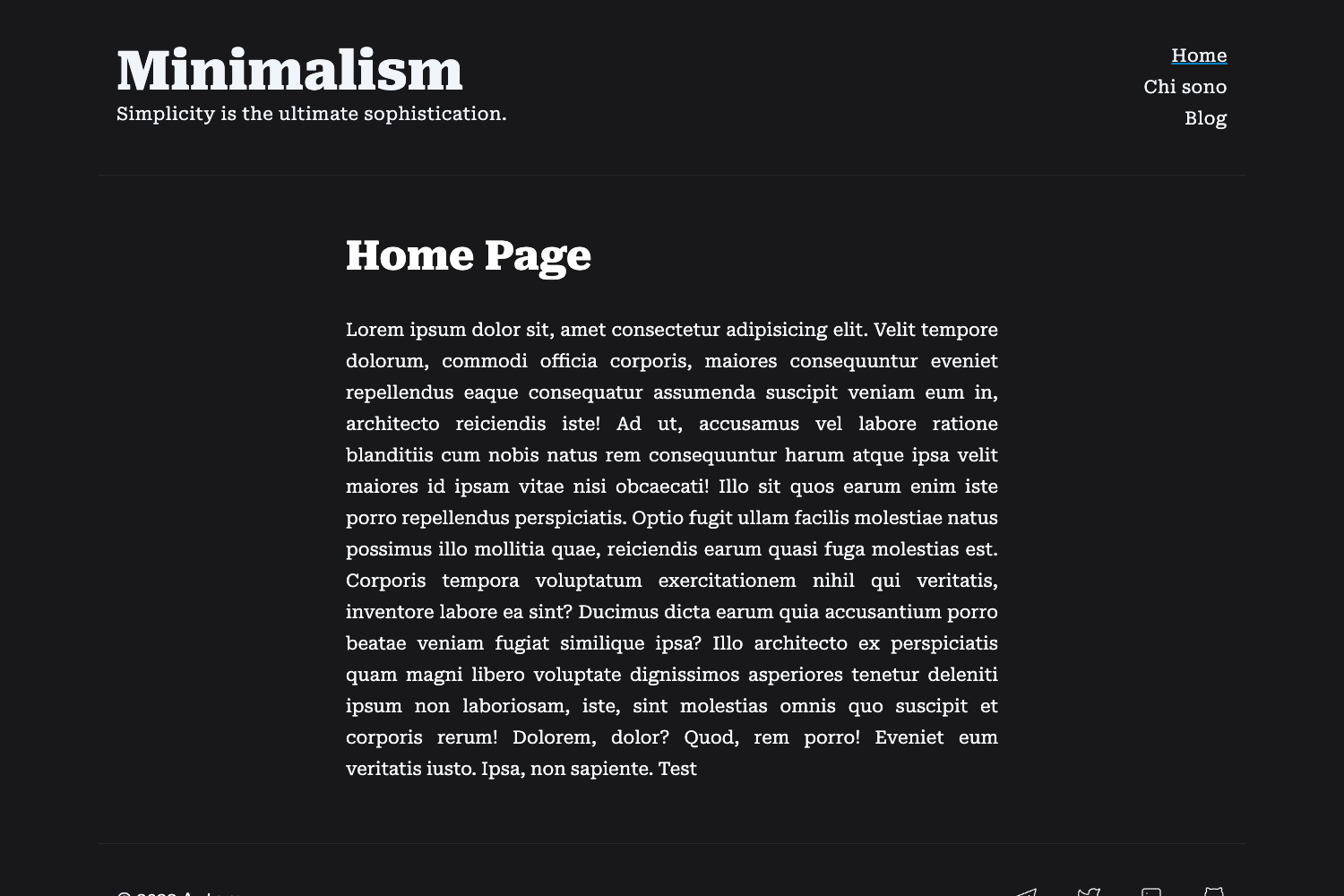
A minimal, JavaScript-free Eleventy blog starter with Tailwind CSS, dark mode, tags, RSS, and sitemap.
About this template
11ty Blog Starter is a free, open-source Eleventy-based static site template that builds a fast, JavaScript-free blog with Tailwind CSS styling, automated SEO, and one-click Cloudflare deployment.
What is the 11ty Blog Starter?
11ty Blog Starter is a static-site generator template built on Eleventy (11ty). It takes Markdown posts stored in the src/posts directory as input and outputs a complete static HTML blog in the _site folder. The template runs on Node.js and is designed specifically for deployment to Cloudflare Workers via a one-click deploy button. It is hosted on GitHub and maintained as an open-source project.
Key Features
- Eleventy static site generation — Uses Eleventy to build a static blog from Markdown posts in
src/posts, with no JavaScript bundler required. - Tailwind CSS v2.0 and dark mode — Includes Tailwind CSS v2.0, Tailwind Typography, and a built-in dark theme using oklch color values.
- Tag-based organization — Generates a
/tagspage listing all tags and/tags/tag-namepages filtering posts by tag, driven by atagListcollection in.eleventy.js. - SEO automation — Automatically generates
sitemap.xmlandrobots.txtfrom page data and_data/site.json. - Image shortcode — The
asset_imgshortcode inserts images fromsrc/assets/img/postswith filename and alt text, e.g.{% asset_img 'mailbox.jpg' 'mailbox' %}. - Draft and pagination support — Posts hidden when
publishedis false in frontmatter; posts paginated inindex.htmlwith configurablesizevariable. - RSS feed with Yandex turbo — Generates
/feed/feed.xmlviafeed.liquid, including Yandex turbo support. - Date formatting with moment.js — Format dates from
YYYY-MM-DDto readable forms such asNovember 14, 2023using customdateIsoanddateReadablefilters.
Who is it for?
- Technical bloggers — write posts in Markdown under
src/postsand let Eleventy produce a static site with tags, RSS, and sitemap. - Developers — customize Eleventy templates, Tailwind styles, and deploy quickly to Cloudflare Workers using the included build command.
- Privacy-focused writers — publish a blog that runs without JavaScript, so content loads fast and works without client-side scripts.
What can you do with it?
- Scaffold new posts — run
./create new blog postto generate a dated Markdown file atsrc/posts/YYYY/MM/. - Format dates for readability — use the
dateReadablefilter to transform dates like2023-11-14intoNovember 14, 2023. - Connect social profiles — populate the
socialobject in_data/site.jsonto display links to Telegram, Twitter, GitHub, and more.
How does it work?
Clone the repository, run npm start to launch a local server at localhost:8080, add posts under src/posts, and run npm run build to generate the static site. The included deploy button targets Cloudflare Workers, and the output folder is _site.
FAQ
Does this template require JavaScript?
No. The blog is designed to run completely without JavaScript, so there are no bundlers or client-side frameworks required.
How do I create a new post?
You can either run the ./create bash script to scaffold a post at src/posts/YYYY/MM or manually create a Markdown file with frontmatter including title, date, tags, and permalink.
What build command and output folder should I use for deployment?
The build command is npm run build and the output folder is _site. The template includes a "Deploy to Cloudflare Workers" button for one-click deployment.
How do I change the site URL used in sitemap and robots?
Edit the _data/site.json file to update the site URL, which is used to generate sitemap.xml and robots.txt automatically.
Can I change the date format language?
Yes, the moment.js locale can be changed in the date filter configuration to support languages like Spanish, Russian, or French.