Template details
Minimalism
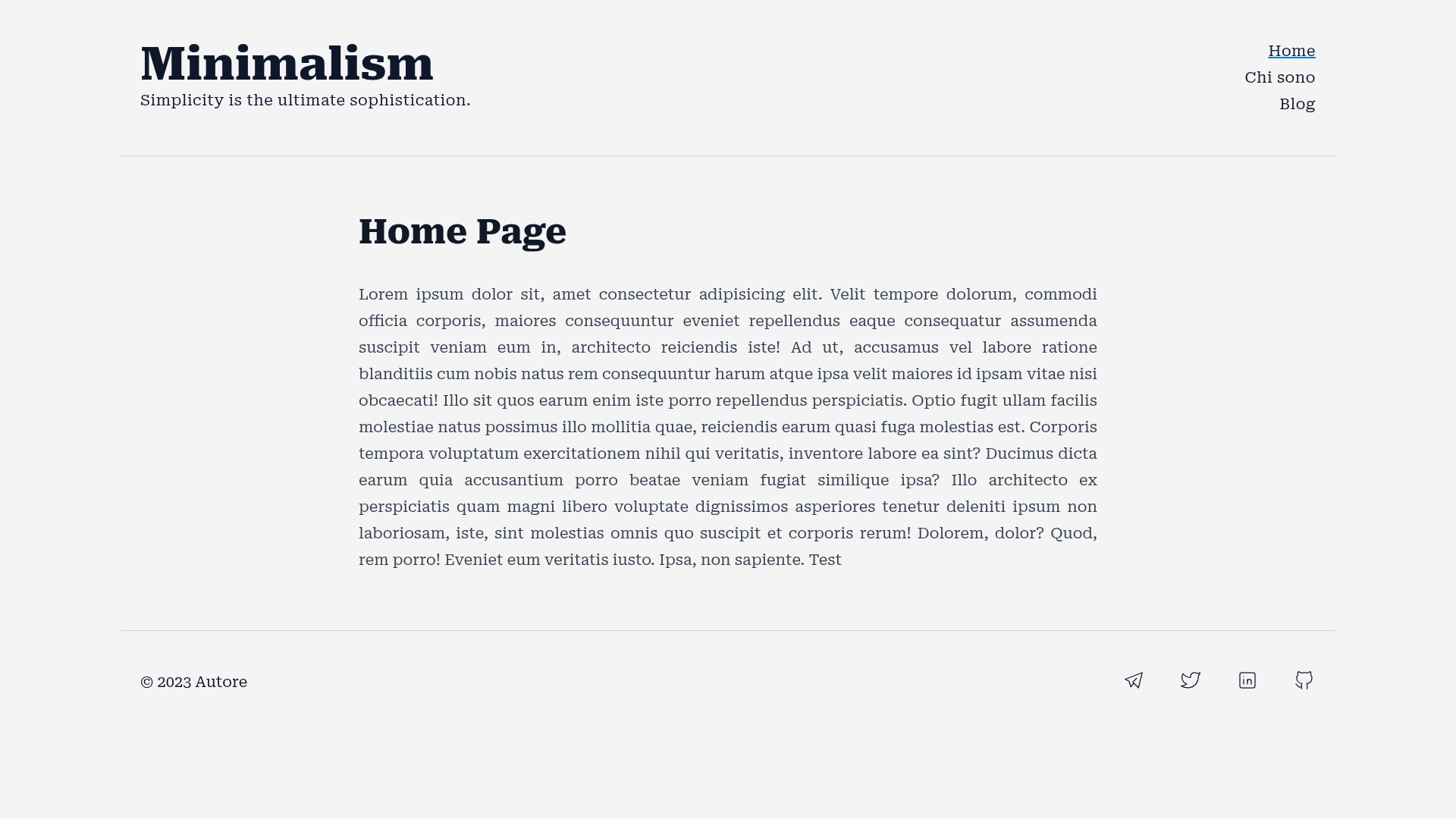
Eleventy starter with PWA, Tailwind CSS, SEO, blog, RSS, sitemap, and dynamic social images.
About this template
Minimalism is an open-source Eleventy (11ty) starter template that produces a fast, SEO-friendly static blog or website with PWA capabilities, Tailwind CSS styling, and automatically generated social images.
What is Minimalism?
Minimalism is an Eleventy starter template built for quickly assembling static websites and blogs. It takes markdown content — pages in the src folder and posts in src/blog — and generates a complete static site with a blog listing, RSS feed, sitemap, PWA manifest, and social sharing images. The template ships with a netlify.toml configuration and is designed for one-command deployment on Netlify, with built-in support for 100 Lighthouse scores.
Key Features
- PWA support — Includes a web manifest and service worker (
sw.js), plus an offline page shown when the app is offline. - Dynamic social images — Uses eleventy-plugin-social-images to generate a custom social image for every page and blog post from a template in
src/_11ty/_social. - SEO tooling — Generates sitemap.xml, robots.txt, and handles 404 errors; metadata is controlled from
src/_11ty/_data/meta.js. - Tailwind CSS styling — Styled with Tailwind CSS and the typography plugin; global CSS lives in
src/_11ty/_tailwindCSS. - Light/Dark mode — Built-in theme toggle for light and dark appearance.
- Favicon generation — Favicons for msapplication, Apple, Safari, and Chrome are generated automatically from
logo.png. - Reading time — The eleventy-plugin-reading-time adds estimated read times to articles.
- Netlify ready — Includes
netlify.toml, so building and deploying to Netlify works out of the box.
Who is it for?
- Developers who want a pre-configured Eleventy setup — They can clone the repo, edit
meta.js, and start writing markdown without wiring up plugins. - Bloggers seeking fast page loads — With static output, PWA caching, and html-minifier, the site is optimized for performance.
- Designers who prefer Tailwind CSS — The project is styled entirely with Tailwind and includes the typography plugin for readable article layouts.
What can you do with Minimalism?
- Publish a personal blog — Drop markdown files into
src/blogand they appear as posts with reading time, social images, and RSS feed entries. - Build a lightweight company website — Add generic markdown pages in
src; they use thepage.njklayout for static content. - Create a project documentation site — Though not its main focus, the page-based structure and navigation plugin support hierarchical sections.
How does Minimalism work?
The template is file-based. Replace logo.png with your own logo, edit src/_11ty/_data/meta.js for site name, description, and social links, then add markdown content. Run npm run build to generate the static site, or use the provided Netlify setup for continuous deployment.
Pros and cons
- Pros: Lightweight and fast; all 100 Lighthouse scores; PWA and offline support; flexible plugin stack.
- Cons: The README marks the template as BETA, so minor corrections may still be needed.
FAQ
Is Minimalism free?
Yes, Minimalism is open-source and includes a LICENSE file. You can clone, modify, and deploy it for personal or commercial projects.
How do I customize the site's social links?
Open src/_11ty/_data/meta.js and update the social URL fields. The header navigation and footer are compiled from this file, so changes appear site-wide.
Does Minimalism work without Netlify?
The template includes netlify.toml, but it's a standard Eleventy project. You can build it locally with npm run build and host it on any static host that supports Eleventy output.
What pages are included by default?
The starter includes index.md, blog.md, a 404 page, an offline page, and layouts for articles, blog listing, and generic pages. Blog posts go in src/blog.