Template details
Astro Personal Blog
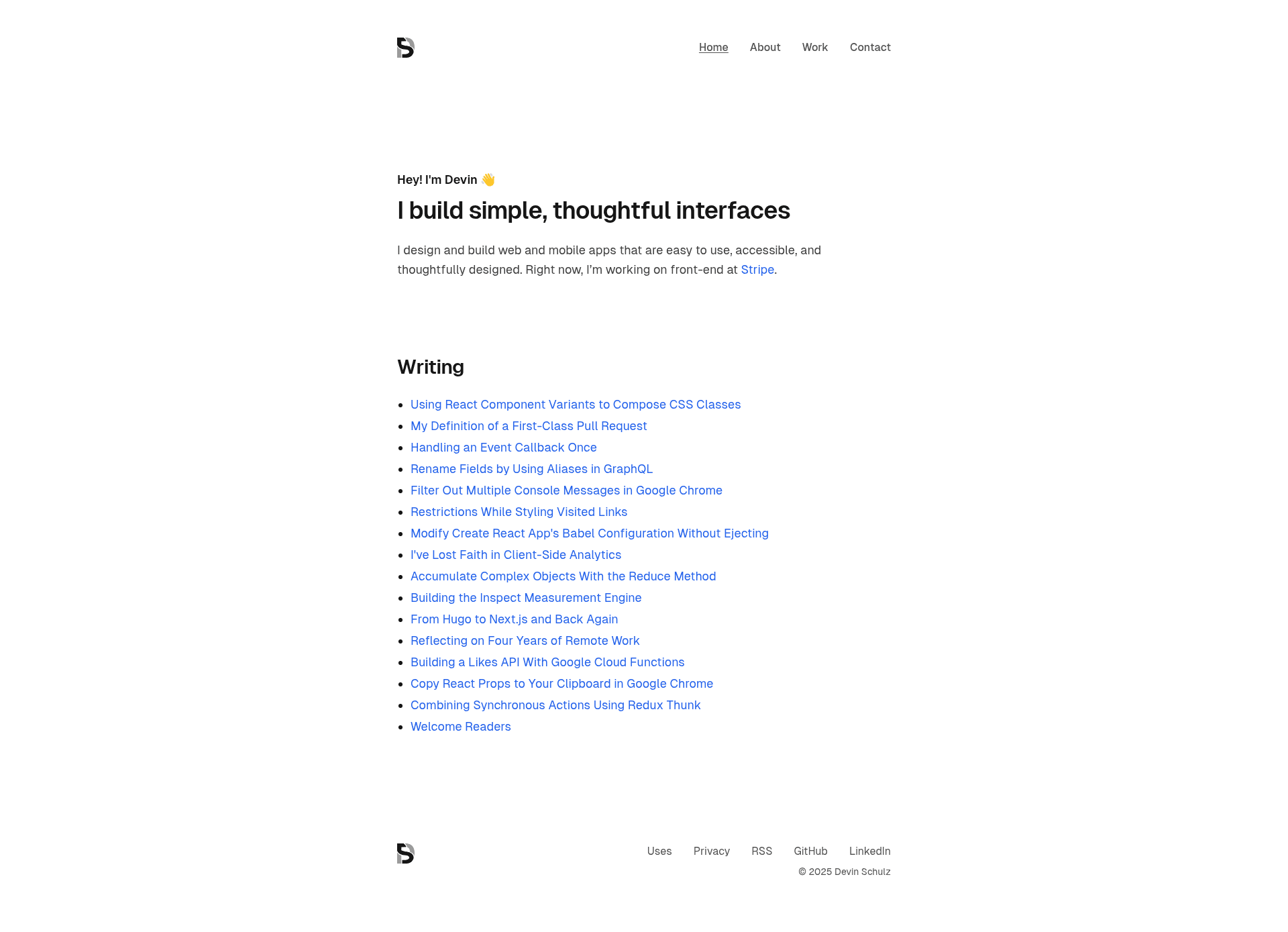
A personal blog and portfolio template built with Astro and Tailwind CSS, deployable to Cloudflare Pages.
About this template
Astro Personal Blog is a static-site template for building a personal blog or portfolio, powered by the Astro framework and styled with Tailwind CSS. It ships as a GitHub repository at devinschulz/blog and can be deployed to Cloudflare Pages using GitHub Actions.
What is Astro Personal Blog?
This template is a pre-configured Astro project that generates a static personal blog site. It takes Markdown-based content (the standard Astro content format) and renders it into HTML pages in a ./dist/ folder when you run the build command. The project uses Astro JS, a static-site generator, and lists Tailwind CSS, Cloudflare Pages, and GitHub Actions among its topics, so the intended workflow is content-first blogging with automated deployment. The template was created by user devinschulz and has 21 stars on GitHub.
Key features
- Astro framework — Built on Astro JS, a static-site generator that ships zero JavaScript by default and outputs static HTML files.
- Tailwind CSS — Styling is handled with Tailwind CSS (as listed in the repository topics), so you can customize design tokens without writing custom CSS.
- Cloudflare Pages ready — The repository topics include cloudflare-pages, indicating the template is set up to deploy directly to Cloudflare Pages.
- GitHub Actions — The topic list includes github-actions, suggesting integrated CI/CD workflows for automated builds and deploys.
- Dev server on port 4321 — Running
npm run devlaunches a local development server atlocalhost:4321. - Static output in
./dist/— The production build commandnpm run buildgenerates static files in the./dist/directory. - Preview command —
npm run previewlets you test the production build locally before deployment. - Full Astro CLI support — Astro commands like
astro add,astro check, andastro --helpare available through the npm scripts.
Who is it for?
- Personal bloggers — Writers who want a fast, static blog with no server-side dependencies; they can write content in Markdown and deploy static files.
- Portfolio owners — Developers or designers looking for a clean Astro-based site to showcase projects and work experience.
- Cloudflare Pages users — Developers already using Cloudflare Pages who want a repo wired for simple continuous deployment via GitHub Actions.
- Astro beginners — New Astro users who want a minimal working example to learn the framework's file structure and commands.
Use cases
- Personal dev blog — Publish technical articles and tutorials using a static-site generator that produces SEO-friendly HTML.
- Portfolio showcase — Present projects, skills, and contact information in a lightweight site that loads quickly on any host.
- Deployment playground — Use this repo to experiment with Cloudflare Pages and GitHub Actions CI/CD pipelines.
How does it work?
- Clone the repository with
git clone https://github.com/devinschulz/blog.git. - Install dependencies with
npm install. - Run
npm run devto start the dev server atlocalhost:4321and customize the content, styles, and layouts. - Run
npm run buildto generate production files in./dist/. - Optionally run
npm run previewto test the build locally.
FAQ
How do I start the site locally?
Clone the repository, run npm install, then npm run dev. The site will be available at localhost:4321 and will hot-reload as you edit files.
What is the build command?
Use npm run build to compile the Astro project into static files in the ./dist/ directory, ready for deployment to any static host.
How can I preview the production build?
Run npm run preview after building to serve the ./dist/ folder locally and verify that everything works as expected before deploying.
What Astro CLI commands are available?
You can run npm run astro ... to use Astro CLI commands such as astro add and astro check, or npm run astro -- --help to see all options.
Can I deploy this to Cloudflare Pages?
The repository topics include cloudflare-pages and github-actions, indicating the template is designed for deployment to Cloudflare Pages via GitHub Actions, though the specific configuration files are not shown in the README.