Template details
Tone
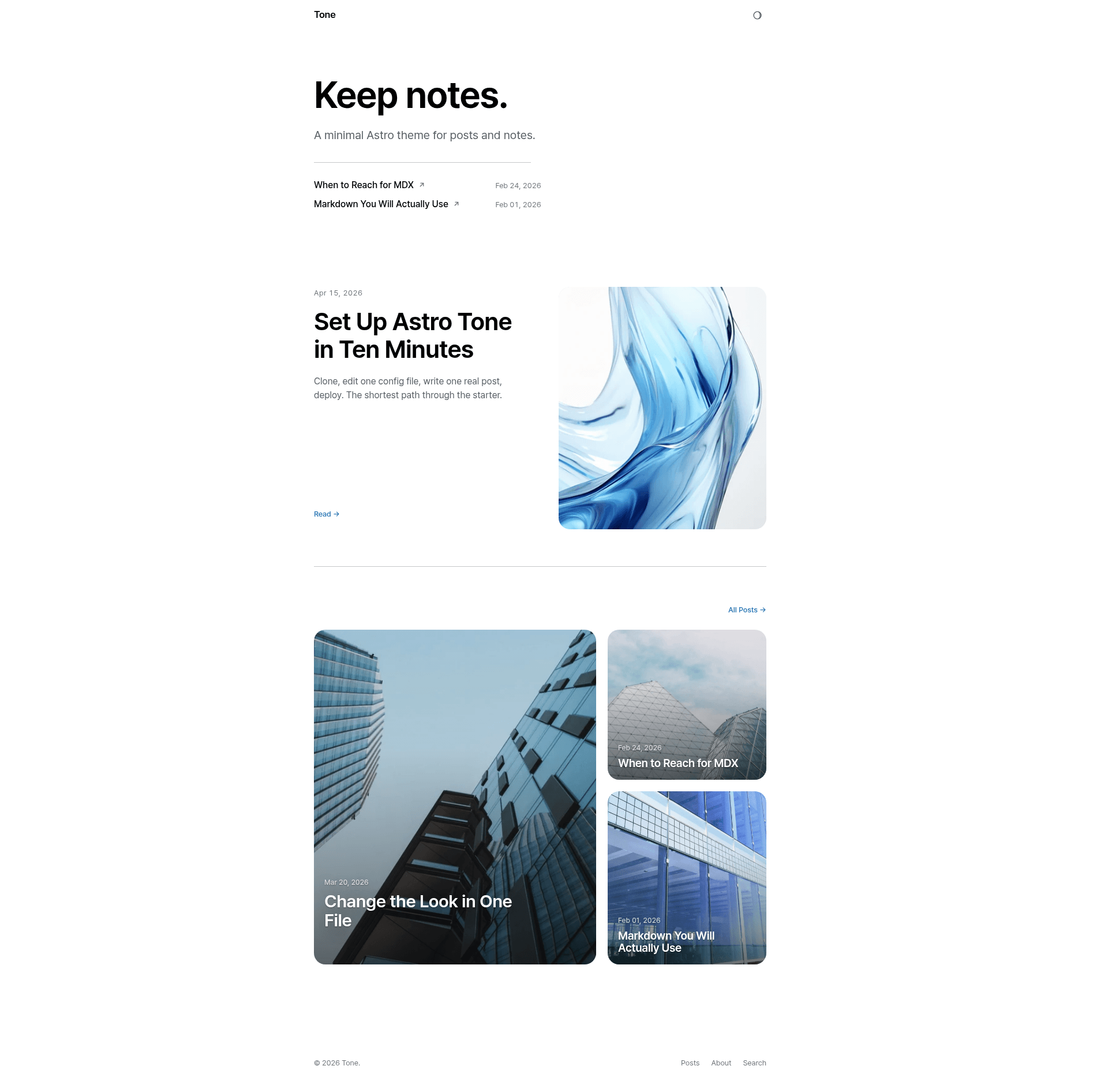
Minimal Astro 6 blog starter with Pagefind search, MDX posts, dark mode, command palette, and perfect Lighthouse scores.
About this template
Tone is a minimal Astro 6 blog starter for quiet publishing, with Markdown and MDX posts, Pagefind-powered search, dark mode, and a command palette that opens with Cmd/Ctrl + K.
What is Tone?
Tone is an open-source, MIT-licensed blog starter built on Astro 6 by developer hanityx. It takes Markdown and MDX content from src/content/posts and generates a static site with a posts index, category filters, search, related posts, RSS, sitemap, and Open Graph metadata. The theme is designed for blogs, notes, and quiet publishing, with a focus on performance and accessibility.
What makes Tone stand out?
- Performance-first baseline — Lighthouse 12.8.2 measured 100/100 on Performance, Accessibility, Best Practices, and SEO for both mobile and desktop on home and post pages, with zero Cumulative Layout Shift and zero Total Blocking Time.
- Pagefind search — a dedicated
/searchroute powered by Pagefind, plus aCmd/Ctrl+Kcommand palette for instant post lookup, with a prebuilt index generated at build time. - Markdown and MDX support — posts live in
src/content/postsand can be authored in either format, with a bundled setup post explaining structure and configuration. - Dark mode via CSS tokens — theming uses CSS custom properties, and the starter includes a light/dark toggle.
- Expressive Code theming — code blocks get a custom theme via Expressive Code, a syntax highlighter built for Astro.
- SEO and social metadata — includes RSS feed, XML sitemap, Open Graph tags, and JSON-LD structured data.
- Optional giscus comments — giscus (GitHub Discussions-powered comments) can be enabled via configuration; it's disabled by default.
- Quiet extras — an optional
focusEffect: 'scroll-dark'for long-form posts, and a category filter plus inline list search on the posts index.
Who is Tone for?
- Personal bloggers — writers who want a clean, fast blog without a CMS, publishing Markdown posts from their own repo.
- Technical writers and developers — teams that want to maintain documentation or notes as plain files, with code highlighting and search.
- Design-conscious publishers — anyone who wants a quiet, typography-focused reading experience with dark mode and no visual clutter.
What can you do with Tone?
- Publish a personal blog — create posts in Markdown or MDX, tag them, and get a responsive static site with RSS and sitemap automatically.
- Run searchable notes — use the Pagefind-powered search and command palette to quickly find content across your notes.
- Set up a GitHub Pages site — deploy the static build to GitHub Pages, including project-path deployments, with the provided build command and
distoutput directory. - Customize the theme — most site settings live in
astro-theme-config.ts; the bundled setup post walks through configuration, writing posts, and deployment.
How does Tone work?
Tone is a static site generator workflow: you write Markdown or MDX files in src/content/posts, optionally configure astro-theme-config.ts, then run npm run build to produce a dist directory and a Pagefind index. The build command also generates the search index; npm run preview serves the production build locally. The starter requires Node.js 22.12.0 or newer and can be created with npm create astro@latest astro-tone -- --template hanityx/astro-tone.
Pricing
Tone is free and open source under the MIT license. There are no paid tiers, no license fees, and no usage limits; you can clone or use the template on GitHub for any project.
FAQ
Is Tone free?
Yes, Tone is MIT licensed, so it is free to use, modify, and distribute, including for commercial projects. No attribution is required.
Does Tone support dark mode?
Yes, Tone includes dark mode implemented with CSS custom properties (CSS tokens). The theme switches between light and dark variants, and the command palette and code blocks respect the theme.
What search does Tone use?
Tone uses Pagefind, a static search engine, on a dedicated /search route. It also provides a Cmd/Ctrl + K command palette that opens quick post search. The Pagefind index is generated automatically during the build.
How do I add comments to my site?
Tone includes optional giscus comments, which are disabled by default. To enable them, you configure giscus in the theme settings (the setup post explains the process). Giscus uses GitHub Discussions to host comments.
What are the system requirements?
Tone requires Node.js 22.12.0 or newer. The build produces a static site, so any static hosting works, including GitHub Pages, Netlify, or Vercel.