Template details
Next.js Contentful Blog Example
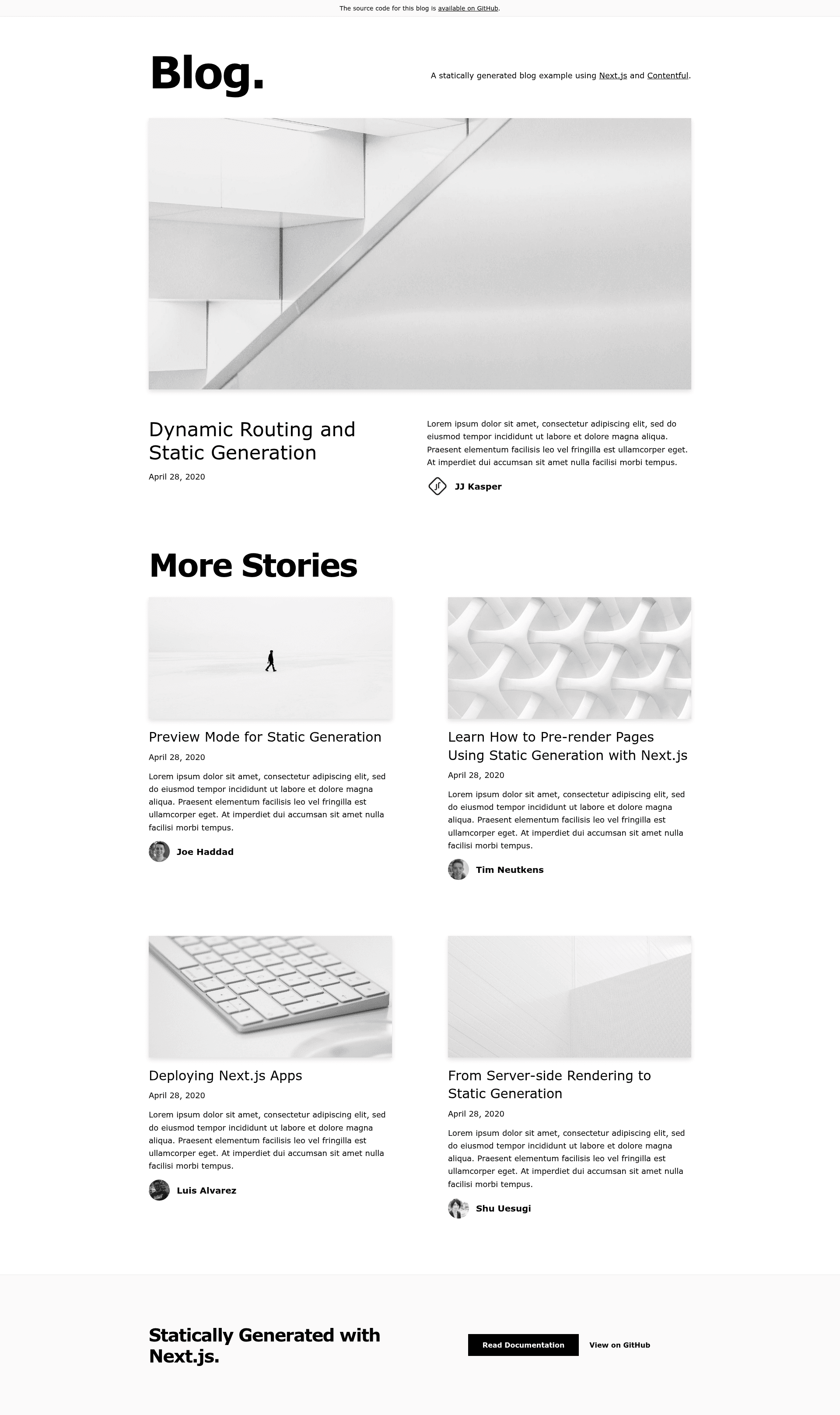
A statically generated blog example using Next.js and Contentful as the headless CMS data source.
About this template
Next.js Contentful Blog Example is an official Vercel boilerplate for building a statically generated blog with Contentful as the headless CMS.
What is the Next.js Contentful Blog Example?
It is an official sample project in the Next.js examples repository that demonstrates how to generate a blog as static HTML using Next.js and Contentful. It accepts a Contentful space containing a Post content type and an Author content type, and it outputs static pages for the blog index and for individual posts. The project also includes Draft Mode for previewing unpublished entries and an on-demand revalidation API to refresh pages when content is published. It is maintained by Vercel and can be bootstrapped with create-next-app.
Key Features
- Static Generation — Uses Next.js static generation to build all blog pages at deploy time, pulling content from Contentful via the Content Delivery API.
- Draft Mode — Lets editors view unpublished posts by opening a preview URL that includes a secret query parameter; navigating to /api/disable-draft exits the preview.
- On-Demand Revalidation — A Contentful webhook calls /api/revalidate on publish, updating the landing page and the affected post without a full rebuild.
- Content model setup script — A single npm command creates the Author and Post content types in your Contentful space using a management token, or you can create them manually.
- Multiple authors — Each post has an author reference, so the template can display an author byline on every article.
- Vercel deploy integration — The Deploy button clones the repository and uses the Vercel Contentful Integration to connect your space, and lets you set environment variables directly.
- Five environment variables — CONTENTFUL_SPACE_ID, CONTENTFUL_ACCESS_TOKEN, CONTENTFUL_PREVIEW_ACCESS_TOKEN, CONTENTFUL_PREVIEW_SECRET, and CONTENTFUL_REVALIDATE_SECRET control API access, Draft Mode, and revalidation.
Who should use the Next.js Contentful Blog Example?
- Next.js developers — use this as a reference for connecting an external CMS to a statically generated blog, including Draft Mode and revalidation patterns.
- Agencies building client blogs — spin up a fast blog for clients, with an editor-friendly Contentful authoring experience and Vercel hosting.
- Startups or indie developers — set up a minimal blog with a headless CMS in a few steps, then deploy for free on Vercel's hobby tier.
Use cases
- Content teams: draft posts in Contentful, preview them at a secret URL before publishing, and automatically update the live blog after publishing.
- Developers evaluating App Router: experiment with static generation, route handlers, and on-demand revalidation in the Next.js App Router.
- Project maintainers: use the example as a documentation blog whose source lives in Contentful and whose build output is fully static.
How does it work?
Bootstrap the project with npx create-next-app --example cms-contentful cms-contentful-app, then configure a Contentful space. Create the content model either by running the provided setup script or manually, populate it with published entries, and copy .env.local.example to .env.local to set the five environment variables. Running npm run dev starts the blog locally; deploying to Vercel connects the webhook for revalidation.
Alternatives
The same Next.js examples repository includes blog starters for other CMS platforms, including Sanity, DatoCMS, WordPress, and Storyblok.
FAQ
How do I create the content model?
Run npx cross-env CONTENTFUL_SPACE_ID=... CONTENTFUL_MANAGEMENT_TOKEN=... npm run setup from the project directory, or manually add an Author content type and a Post content type following the field list in the README.
What does Draft Mode do?
It allows you to preview posts that are not published. Set a content preview URL in Contentful using the /api/draft endpoint and your preview secret, then click "Open preview" in the entry sidebar to see draft content in the browser.
How is on-demand revalidation configured?
Create a webhook in Contentful that POSTs to https://your-deployment-url/api/revalidate with a header named x-vercel-reval-key set to your CONTENTFUL_REVALIDATE_SECRET value. Publishing an entry then triggers a background revalidation.
Which environment variables do I need?
You need CONTENTFUL_SPACE_ID, CONTENTFUL_ACCESS_TOKEN, CONTENTFUL_PREVIEW_ACCESS_TOKEN, CONTENTFUL_PREVIEW_SECRET, and CONTENTFUL_REVALIDATE_SECRET as described in the README.
Can I deploy anywhere besides Vercel?
The instructions focus on Vercel, including a one-click Deploy button. Because it is a standard Next.js app, you can host it on any platform that supports Next.js, but the webhook and environment variable setup are detailed for Vercel.