Template details
block-log
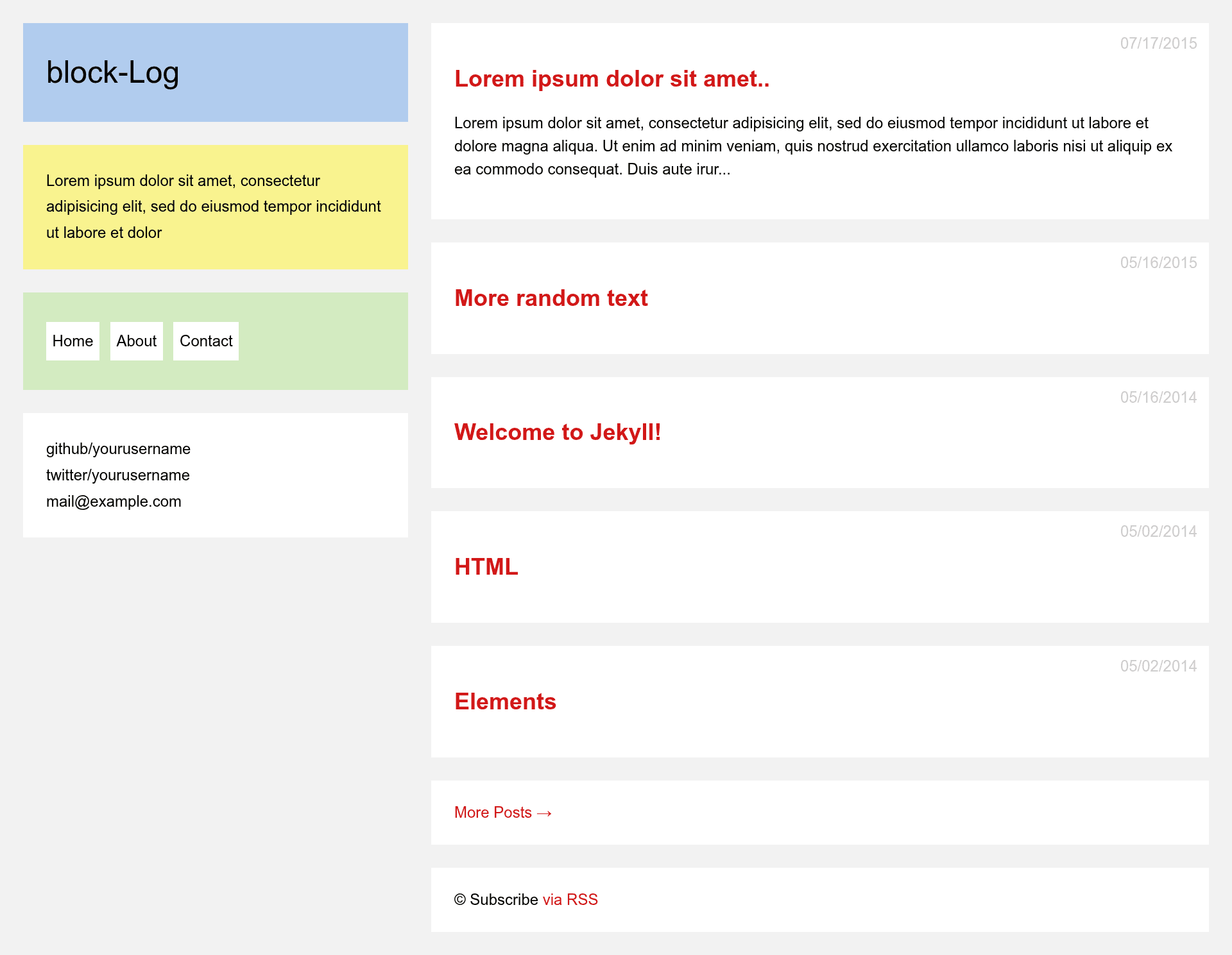
A minimal Jekyll blog theme for GitHub Pages with Disqus comments and social links.
About this template
block-log is a Jekyll blog theme designed to run on GitHub Pages, turning Markdown posts and a single YAML config file into a clean static blog. The theme was created by Anandu B Ajith, is MIT licensed, and has 31 stars on GitHub.
What is block-log?
block-log is a minimal Jekyll blog theme that runs on GitHub Pages. It takes posts written in Markdown (or other formats) placed in the _posts directory and renders them into a static site using a single _config.yml file for all site settings. The theme is built on Jekyll, the static site generator, and is designed for quick setup via git clone and push.
Key Features
- Jekyll-based — Built for Jekyll, so posts are plain text files with no database required.
- GitHub Pages ready — Works out of the box with GitHub Pages; you can publish by simply pushing to a repository.
- Customizable config — All site settings live in
_config.yml: title, description, URL, permalink, social handles, email, and Disqus ID. - Disqus comments — Optional Disqus comments enabled by setting a
disqus-idin the config; leave blank to disable. - Social links — Includes GitHub and Twitter profile links configured via the config file.
- Post naming convention — Posts are added as
year-month-day-title.mdin_posts; other Jekyll-supported formats also work. - Custom permalink — Default permalink format is
/year/titleand can be changed in the config. - Compressed SCSS — CSS is written in SCSS and compiled with compressed output for faster loading.
Who is it for?
- Personal bloggers who want a fast, free blog hosted on GitHub Pages without managing a server.
- Developers who are comfortable with git and editing config files and want a minimal theme to customize.
- Jekyll newcomers who want a simple, readable codebase to learn Jekyll and GitHub Pages workflows.
What can you do with block-log?
- Personal blogs: publish Markdown posts about any topic and get a clean, linkable blog with optional comments.
- Portfolio sites: adapt the theme to show projects by updating the config and adding pages.
- Open-source documentation: use the blog format for changelogs or release notes with minimal effort.
How does block-log work?
- Clone or fork the repository from GitHub.
- Edit
_config.ymlwith your site title, description, URL, and social links. - Add post files to
_postsusing theYYYY-MM-DD-title.mdformat. - Commit and git push to your GitHub repository; GitHub Pages builds the site automatically.
FAQ
Is block-log free?
Yes, block-log is open source under the MIT License, so it is free to use and modify for personal or commercial projects.
How do I add comments to my blog?
Set a Disqus Shortname in the disqus-id field in _config.yml. Leave it blank to disable comments entirely.
Does block-log support Markdown?
Yes, posts are typically Markdown files, but the theme also supports other file formats accepted by Jekyll, such as HTML, as noted in the setup instructions.
Can I host block-log on my own server?
Yes, since it is a Jekyll site, you can build it locally and deploy the generated static files to any web host, not just GitHub Pages.
How do I update the theme after forking?
Pull changes from the original repository or clone it fresh and reapply your config changes to get the latest updates.