Template details
Hugo Theme Mini
A fast, minimalist and responsive Hugo theme for bloggers.
About this template
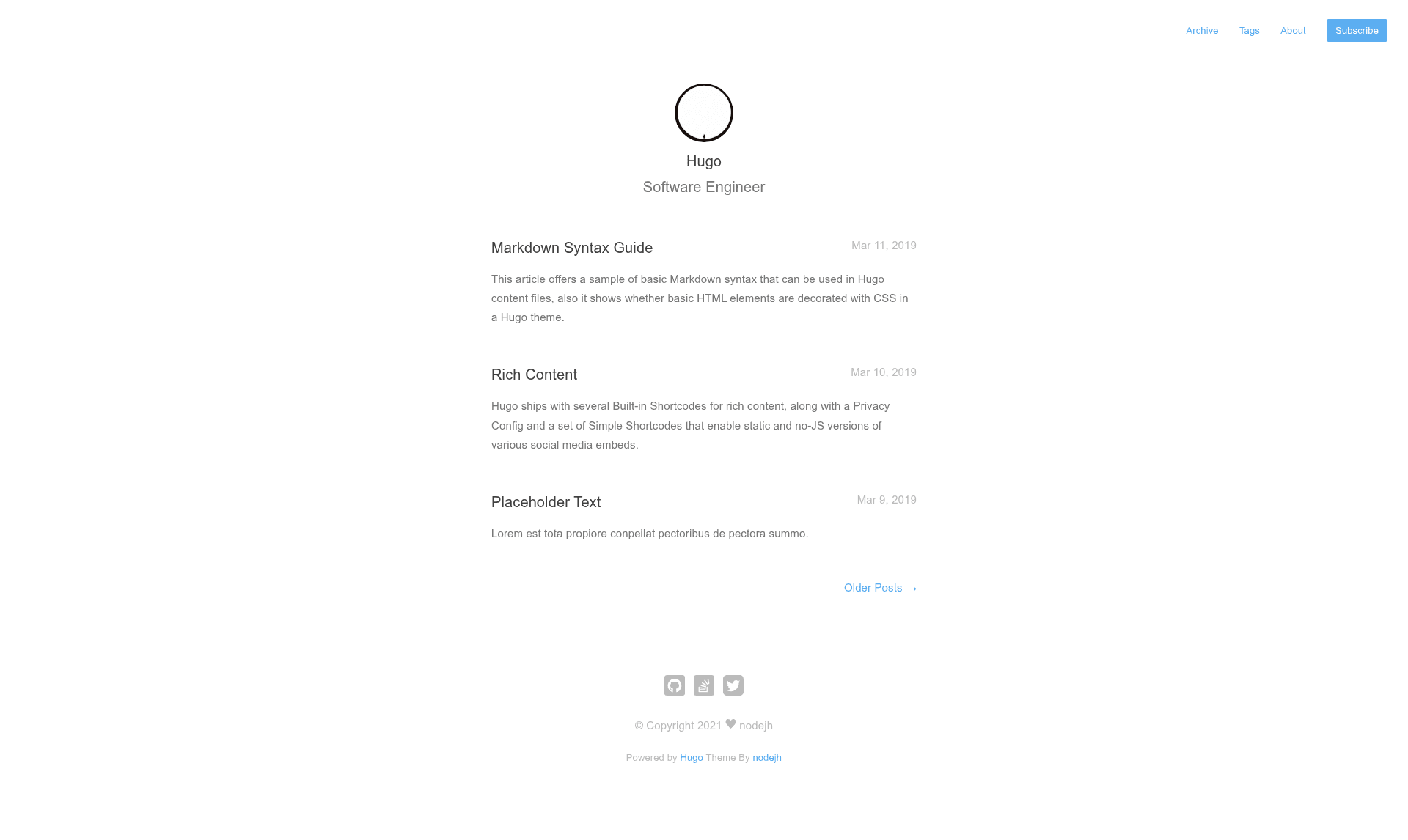
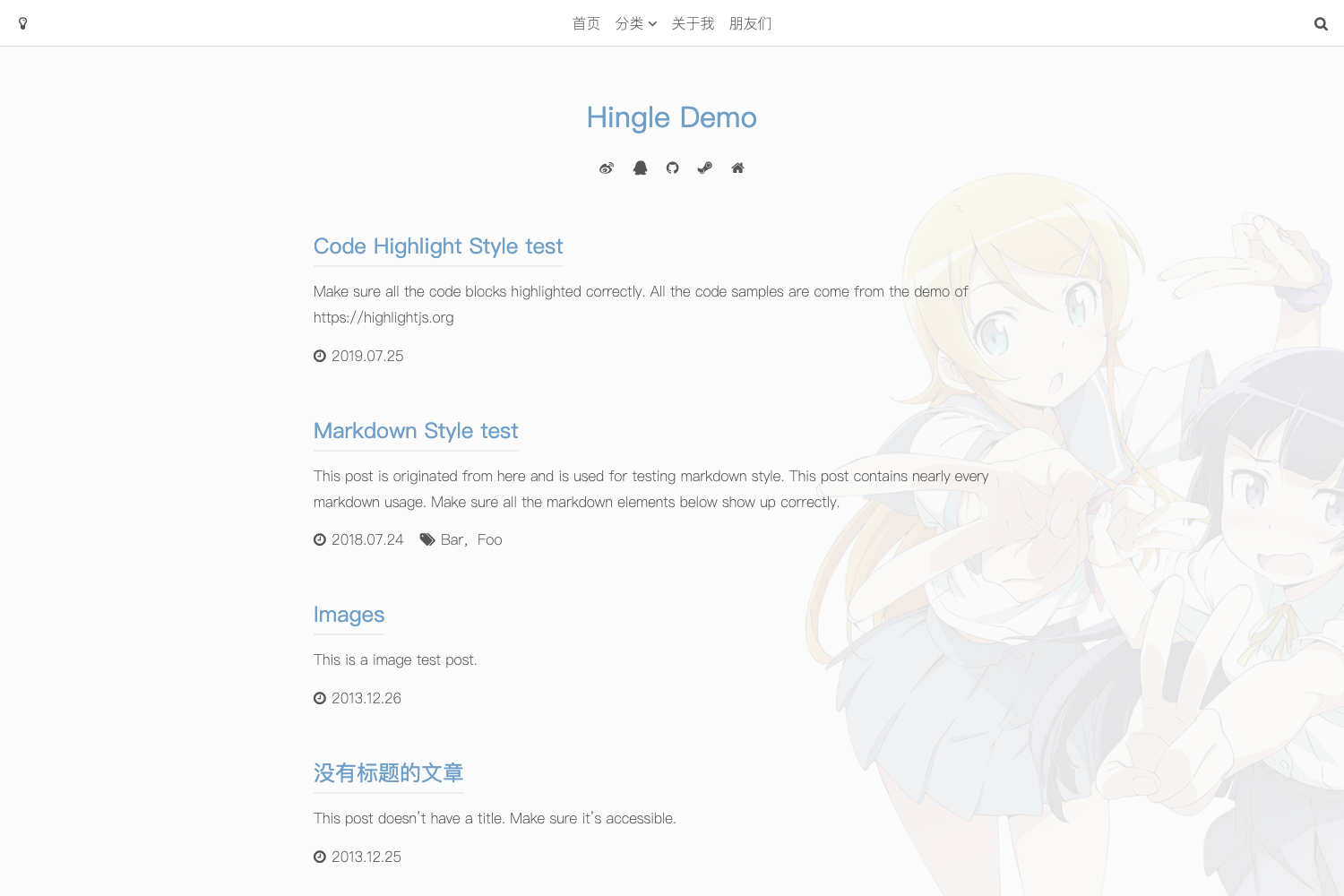
Hugo Theme Mini is a fast, minimalist, and responsive Hugo theme built for bloggers, distributed as an open-source MIT-licensed repository on GitHub. It provides a clean reading experience out of the box, with support for archives, tags, and multilingual content. The theme is designed to be lightweight, focusing on content rather than decoration.
What is Hugo Theme Mini?
Hugo Theme Mini is a Hugo theme that transforms a folder of Markdown content into a fast, static blog with archive and tag pages. It takes a Hugo site's content directory and a config.yaml file as input and produces a production-ready static website as output. The theme runs on the Hugo static site generator and is maintained by the open-source community under the MIT license. You can view the live demo at nodejh.github.io/hugo-theme-mini.
Key Features
- Fast and minimalist — The theme has no JavaScript framework and prioritizes speed; it renders pages as pure static HTML with minimal CSS.
- Responsive design — Layout adjusts automatically to mobile, tablet, and desktop viewports without separate configuration.
- Archive and tags support — Generates an archive page listing all posts chronologically and tag pages for each taxonomy term.
- Multilingual content — Ships with translation strings for English, Chinese, Dutch, French, Spanish, and Danish, selected via the
defaultContentLanguageconfig value. - Disqus comments — Enable comments site-wide by setting
disqusShortnameandparams.enableComments: true, or disable per post with front matter. - Google Analytics integration — Add your tracking ID via
googleAnalyticsand flipparams.enableGoogleAnalytics: true; run Hugo withHUGO_ENV=productionto include the snippet. - Custom CSS and JS — Inject local or remote stylesheets and scripts through
customCSSandcustomJSlists in the config. - KaTeX math typesetting — Mathematical notation renders with KaTeX when the
mathparameter is enabled globally or in a page's front matter. - Table of contents — Set
showToc: trueto display a clickable TOC on posts. - No built-in image processing — The theme expects a logo and favicon named
avatar.pngandfavicon.icoin the staticimagesdirectory; it does not bundle a CMS or admin UI.
Who is it for?
- Personal bloggers — Publish a clean, fast blog without touching frontend code; just write Markdown and run
hugo server. - Technical writers and developers — Host documentation or a portfolio on Hugo, where the theme's simplicity and small page size are assets.
- Multilingual authors — Write content in any of the six supported languages and let the theme switch UI strings automatically.
- Hugo beginners — Learn Hugo by copying the
exampleSiteconfig and theme structure; the README walks through installation via Git submodule or Hugo modules.
What can you do with Hugo Theme Mini?
- Launch a personal blog — Create posts in Markdown, group them by tags and dates, and get archive and tag pages automatically.
- Set up a multilingual site — Configure
defaultContentLanguageand create translated content files; the theme's UI strings follow the chosen language. - Add comments and analytics — Wire up Disqus and Google Analytics in under ten lines of configuration, with per-post comment control.
- Customize the look — Override the logo, favicon, CSS, and JS without editing theme source files, since custom assets live in the site's static directory.
How does Hugo Theme Mini work?
Installation takes one of two paths: as a Hugo module (run hugo mod init and add github.com/nodejh/hugo-theme-mini to the theme list) or as a Git submodule (git submodule add to themes/mini and set theme: mini). After copying the exampleSite config into your project and placing content in the content folder, hugo server starts a local preview at http://localhost:1313. For production, set the HUGO_ENV environment variable and run hugo—the output is a static site ready to deploy to any host.
FAQ
Is Hugo Theme Mini free?
Yes, the theme is open source under the MIT license, so you can use, modify, and redistribute it freely, including for commercial projects.
What is the difference between installing as a Hugo module and as a Git submodule?
A Hugo module integrates the theme through Go modules, which requires Go installed on your machine. A Git submodule clones the theme into your themes directory; either method works, but the module approach makes updates easier for Hugo users familiar with Go.
Does the theme support multiple languages?
Out of the box it supports English, Chinese, Dutch, French, Spanish, and Danish. You set defaultContentLanguage to one of these, and the UI strings for menus, taxonomies, and the archive page appear in that language.
Do I need to configure anything for comments to appear?
Yes, comments are disabled by default. You must add a Disqus shortname to disqusShortname and set params.enableComments: true in config.yaml. Individual posts can override this with enableComments: false in their front matter.
Can I use my own logo and favicon?
Yes, place files named avatar.png and favicon.ico in the static/images directory of your Hugo site. The theme references these exact filenames, so you don't need to edit theme code.